For an interview in a reasonably quiet room, choose a wired USB headset with a stated noise-cancelling boom microphone and a connector that fits your computer. If surrounding noise is a serious concern, compare microphone noise-management features, but test your voice in the interview software rather than assuming a specification guarantees clarity. The headset will not fix a camera image affected by the bright window, so check your lighting separately.
Who needs which setup?
Interviewees in a noisy home
If conversation, traffic or household noise may compete with your answers, look for a stated noise-cancelling microphone and test how your voice sounds to someone else. A feature name alone cannot tell you how much background sound the interviewer will hear.
People who want a straightforward wired setup
A headset with the right USB connector avoids charging and Bluetooth pairing. Check for a usable mute control, then select and test the headset in the interview software before the call.
Interviewees seated beside a bright window
You need to check picture and sound separately. The National Careers Service advises testing your microphone and using good natural light or a lamp; a headset cannot change camera exposure or framing.
What matters when choosing?
Start with the computer’s USB port and the room’s likely noise level, then consider wearing comfort and call controls. Whichever headset you choose, rehearse the camera view beside the window as a separate task.
| Concern |
What to check |
Who this matters to |
| Outgoing voice clarity |
Look for a stated noise-cancelling microphone, rather than assuming listening-focused noise cancellation will affect your outgoing voice. Test the microphone in the intended room. |
If people or traffic may be audible while I answer, I want the interviewer to hear my voice clearly. Around 33% of consumers put outgoing voice clarity first. |
| Connection and setup |
Match USB-A or USB-C to the computer, confirm any required adapter is supplied, and select the headset as both microphone and speaker in the interview software. |
A connection that works at joining time matters most when I cannot risk troubleshooting during the interview; around 27% of consumers prioritise setup reliability. |
| Comfort and controls |
Check the wearing style, cable length and presence of physical mute and volume controls. Try the controls during a rehearsal call. |
For a long or multi-stage conversation, I want a fit I can tolerate and a mute control I can find quickly. Around 20% of consumers put comfort and controls first. |
| Simple wired use |
For a quiet room and a known computer port, consider whether a wired headset with a suitable microphone meets the need without wireless setup. |
If this is mainly for one interview, I would rather prepare a straightforward wired connection than manage charging or pairing. Roughly 20% of consumers make simplicity their primary concern. |
Mistakes to avoid
-
Assuming all noise cancellation affects your microphone
Listening-focused active noise cancellation concerns what you hear; it does not, by itself, establish what the interviewer hears. EPOS lists microphone environmental-noise cancellation separately from listening features for its IMPACT 1000 range.
For a noisy room, check the microphone specification and make a test call from the place where you plan to sit.
-
Leaving the connector and software test until interview time
A USB-A plug will not fit a USB-C-only port without suitable hardware, and meeting software may select a different microphone or speaker.
Check the exact connector before buying. Once connected, choose the headset in the meeting software and rehearse speaking, listening and muting.
-
Expecting a headset upgrade to fix the window lighting
A headset does not change the camera image. The bright window may still leave your face difficult to see from the intended seat.
Check a practice video at the time of day you expect to interview, then adjust your position or use a lamp if needed. Test microphone clarity separately.
Relevant brands to consider
Logitech
The H390 is an example of a simple wired USB-A headset for video calls.
- Logitech specifies a noise-cancelling microphone, inline volume and mute controls, and a 1.9 m cable for the H390.
- Its stated USB-A connection needs a matching port or suitable adapter; do not assume H390 specifications apply to other Logitech models.
Poly
The Blackwire 5220 USB-C illustrates a wired work-headset option for buyers considering USB-C and USB-A adapter use.
- HP specifies a noise-cancelling microphone, physical call controls and USB-C connection with USB-C/A adapter compatibility for that model.
- Check the exact Blackwire model and package: connector arrangements vary by variant, and adapter compatibility does not establish that an adapter is included.
EPOS
The wireless IMPACT 1000 range is relevant if background noise is a major concern and wireless setup is acceptable.
- EPOS lists environmental-noise cancellation and multiple voice-pickup microphones for the range.
- It introduces charging and wireless setup rather than offering the simplicity of a basic wired USB headset. Its listening-focused ANC is not proof that the interviewer will hear no background noise.
Wired USB headset options on Joybuy
These wired USB models offer different headset styles for an interview setup. Check the exact connector and call controls for the model you choose, then test its microphone and your camera view before the interview.
 No image available
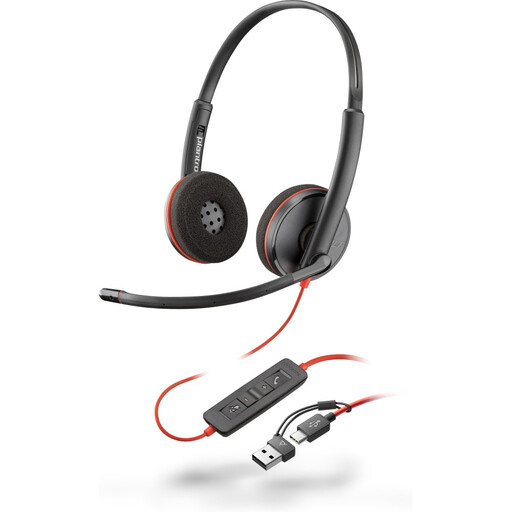
Poly Blackwire 3220 Stereo USB-C Headset with USB-C/A Adapter
Consider this wired model if you need USB-C and want the option of using the stated USB-C/A adapter. Check that the supplied adapter suits your computer, then test microphone selection and mute before the interview.
View on Joybuy
 No image available
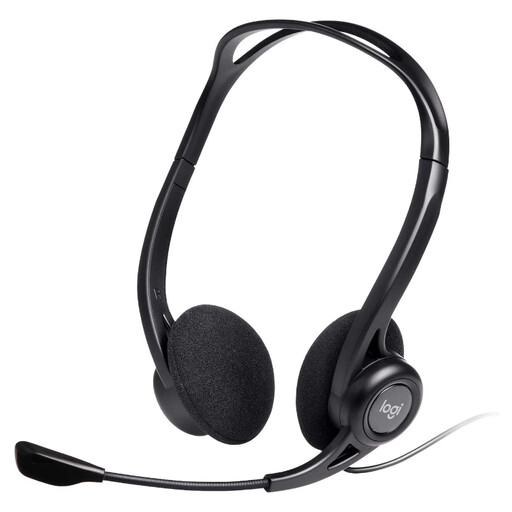
Logitech 960 Wired USB Headset with Inline Remote, Black
A wired option if you want an inline control during interview calls. Its product name states a noise-cancelling microphone; check that the USB connector fits your computer and test what the other person hears.
View on Joybuy
 No image available
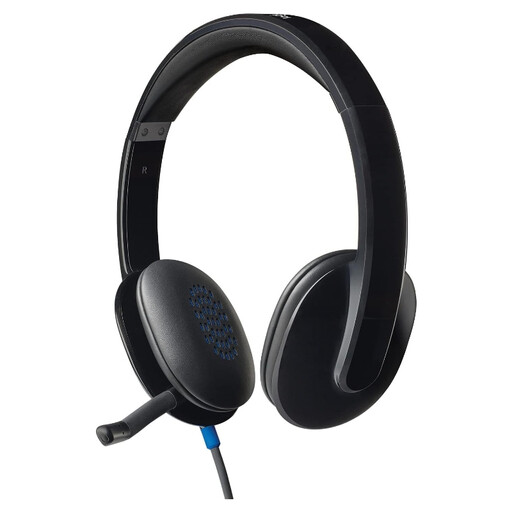
Logitech H540 Wired Headset
Consider this wired headset if you prefer a conventional call setup. Confirm its exact USB connector and controls for your computer, and try the microphone and mute function in the interview software.
View on Joybuy
 No image available
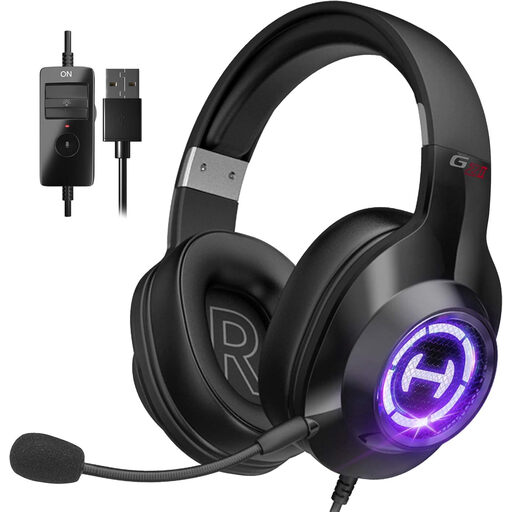
Edifier G2II USB Wired Gaming Headset, Black
This USB-wired gaming headset is another option to assess for a call, rather than a dedicated interview headset. Its product name states a noise-cancelling microphone and 50 mm drivers. Confirm the USB connector type and whether the controls you need are present before buying.
View on Joybuy
Common questions
Will a USB headset fix the bright-window problem in my video interview?
No. A headset handles audio, not camera exposure or framing. Check a practice video from your intended seat; the National Careers Service advises using good natural light or a lamp and testing your equipment before the interview.
Should I choose a USB-A or USB-C headset?
Choose a connector that fits the computer you will use for the interview. Logitech specifies USB-A for the H390, while HP specifies USB-C and USB-C/A adapter compatibility for the Poly Blackwire 5220 USB-C. Check the exact model and whether any adapter you need is supplied.
When should I test a new interview headset?
Test it before interview day rather than connecting it for the first time as the call starts. The National Careers Service advises testing the microphone and logging in at least half an hour early; if the interview uses Teams, its Device Test includes microphone, speaker, camera and network checks.
Do I need a Teams-certified headset?
Not for every interview. If the employer uses Teams and its call controls matter to you, certification is worth checking: Microsoft says certified peripherals offer plug-and-play use and Teams call control. Confirm the interview platform and the exact headset model rather than assuming that certification for one service establishes behaviour in another.


