Hosts in noisy shared spaces
If nearby conversations, keyboards or household activity could be heard by participants, microphone placement and noise handling deserve particular attention. A microphone feature cannot replace a pre-quiz sound check.


For an occasional quiz in a quiet room, start with a wired USB headset that fits your computer and gives you accessible mute and volume controls. If you host regularly amid household or shared-space noise, consider a business-focused model with microphone noise handling and a fit you can wear comfortably throughout the event; whichever you choose, test its microphone and headphones in your quiz platform before participants join.
If nearby conversations, keyboards or household activity could be heard by participants, microphone placement and noise handling deserve particular attention. A microphone feature cannot replace a pre-quiz sound check.
A straightforward wired computer headset may cover your needs if you can connect it easily, mute promptly and hear participants clearly. Check those functions in the software you will actually use.
For repeated or extended quizzes, consider how the headband and ear cushions feel during a rehearsal, as well as whether the controls are easy to reach while you present and keep score.
Choose the connector for your hosting computer first, then weigh microphone handling, fit and controls against the conditions in which you run your quiz. Business-oriented features are worth considering when they address a need in that setup, rather than simply because a headset has more call functions.
| Concern | What to check | Who this matters to |
|---|---|---|
| Host voice amid noise | Look for a positionable boom microphone and check its playback with nearby noise present. Treat manufacturer-described noise handling as a model-specific feature, not a guarantee. | When I read questions over household or keyboard noise, I need participants to catch my words without repeated prompts; around 33% of consumers put host-voice clarity first. |
| Connector and software fit | Match the exact USB-A or USB-C variant to your computer, confirm any included adapter, and select the headset as both input and output in your quiz application. | If the headset connects but the application picks my computer's microphone, the quiz can still start with the wrong audio; around 27% of consumers prioritise connector and software fit. |
| Long-session comfort | Consider headband adjustment and ear cushions, and rehearse for long enough to assess the fit. Choose mono only if you need one ear open to the room. | For a long quiz, I need to keep listening and presenting without the headset becoming distracting; around 20% of consumers make wearing comfort their primary concern. |
| Mute and monitoring | Check where mute and volume controls sit and whether the functions you need work in your quiz platform. | When I pause to check a score or speak to someone nearby, I want to mute quickly without losing track of the quiz; around 20% of consumers put accessible controls first. |
Headset families can include separate USB-A and USB-C versions. An adapter offered with one configuration should not be assumed to come with another.
Check your computer's port, the exact variant and the listed accessories before ordering.
A connector mismatch could leave you needing an adapter or a different headset before you can host.
A fitting connector does not establish that a phone, tablet or app will carry audio through the headset. Jabra specifically cautions that not every USB-C device or app supports audio with its Evolve2 40 SE.
If you plan to host on a mobile device, test that exact device, headset and quiz app together beforehand.
Manufacturer-described noise handling does not ensure that your quiz application has selected the headset microphone or that participants will hear questions clearly in your room.
Use the quietest available space, position the boom near your mouth and play back a microphone test in the platform you will use.
A platform-specific button may have little value in your quiz workflow, even when the headset also has useful everyday controls.
Check the mute and volume functions you will rely on, then try them during a rehearsal in the intended application.
These ranges illustrate different wired-headset configurations; the connector, controls and wearing style depend on the model and variant rather than the brand name alone.
Logitech offers the simpler USB-A H390 alongside the more business-focused Zone Wired for hosts comparing basic controls with additional call features.
The Blackwire 3200 and 3300 ranges give hosts mono and stereo options, with connectivity that varies by configuration.
The Evolve2 40 SE is a computer-oriented wired option for hosts considering call controls and a USB-A or USB-C variant.
These wired headsets offer different starting points for a computer-hosted quiz: an adapter-labelled USB-C Poly variant, a wired Logitech H540 and a USB gaming headset. Check each exact listing for the connector and controls your setup requires, then test audio in your quiz application.
 No image available
Consider this variant if your quiz computer has USB-C or you need the adapter named with the headset. Confirm how that adapter connects to your computer, and check that the cable reaches your hosting position.
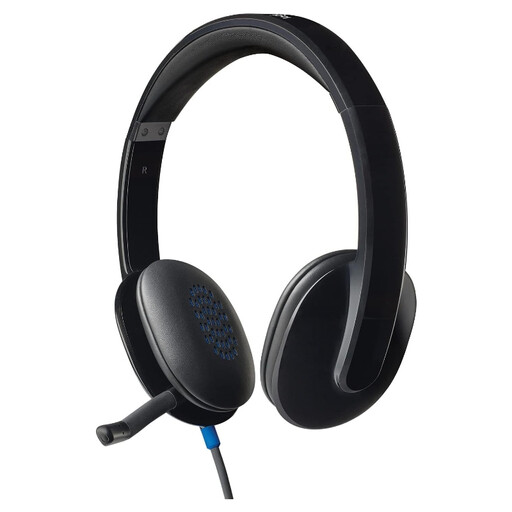 No image available
This wired H540 is an option for computer-based hosting if its exact connector fits your setup. Check the listing for the controls you intend to use, and try the headset as both microphone and audio output before the quiz.
 No image available
Consider this gaming-style headset for a computer quiz only if its microphone and controls meet your hosting needs. Its product name lists a 50 mm driver and PC, Mac and PS4 compatibility; confirm the connection and test microphone selection in your quiz application.
Connect it before the event and select it as both speaker and microphone in your quiz application, then listen to a microphone recording. Zoom, for example, provides speaker and microphone tests and lets you change the selected audio devices.
Choose the connector that fits the computer you will use to host. Some headset ranges have separate variants, while selected Poly configurations include a tethered USB-A adapter with a USB-C connection; check the exact product and its accessories.
Do not rely on the connector shape alone. Jabra cautions that not every USB-C device or app supports audio with its Evolve2 40 SE, so test your particular headset, device and quiz app before hosting from a phone or tablet.
Choose mono if hearing people or cues in the room is important while you host; choose stereo if you prefer to monitor quiz audio through both ears. Check that your chosen model comes in the wearing style you want.
Check the marking and accompanying product information for the headset supplied to the Great Britain market. Department for Business and Trade guidance updated in August 2026 explains that UKCA and CE markings indicate the manufacturer's belief that a product meets relevant requirements; which requirements apply depends on the product and its route to market. Do not assume that Great Britain guidance establishes the position for Northern Ireland.