What matters when choosing?
Start with how clearly the interviewer can hear your answers, then consider whether room noise affects your listening. Before the appointment, check the USB connection and make a test call in the application you will actually use.
| Concern |
What to check |
Who this matters to |
| Outgoing speech clarity |
Look for a boom microphone with a stated call-noise feature; position it close to your mouth. |
If flatmates are talking nearby, I need my answers to remain understandable without assuming every sound will be removed. Around 42% of consumers put outgoing speech clarity first. |
| Hearing and focus |
Compare passive isolation with ANC for the noise you hear, and keep playback at a comfortable level. |
When household noise makes questions hard to follow, I need to hear the interviewer while remaining aware of important alarms. For around 33% of consumers, listening and focus are the primary concern. |
| Connection and platform |
Check the computer’s USB port, the exact headset variant and support for the interview app. |
If I may use a different laptop or an unfamiliar meeting app, a working connection matters more than extra listening features. Connection and platform readiness come first for around 25% of consumers. |
Joybuy headset choices
These wired headset choices are relevant when you want to check microphone claims and computer connections for an interview. Compare each exact model with your laptop and meeting app, and test the outgoing call before the appointment.
 No image available
Poly Blackwire 3220 Stereo USB-C Headset with USB-C/A Adapter
Consider this wired option if you need to connect an interview computer through USB-C or the listed USB-C/A adapter.
For a noisy flat, check how its microphone sounds to the other person in a test call; do not assume that every nearby voice will be removed. Test the intended connection and meeting app together.
View on Joybuy
 No image available
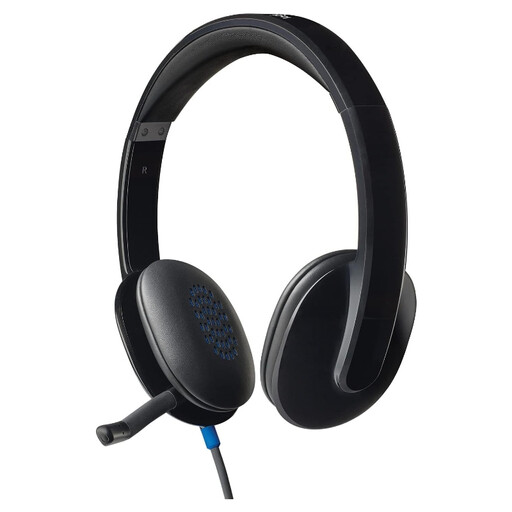
Logitech H540 Wired Headset
Consider the H540 if you want a wired headset for the interview rather than a wireless connection.
Check its connector against your computer and assess outgoing speech in the interview app. A microphone noise-reduction claim should not be treated as a promise that all household noise will disappear.
View on Joybuy
 No image available
Edifier G2II USB Gaming Headset, 7.1 Surround Sound, 50 mm Driver, Black
This wired USB gaming headset is worth considering for an interview only if its microphone and your meeting application work well together.
The product name specifies a noise-cancelling microphone, 7.1 surround sound and a 50 mm driver; the listening specifications do not establish how clearly an interviewer will hear you. Make a test call before depending on it.
View on Joybuy
Common questions
Will ANC stop an interviewer hearing my flatmates?
No, not by itself. ANC and passive isolation address what you hear; a microphone’s stated noise-reduction or noise-masking feature is the relevant claim for the outgoing call. If you need both clearer listening and outgoing speech, assess both features separately.
Should I choose USB-A or USB-C for my interview laptop?
Choose a connection that fits the laptop you will use. Jabra sells separate USB-A and USB-C Evolve2 40 SE variants, while HP specifies a USB-C/A adapter for its Blackwire 5220 USB-C configuration. Check the exact model and test audio in the meeting app; a fitting USB-C port alone does not establish app support.
Where should the boom microphone sit?
Position the boom close to your mouth, as Jabra advises for its Evolve2 40 headset. Make a short test call on the same computer and application planned for the interview so you can check what the other person hears.
Do I need a Teams-certified headset?
A Teams-certified variant is most relevant when the interview is confirmed to use Microsoft Teams and you want its supported call controls. Microsoft’s Teams device guidance describes plug-and-play operation for certified devices, but Teams certification does not establish the same controls or performance in every other meeting app.
How loud should an isolating headset be at home?
Keep playback comfortable while ensuring you can still notice important alarms. The Information Commissioner’s Office workplace noise policy specifically highlights comfortable headset levels in relation to hearing a home smoke alarm; consider this when using ANC or strongly isolating ear cushions.


