What to check before choosing
Start with the computer-side connector and the reader’s plug. Then decide whether card-transfer capability, laptop charging or a monitor connection changes the hub you need.
| Concern |
What to check |
Who this matters to |
| Connector and port fit |
Match the hub’s host connector to the computer. For a separate USB-A reader, count the USB-A data ports left after other desk devices are connected. |
I need my existing reader to connect without losing the ports used by my mouse and keyboard. Around 40% of consumers put that connection and port fit first. |
| Laptop power |
Compare the hub’s stated power delivered to the laptop with its charging requirement, and check whether a compatible charger is included. |
If the hub will stay connected throughout the working day, I need to know whether it can pass enough power to my laptop. Keeping the laptop charged is the primary concern for around 30% of consumers. |
| Card access and transfer |
Check the exact card formats and, for frequent large transfers, the reader standard and quoted card-reader rate. |
I regularly move files from cards, so the slot must fit my media and its reader capability matters more to me than extra desk connections. Around 20% of consumers prioritise card access and transfer. |
| Monitor connection |
Check the hub’s display limits and whether the computer’s USB-C port supports the video function it requires. |
My desk setup also needs an external screen through the hub. Monitor and broader desk connectivity come first for around 10% of consumers. |
Joybuy products for these setups
These USB-C products include hubs with built-in card slots and one adapter for connecting a separate USB-A reader. Match the computer port and your card or reader before comparing their additional desk connections.
 No image available
Baseus Metal Gleam Series II 10-in-1 USB-C Hub, Cosmic Black
Consider this model if you want SD/TF slots alongside USB connections and monitor outputs at one desk.
Its listed connections include one 10Gbps USB-A port, one 10Gbps USB-C port, two 480Mbps USB-A ports, Gigabit Ethernet and two HDMI outputs. For video, check that your computer’s USB-C port supports DisplayPort Alt Mode; confirm card compatibility and laptop charging output for your setup.
View on Joybuy
 No image available
MOVESPEED DK5A1 10-in-1 USB-C Docking Station
Its integrated SD/TF slots suit a desk where you want card access without connecting a separate reader.
The product title lists SD/TF transfer up to 160MB/s, USB-A and USB-C connections with stated rates up to 10Gbps, and 4K at 60Hz HDMI. Check your exact card format and computer compatibility before relying on those functions.
View on Joybuy
 No image available
V7 V7UC-U3CRJ45HDVG-BLK USB-C Adapter
If your existing card reader has a USB-A plug, one of this adapter’s two USB 3.0 ports can connect it while leaving the other for a peripheral.
The title also lists HDMI, VGA, Gigabit Ethernet and 100W Power Delivery. Check USB-C video compatibility for display use and the power delivered to your laptop if charging matters.
View on Joybuy
 No image available
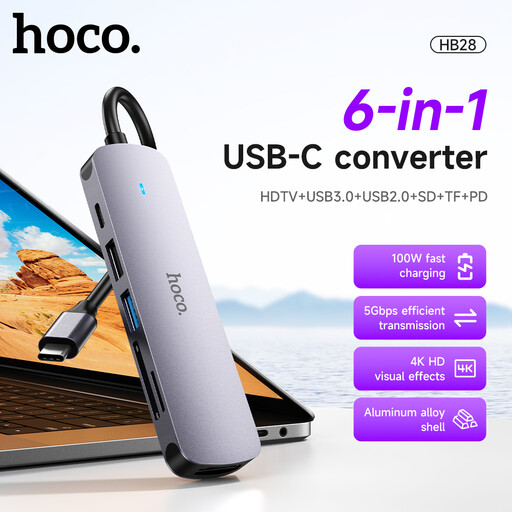
HOCO HB28 USB-C Multi-Function Converter, Metal Grey
This model offers built-in SD/TF slots if you would rather use a hub than attach a separate reader for those cards.
Its listed functions include USB 3.0, USB 2.0, HDTV output and Power Delivery. Check the supported card formats and the video and charging requirements of your desk setup.
View on Joybuy
 No image available
Mokin 2USBC to TB+ Hub with SD/TF and 4K60Hz HDMI
The built-in SD/TF slots and USB ports suit a desk that needs card access as well as peripheral connections.
The title lists two USB-A 3.0 ports, one USB-C 3.0 port and HDMI at 4K60Hz. Check that your computer supports the docking functions you need and that the slots accept your cards.
View on Joybuy
Frequently asked questions
Do I need built-in card slots if I already have a card reader?
No, provided your existing reader can connect to a spare data port on the hub. If it has a USB-A plug, check for a USB-A data port; consider built-in slots only after confirming that they support the cards you use.
How many USB ports should I allow for?
Allow one data port for the separate reader and one for each device you normally leave connected, then consider whether you need a free port for temporary devices. UGREEN specifies four USB-A ports on its 35461 hub, although connected devices still share the hub’s available power and bandwidth.
Will a hub labelled 100W deliver 100W to my laptop?
Not necessarily: the label may refer to incoming Power Delivery power rather than laptop output. Anker specifies up to 85W laptop charging for its 341 hub after reserving 15W for operation, while StarTech.com specifies up to 88W for its DKT30CHSDPD after reserving 12W.
Will HDMI work through any laptop USB-C port?
No: check both the hub’s display requirements and the laptop port’s video support. For example, Anker’s compatibility guidance for its Nano USB-C hub tells buyers to confirm DisplayPort Alt Mode support on the laptop’s USB-C port.


