What matters when choosing a hub?
Start with the card reader’s plug and the computer’s available port. Then decide whether integrated card slots or additional transfer and charging capabilities would change how you use the desk.
| Concern |
What to check |
Who this matters to |
| Data access and desk space |
Match the reader’s USB-A or USB-C plug to a downstream data port. Check cable direction and clearance around neighbouring ports. |
I already have a reader and want to connect it without crowding my desk with unused ports and adapters; around 42% of consumers would put that straightforward connection first. |
| Built-in card slots |
Check that the slots accept your SD or microSD cards and whether the stated reader capability suits your use. |
If the hub takes my cards directly, I can remove a separate reader and free its USB port. For around 33% of consumers, replacing that reader would be the main priority. |
| Transfers and charging |
Compare the USB data rating with the card and reader capabilities. If you need laptop charging, check the host, charger and hub’s pass-through requirements. |
Regularly moving larger files or sharing the hub with other desk devices makes connection capability more important to me; around 25% of consumers would prioritise transfer or power needs. |
Joybuy product choices
These hubs cover several ways to connect an external reader, including a USB-A-host option and USB-C multiport models with built-in SD/TF slots. Match the reader and computer connections first; choose extra slots, display ports or charging only if you will use them.
 No image available
MOVESPEED DK5A1 10-in-1 USB-C Docking Station
Consider this USB-C dock if you want a data connection for an external reader as well as built-in SD/TF slots.
Its product name specifies USB-C 10Gbps and USB-A 10Gbps/5Gbps connections, SD/TF slots rated at 160 MB/s, 4K 60Hz HDMI and 3.5 mm audio. Check the reader plug, host capabilities and desk clearance; the stated rates do not guarantee file-copy speed.
Joybuy
 No image available
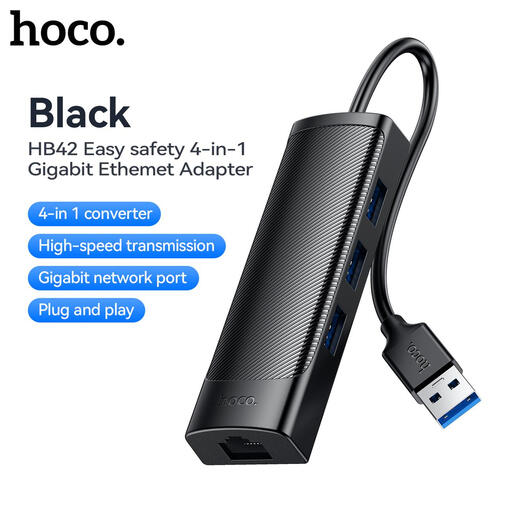
HOCO HB42 4-in-1 USB Gigabit Ethernet Adapter, Black
This USB-A-host hub is an option if your computer has a USB-A port and your existing reader connects through USB-A.
The product name specifies three USB 3.0 ports, an RJ45 LAN connection and a 0.2 m cable. Check the host and reader plugs before choosing it; it is not a built-in card reader.
Joybuy
 No image available
V7 V7UC-U3CRJ45HDVG-BLK USB-C Adapter
Consider this adapter for an external USB-A card reader if you also need its display or network connections.
Its product name lists two USB 3.0 ports, 4K HDMI, VGA, Gigabit Ethernet and 100W Power Delivery. Check desk clearance and confirm the computer supports the display and charging functions you intend to use.
Joybuy
 No image available
Baseus Metal Gleam Series II 10-in-1 USB Hub, Cosmic Black
This USB-C hub offers both USB data ports for an external reader and SD/TF slots if you want to connect cards directly.
Its product name specifies one 10Gbps USB-A port, one 10Gbps USB-C port, two 480Mbps USB-A ports, dual HDMI outputs, RJ45 and a USB-C PD port. Choose the data port that matches your reader, and check desk clearance and host display support if you intend to use HDMI.
Joybuy
 No image available
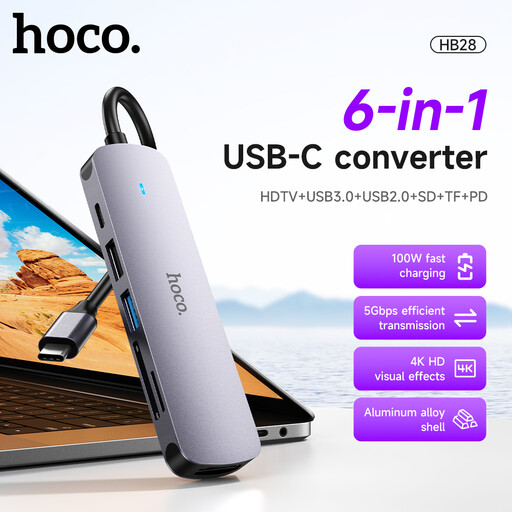
HOCO HB28 USB-C Multi-Function Converter, Metal Grey
This USB-C converter is worth considering if you need a connection for an external USB-A reader or want built-in SD/TF slots.
The product name lists USB 3.0 and USB 2.0 connections, SD/TF slots, HDMI and PD. Check which port matches your reader, whether the computer supports the functions you need and whether the converter fits your desk.
Joybuy
Common questions
Can I connect a card reader to any USB-C port on a hub?
No: the port must support downstream USB data and match the reader’s connector. Anker Support specifies that the PD-input port on its A83D2 hub is for an external wall charger and cannot power peripherals, so check each hub’s port labels rather than relying on the USB-C shape.
When can built-in card slots replace my existing reader?
Built-in slots can replace it when they accept your SD or microSD cards and meet the reader capability you need. Keep a compatible external reader for other card formats, and compare UHS-I or UHS-II specifications if transfers are an important part of your work.
Will a 10Gbps hub copy card files twice as fast as a 5Gbps hub?
Not necessarily. The USB Implementers Forum identifies 5Gbps and 10Gbps as interface performance levels; copy speed also depends on the card, reader, computer port, cable, destination storage and devices sharing the hub.
Can a hub’s charging port also take my card reader?
Do not count on a port labelled PD input for the reader: it may be reserved for a charger. Check the hub’s port diagram for a separate data port, and, if laptop charging matters, confirm the required charger and the power the hub can pass through.


