One-microphone, small-desk users
If the microphone is your main extra device, start with its required USB connection and a hub that fits beside your computer. Check the microphone maker’s guidance before assuming it can use a hub.


Choose a compact hub if its computer connector and a downstream data port match your setup, the microphone maker permits hub use, and the cables will fit around your desk. Connect the microphone directly to the computer if its maker recommends that route or it behaves unreliably through a hub; consider an externally powered hub when the microphone shares a permitted hub connection with several devices.
If the microphone is your main extra device, start with its required USB connection and a hub that fits beside your computer. Check the microphone maker’s guidance before assuming it can use a hub.
If the same USB-C connection must serve your microphone and laptop charging, distinguish the hub’s Power Delivery input from its downstream microphone data ports. Check the computer’s supported USB-C functions too.
If a microphone shares a hub with other USB devices, consider their combined connection and power needs rather than counting ports alone. RØDE prefers a powered hub for its PodMic USB when a hub is used, while its no-sound troubleshooting guidance favours a direct connection.
Start with the microphone maker’s connection guidance, then match the computer and microphone ports. Once those are settled, check power, cable reach and whether you need functions beyond a microphone connection.
| Concern | What to check | Who this matters to |
|---|---|---|
| Ports and footprint | Match the computer’s host connection to the hub and the microphone cable to a downstream data port; check how much desk space the hub occupies. | If I mainly need one microphone connection, I want the right USB-A or USB-C port without crowding my desk. Around 36% of consumers put this port-and-space need first. |
| Connection and power | Check the microphone manual before using a hub. If hub use is permitted, distinguish an externally powered hub from one drawing power from the computer. | When my microphone shares a connection with other devices, I care most about whether it remains connected and usable. Roughly 29% of consumers prioritise that connection-and-power need. |
| Cable reach | Measure the route from the computer port to the intended hub position; check the host cable’s length and where the other cables will leave the hub. | With a microphone stand and keyboard on a small desk, I need cables to reach without crossing the space I use. Cable layout comes first for around 21% of consumers. |
| Other desk connections | Check whether you also need laptop charging, a display or a wired network connection, and whether the computer supports the required USB-C functions. | If one connection also has to serve my wider laptop setup, I need more than a microphone data port. Approximately 14% of consumers put those additional desk functions first. |
A USB plug can fit even when the microphone maker recommends a direct connection or a different power arrangement. RØDE advises connecting a microphone directly to the computer when troubleshooting no-sound problems.
Read the guidance for your exact microphone. If it is not detected or behaves unreliably through a hub, test it directly on the computer before changing other equipment.
A hub’s USB-C Power Delivery input may charge the laptop rather than provide a data connection or that level of power to a downstream device.
Identify the host connector, charging input and microphone data port separately. Check what the hub requires for pass-through charging.
A separate compatible charger and cable may be needed for pass-through charging.
Display, network and card-reader connections add cables and take up room without addressing the microphone connection if you do not use those functions.
Choose those connections only if they serve another device in your current desk setup; otherwise focus on the required data port and physical fit.
A hub may have the right ports yet be awkward to place if its cable cannot reach past a laptop riser, keyboard or microphone stand.
Measure the intended position and compare it with the hub’s host-cable length and port orientation before buying.
Belkin lists compact USB-C expansion hubs as well as models with laptop charging and display connections.
Anker’s 543 is a multipurpose USB-C hub for a desk that needs connections beyond the microphone.
UGREEN’s EU hub-and-dock catalogue includes smaller USB-C hubs and larger Revodok models.
These USB-C hubs and docks are relevant to connecting a microphone to a computer with a compatible port. Match the microphone cable to a downstream data port and check its maker’s hub guidance; the additional display and card connections matter only if your desk uses them.
 No image available
Consider this for a USB-C computer when you need both USB-A and USB-C data connections alongside other desk ports.
The product name lists one 10Gbps USB-A port, one 10Gbps USB-C port, two additional USB-A ports, HDMI connections, RJ45 and SD/TF. Its USB-C Power Delivery connection should not be treated as a microphone data port.
Check the host-cable reach, desk clearance and your microphone’s hub requirements.
 No image available
Consider this if your USB-C computer also needs display or card connections at the microphone desk.
The product name specifies USB-C and USB-A data ports, 4K 60Hz HDMI, SD/TF and a 3.5mm audio connection. The audio connection does not establish compatibility with a USB microphone.
Check the microphone manual, desk fit and power arrangement before connecting several devices.
 No image available
Consider this for a mixed USB-A and USB-C peripheral setup if its connection to your computer is suitable.
The product name also lists SD/TF and 4K60Hz HDMI. Check the computer-facing connection carefully, along with the hub’s cable reach, power arrangement and the microphone maker’s requirements.
 No image available
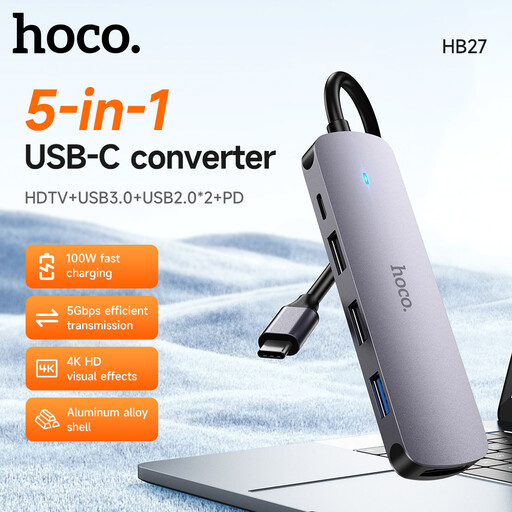
Consider this USB-C hub only after confirming that a downstream data port matches your microphone cable.
Also check the host-cable reach, desk clearance and power arrangement against your setup and the microphone maker’s guidance.
No universal hub-compatibility assumption is safe: check the guidance for your exact microphone. RØDE recommends a direct computer connection when troubleshooting some USB microphone no-sound problems and prefers a powered hub when its PodMic USB is connected through a hub.
Not necessarily, if your microphone maker permits hub use and the connection works reliably. An externally powered hub is worth considering when several devices share it or the microphone maker specifically prefers one; a hub’s laptop-charging input does not establish the power available at its microphone data port.
Check that Windows is using the intended microphone as its input device. Microsoft Support advises selecting the device for speaking or recording in Input settings; if the issue began when you added a hub, also test the microphone directly on the computer.
Use an appropriate local electrical-waste collection or retailer take-back route rather than putting the hub in general waste. GOV.UK explains that waste electrical and electronic equipment rules aim to encourage recovery, reuse and recycling.