Two-computer desk sharers
If one wired keyboard must serve two computers in turn, the purchase decision is about changing the active computer, not simply adding USB ports.


Choose a USB hub if the wired keyboard will stay connected to one computer and you need more ports. Choose a two-computer USB sharing switch if the same keyboard must move between computers; check the connectors and cable reach before buying. If other peripherals share the connection, consider their port and power requirements too.
If one wired keyboard must serve two computers in turn, the purchase decision is about changing the active computer, not simply adding USB ports.
If the keyboard stays with one laptop or desktop, a hub can provide additional connections for other desk peripherals. Check that its computer-side connection and device ports match what you use.
If storage, cameras or other devices will share the connection with the keyboard, check the available ports and the product's power requirements as well as keyboard fit.
Decide whether the keyboard must change computers before comparing port counts. A hub expands connections for one computer; USB sharing switches described by UGREEN and Plugable select between two computers.
| Concern | What to check | Who this matters to |
|---|---|---|
| Sharing one keyboard | Look for two computer inputs and explicit keyboard sharing; check the connections required at both computers. | If my keyboard needs to alternate between two computers, I need a way to select which one receives its input. Around 46% of consumers would make two-computer sharing their primary concern. |
| Adding ports | Count the devices that will stay connected, then match the keyboard plug and the hub's computer-side connector. | With my keyboard staying on one computer, I want enough connections for my other desk devices. For around 36% of consumers, extra ports would be the primary need. |
| Connection reliability | Check the product's power requirements for the attached devices; if the keyboard disconnects, test it directly on the computer. | When several peripherals share my setup, I want to identify the cause of interruptions before replacing anything. Roughly 18% of consumers would put connection reliability first. |
A standard hub adds ports to one computer; it does not hand a keyboard over to another. UGREEN and Plugable describe USB sharing switches for selecting peripherals between two computers.
Decide whether the keyboard stays with one computer or changes between two, then check the product's stated computer inputs.
A stated transfer rate does not tell you whether the product can switch computers or whether its connectors fit your keyboard. Speed matters more if compatible storage will share the connection.
Check the host connection, keyboard plug and required port count before comparing transfer-rate claims.
A connection problem through a hub does not, by itself, identify the keyboard as faulty. Microsoft advises checking hub power and testing the device directly on the computer if the problem continues.
Try another computer port and a direct keyboard connection; consider auxiliary power where the product and attached devices call for it.
A reference point for the two-computer USB sharing-switch route.
A reference point for adding USB-A ports to one computer.
A reference point for a four-port USB-A data hub when the keyboard stays with one computer.
These hubs suit a desk where the wired keyboard remains connected to one computer and more ports are needed. If one keyboard must change between two computers, look for a USB sharing switch instead.
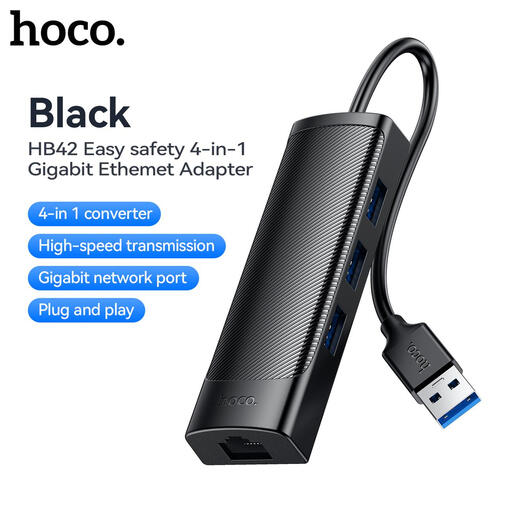 No image available
For adding connections at a one-computer desk while keeping the keyboard on that computer.
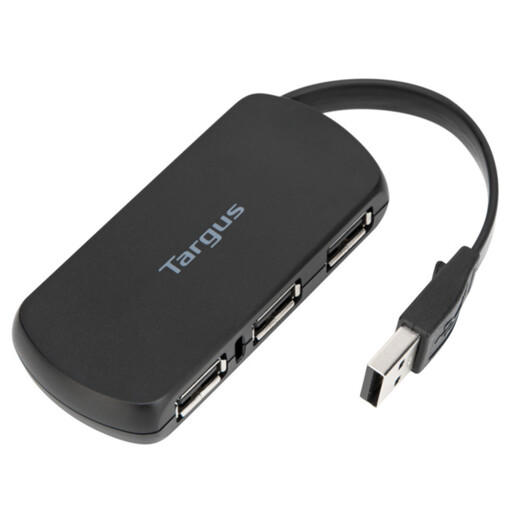 No image available
For a keyboard that stays with one computer when additional device connections are needed.
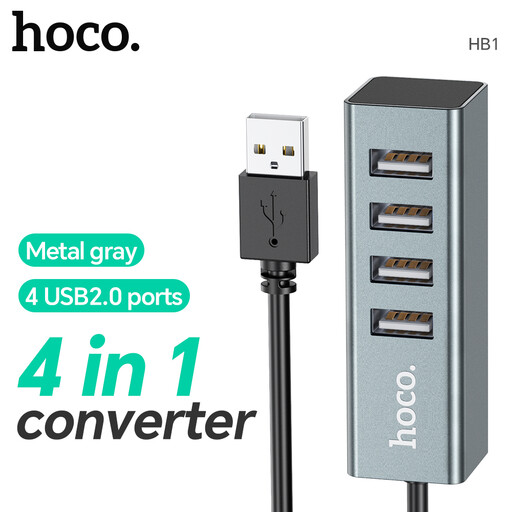 No image available
For expanding connections for a wired keyboard and other devices on one computer, rather than switching the keyboard between computers.
Choose a hub to add ports when the keyboard stays with one computer; choose a USB sharing switch when the same keyboard must alternate between two computers. Check the product's stated computer inputs, keyboard connection and required cables before buying.
Yes, if the keyboard stays with one computer and the hub's connections suit your setup. Prioritise connector fit and enough ports; if storage will share the hub, compare its data capability with your needs as well.
Check the connections and hub power, try another computer USB port, then connect the keyboard directly to the computer. Microsoft recommends a direct-connection test when a device still fails through a hub; it can help narrow down where the problem lies.