What should you check before buying?
Decide whether the scarce sockets are mains outlets, computer USB ports or both; then check the webcam's connection guidance before choosing a hub's plugs, ports and power arrangement.
| Concern |
What to check |
Who this matters to |
| Webcam connection |
Check the exact webcam model's hub guidance. Logitech recommends a direct computer connection where some hubs and docks do not work well with 4K webcams. |
If my webcam is needed for calls or streaming, I want to avoid putting an unsuitable hub in its connection path. Around 40% of consumers put webcam connection reliability first. |
| Mains and charging |
Check whether the hub draws power from the computer, whether it offers laptop charging pass-through and how much downstream power its ports share. |
With no spare wall socket, I need more connections without another mains-powered accessory, while keeping my laptop's charging needs in mind. Avoiding another mains connection is the primary concern for around 40% of consumers. |
| Plugs and usable ports |
Match the hub's host plug to the computer and a downstream port to the webcam cable; count the ports needed for other devices. |
When several peripherals share my desk, I need the right USB-A or USB-C sockets for the cables I already use. For around 20% of consumers, connector and port fit comes first. |
Joybuy options for USB expansion
These options add USB ports through four-port hubs or multiport adapters. Match the computer and webcam plugs first, and keep the webcam directly connected if its maker advises against hub use.
 No image available
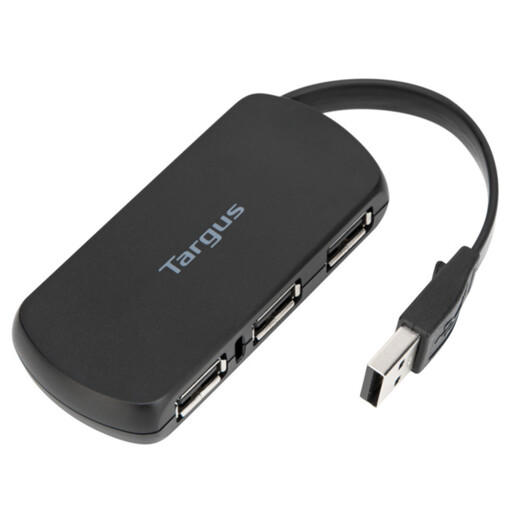
Targus 4-Port USB Hub
Consider this four-port hub when you need additional USB connections. Confirm the host plug, downstream socket types and your webcam's hub guidance before deciding where to connect the camera.
View on Joybuy
 No image available
V7 V7UC-U3CRJ45HDVG-BLK USB-C Adapter
For a computer with a suitable USB-C connection, this adapter offers two USB 3.0 ports alongside HDMI, VGA, Gigabit Ethernet and a 100W Power Delivery feature. Check the webcam plug, the maker's hub advice and your computer's charging requirements.
View on Joybuy
 No image available
USB-C Multiport Adapter with 2 USB 3.0 and 2 USB 2.0 Ports
Consider this adapter if you need both USB 3.0 and USB 2.0 peripheral ports from a USB-C connection. Its listed connections also include two HDMI ports, DisplayPort, RJ45, PD, SD/TF and audio; check host compatibility, webcam guidance and the charging power your computer needs.
View on Joybuy
 No image available
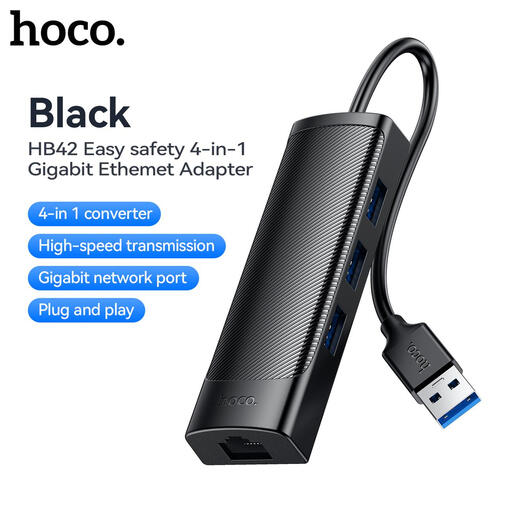
HOCO HB42 4-in-1 USB Gigabit Ethernet Adapter, Black
For a desk setup that also needs wired networking, this adapter lists three USB 3.0 ports and an RJ45 LAN connection, with a 0.2 m cable. Check your computer's connection, the power needs of attached devices and whether your webcam maker permits hub use.
View on Joybuy
 No image available
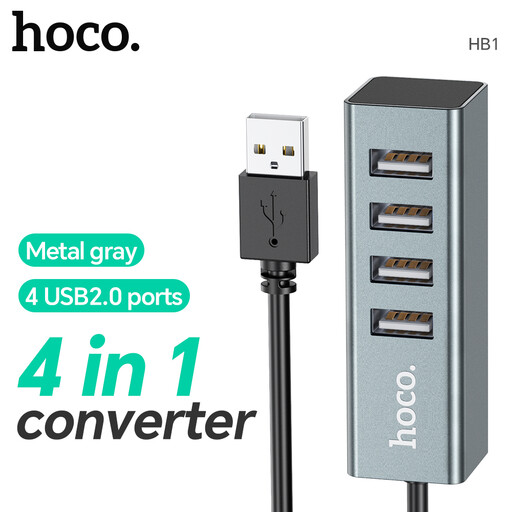
HOCO HB1 Hub with 4 USB 2.0 Ports, Metal Grey
This four-port USB 2.0 hub is an option for adding peripheral connections. Confirm its computer-side plug, available power and suitability for your exact webcam before routing the camera through it.
View on Joybuy
Frequently asked questions
Will any USB hub work with my webcam?
No: compatibility depends on the webcam and connection setup. Logitech says some hubs and docks do not work well with 4K webcams and identifies hubs as possible sources of communication interference. Check your exact webcam model's guidance; if it advises a direct connection, use the hub for other devices.
What if I have no spare wall socket?
A host-powered hub may add ports without a separate hub mains adapter, but check whether it also needs to charge your laptop. Belkin's host-powered F4U090, for example, does not support charging pass-through. If computer USB ports rather than mains outlets are scarce, plan which device will occupy the direct connection.
Does my webcam hub need USB-A or USB-C ports?
The hub needs a host plug that fits your computer and a downstream socket that fits the webcam cable. Belkin's F4U090 has two USB-A and two USB-C downstream ports, whereas its AVC018 has four USB-C ports; StarTech.com lists four USB-A ports on the ST4300USB3GB. Check any other devices you intend to attach as well.
How should I dispose of an unwanted USB hub in the UK?
Check your local authority's electrical-waste arrangements or available retailer collection options rather than putting the hub in ordinary household waste. GOV.UK identifies the Waste Electrical and Electronic Equipment Regulations 2013, as amended, as the UK framework for electrical and electronic equipment; the practical collection option depends on what is available to you.


