Mouse-only desk sharers
If one wired mouse is the only accessory, start with the computer port, the mouse plug and where the hub will sit. Extra data ports, charging and display connections need not drive this choice.


Choose a hub whose computer-side connector fits the shared computer and whose peripheral ports fit the wired mouse. A straightforward data hub is enough when the mouse is the main requirement; consider more varied ports only for accessories the desk will actually use, and check that the host cable can be routed away from walkways.
If one wired mouse is the only accessory, start with the computer port, the mouse plug and where the hub will sit. Extra data ports, charging and display connections need not drive this choice.
A USB-C-host hub with a downstream USB-A socket can connect a conventional USB-A mouse. Count any keyboard or headset that colleagues will use at the same time before choosing the port layout.
When colleagues use both USB-A and USB-C accessories, a hub with both kinds of peripheral port may reduce swapping. Check laptop charging and monitor support separately; USB-C-shaped ports do not establish either capability.
Match the two ends of the mouse connection first, then check desk reach and any additional devices that must work simultaneously.
| Concern | What to check | Who this matters to |
|---|---|---|
| Connector fit | Identify the computer’s available USB-A or USB-C port and the mouse plug; confirm the hub’s host connector and a matching peripheral socket. | If my mouse has a USB-A plug, I need a matching socket on a hub that also fits the shared computer. Around 45% of consumers put this connector match first. |
| Desk reach and routing | Check the host-cable length against the intended hub position and keep cables out of pedestrian routes. | I want to connect the mouse without stretching a lead across a space colleagues use. Desk placement comes first for roughly 36% of consumers. |
| Other peripherals | Count devices used together, their USB-A or USB-C plugs and the exact hub’s stated power, charging and display capabilities. | When the desk also serves a keyboard, storage device or newer USB-C accessory, I need ports for those devices rather than just the mouse. Around 19% of consumers prioritise this wider expansion need. |
A USB-C host plug will not fit a USB-A-only computer, and a USB-C hub does not necessarily offer the USB-A socket needed by a conventional wired mouse.
Check the shared computer’s available port and the mouse plug, then confirm both ends of the hub connection before comparing its other features.
USB-C hubs differ in what their ports do. Belkin states that its F4U090 supports neither laptop pass-through charging nor monitor video output.
If either function matters at the desk, check the exact hub’s specifications and the computer’s corresponding port capabilities.
A bus-powered hub draws power from its host. Anker advises keeping devices connected to its cited four-port data hub within a combined 900 mA for a stable connection and states that the hub does not support charging.
For several devices operating together, compare their requirements with the exact hub’s documented limits before deciding whether an externally powered model is needed.
The Health and Safety Executive warns that people can trip over cables and wires, particularly on pedestrian routes.
Position the hub where its lead reaches without tension, and route or cover any cable that could cross a walkway.
Its H5C4A-USB-HUB illustrates a USB-C-host hub intended for USB-A desk peripherals.
The CH1200 is a USB-C hub for connecting several USB-A desk accessories.
The F4U090 mini hub is an option to examine when a USB-C computer needs both USB-A and USB-C peripheral sockets.
These hubs are relevant to a shared desk where a wired mouse needs a matching peripheral port. Several are multiport USB-C devices, so check the computer connection and desk-cable reach before choosing features beyond the mouse connection.
 No image available
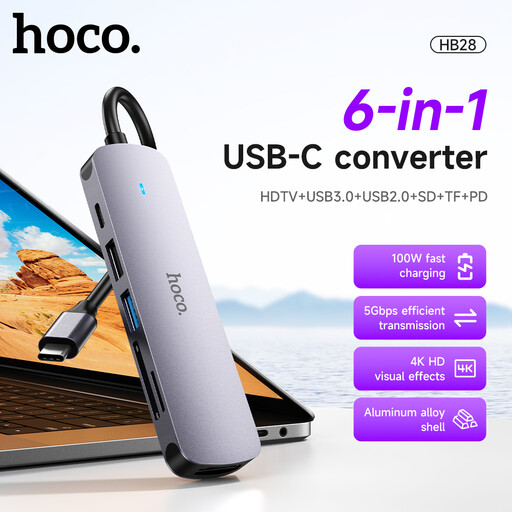
Consider this USB-C converter when the shared computer has a suitable USB-C connection and the mouse needs a compatible peripheral socket.
Its named connections include USB 3.0, USB 2.0, SD, TF and PD; confirm which socket fits the mouse and whether the cable reaches the intended position. Check the computer’s capabilities before relying on any charging or display function.
 No image available
This is a multiport route for a USB-C computer when the desk needs a USB-A mouse connection alongside other accessories.
The product name specifies USB-A connections rated at 10 Gbps and 5 Gbps, a USB-C 10 Gbps connection, HDMI labelled 4K 60Hz, SD/TF and 3.5 mm audio. Confirm host compatibility and cable reach; avoid assuming that all ports can supply high-power devices simultaneously.
 No image available
Consider this USB-C-host hub if the shared desk needs a USB-A mouse socket plus other connection types, rather than a mouse connection alone.
Its named layout includes one 10 Gbps USB-A port, two 480 Mbps USB-A ports, a 10 Gbps USB-C data port and a separate USB-C PD input. It also lists HDMI, RJ45 and SD/TF connections. Check the computer’s supported functions and the host-cable reach for the intended desk position.
 No image available
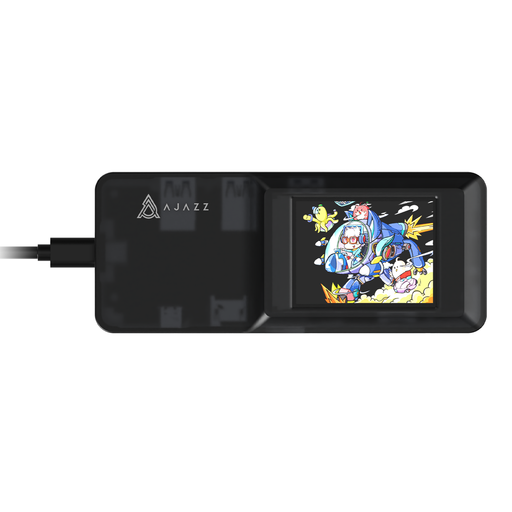
This expansion hub is worth checking for a shared desk that may connect more than a mouse, provided its computer-side and mouse-side connectors match the devices in use.
The product name identifies a USB-C connection and TF/SD card slots. Confirm the downstream socket layout, cable reach and power requirements for the accessories you plan to connect.
 No image available
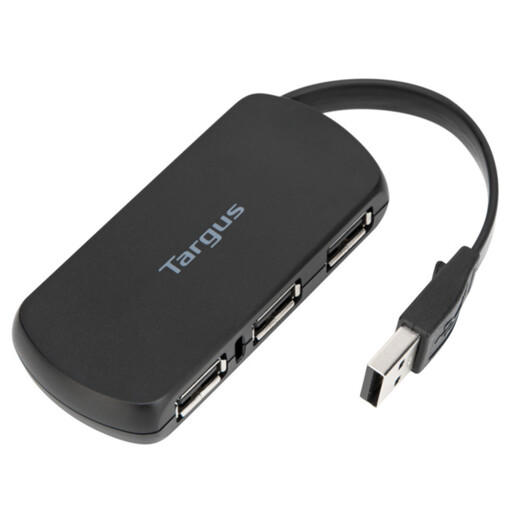
A four-port hub may suit a desk that needs a wired mouse and additional USB accessories without choosing a broader docking-station layout.
Check which end of its cable connects to the computer, whether a port fits the mouse plug and whether the lead reaches the planned hub position without crossing a walkway.
Usually, if the hub fits the computer and has a matching socket for the mouse. USB Implementers Forum technical material describes compatibility for existing USB peripherals in a USB 2.0-capable system, but check separately for a proprietary mouse or a computer with workplace connection restrictions.
A compatible bus-powered hub is generally the simpler route for one wired mouse. If several accessories will run together, check the exact hub’s stated power limits and those devices’ requirements before deciding whether external power is needed.
Place it where the mouse lead and host cable reach without tension or crossing a pedestrian route. The Health and Safety Executive identifies trailing cables and wires as a trip hazard, so route or cover a cable that could otherwise be crossed.
Not necessarily: the USB-C connector shape alone does not establish charging or video support. Belkin states that its F4U090 provides neither laptop pass-through charging nor monitor video output; check both the exact hub and computer specifications for either function.
Check the seller’s identity, the product information and any relevant instructions, warnings or recalls. The Office for Product Safety and Standards advises checking marketplace sellers; for Great Britain, government guidance says CE marking continues to be recognised alongside or instead of UKCA where applicable. Which marking rules apply depends on the particular product and market, and a marking does not establish compatibility with your desk setup.