USB-A headset users with USB-C laptops
If your wired headset has a USB-A plug but your available laptop port is USB-C, look for a hub with a USB-A data port. Count any other peripherals you need to leave connected.


Choose a hub with a data port that matches your wired headset’s USB-A or USB-C plug and a host connection that fits your laptop. If that laptop port must also handle charging, check the hub’s stated host-charging output alongside the charger and cable requirements; add HDMI or Ethernet when your desk setup calls for them.
If your wired headset has a USB-A plug but your available laptop port is USB-C, look for a hub with a USB-A data port. Count any other peripherals you need to leave connected.
If your headset uses USB-C, check that the hub has a downstream USB-C data port as well as any connections you need for a display or other accessories.
If the hub occupies the USB-C port you normally use to charge your laptop, check for host-charging support and compare its output with your laptop’s requirements. The charger and cable matter too.
Start with the headset and laptop connections, then decide whether charging and other desk equipment must use the same laptop port.
| Concern | What to check | Who this matters to |
|---|---|---|
| Headset connection | Match the headset plug to a downstream USB-A or USB-C data port; check that the hub fits an available laptop port. | If my headset has a USB-A plug, I need a matching data port without unplugging my other peripherals. Around 42% of consumers would put that connector-and-port match first. |
| Laptop charging | Check for host-charging support and its stated output, then confirm the required charger and cable. | When the hub uses my laptop’s charging port, I need to keep the laptop powered during calls. Around 33% of consumers would make charging continuity their primary concern. |
| Desk expansion | Count the data ports you need and check HDMI, Ethernet and laptop compatibility where relevant. | My headset shares a fixed desk with a monitor, wired network or other peripherals, so those connections shape my choice. Around 25% of consumers would prioritise wider desk expansion. |
A USB-C-shaped port may serve a different purpose. Check that the exact downstream port supports data and matches your headset’s plug.
Identify the headset connector first, then count usable data ports on the hub.
A connector mismatch may leave you needing a separate adapter.
Input and host output can differ. Anker specifies up to 53W pass-through for its 543 USB-C Hub (A8365) when used with a 65W charger; its charger and cable are not included.
Compare the hub’s host output with your laptop’s charging requirement and check the charger and cable requirements.
You may need to obtain a suitable charger and cable separately.
Belkin states that 12W output is shared across the USB-C ports on its AVC021. Its host Power Delivery rating describes a different part of the setup.
If you plan to connect several powered accessories, read the exact model’s downstream-power specifications.
Connections on the hub do not establish compatibility with every laptop. Anker lists M2-powered MacBooks as incompatible with its A8365.
Check the manufacturer’s limitations for your exact laptop and intended display setup before ordering.
Anker’s 543 USB-C Hub (A8365) is a reference for a desk needing both USB data connections and display or wired-network connections.
UGREEN’s UK 6-in-1 USB-C Hub is relevant when USB-A peripherals, host charging and an external display need to share a laptop connection.
Belkin’s AVC021 focuses on downstream USB-C connections alongside HDMI and host charging.
These USB-C hubs and docks offer different ways to connect a headset alongside other desk equipment. Match the headset to a stated data port, and check laptop compatibility and charging requirements for the exact setup you intend to use.
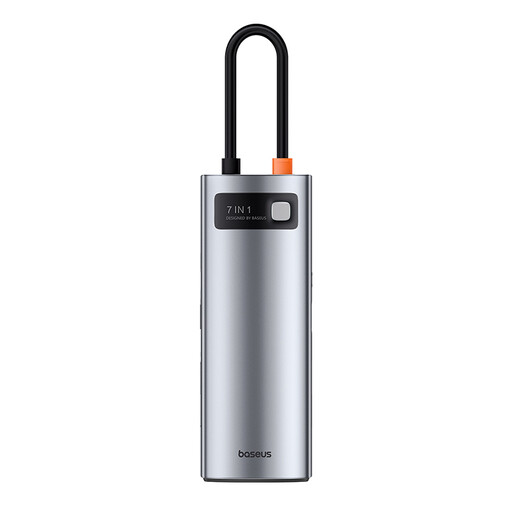 No image available
Consider this hub if you want to connect a headset and other desk equipment through a USB-C laptop connection. Check that its downstream data ports match your headset, and confirm the charging setup if the hub must also power your laptop.
 No image available
This configuration is worth checking for a headset used at a desk with displays and a wired network. Its name specifies one 10Gbps USB-A port, two 480Mbps USB-A ports, one 10Gbps USB-C port, two HDMI ports and RJ45. Confirm your laptop’s display compatibility and the host-charging output you need.
 No image available
This dock is relevant when a headset shares the laptop connection with other USB devices and an external display. Its name specifies USB-A 10Gbps and 5Gbps connections, USB-C 10Gbps and 4K 60Hz HDMI. Check laptop display compatibility; do not assume its USB-C output charges the host laptop.
 No image available
Consider this dock if a headset connection forms part of a dual-display desk setup. Its name specifies dual HDMI 4K and 100W Power Delivery pass-through. Confirm the headset’s matching downstream data port, your laptop’s display and charging compatibility, and the required external adapter.
 No image available
This configuration may suit a USB-A or USB-C headset alongside a display. The name specifies two USB-A 3.0 connections, one USB-C 3.0 connection, SD/TF and HDMI 4K 60Hz. Check that your laptop supports docking through its USB-C connection, and confirm host charging separately if you need it.
No: the headset needs a matching downstream data port, and the hub needs a connection your laptop can use. Check whether your headset plug is USB-A or USB-C before choosing the hub.
Connect the hub to a compatible laptop port, plug the headset into a matching downstream data port, then select and test the microphone and speakers in your computer or meeting app. If the hub is also meant to charge the laptop, use its designated charging input only as specified for that model.
Yes, if that hub supports host charging and its output, charger and cable suit your laptop. A USB-C host connection alone does not establish charging support, so compare the stated host output with your laptop’s requirements.
Treat an old hub as electrical waste rather than ordinary household rubbish. GOV.UK describes same-type take-back responsibilities for qualifying retailers; check the available collection arrangements when replacing your hub.