People moving files between mixed ports
If one computer has USB-C and another has USB-A, a dual-connector stick offers a direct connection at both ends without carrying an adapter. SanDisk describes this use for its Ultra Dual Drive Go USB Type-C.


Match the drive to the ports on every computer involved: choose USB-A or USB-C for compatible single-port setups, or a dual-connector stick when you regularly use both. A compact stick suits documents and occasional media transfers; for repeated large transfers, consider a portable SSD, bearing in mind that its advertised speeds depend on the computer, cable and supported USB mode.
If one computer has USB-C and another has USB-A, a dual-connector stick offers a direct connection at both ends without carrying an adapter. SanDisk describes this use for its Ultra Dual Drive Go USB Type-C.
For recurring video, media or project transfers, check write speed as well as read speed. A portable SSD is worth considering if the computers and cable support its interface; Samsung makes that condition explicit for the Portable SSD T7.
For documents, photos and occasional media moved between computers with USB-A ports, a compact USB-A stick may be sufficient. If it travels in a bag or on keys, examine the construction and connector protection of the particular model.
Check the connection at both ends of the transfer before comparing capacity, speed and how the drive will travel.
| Concern | What to check | Who this matters to |
|---|---|---|
| Connector compatibility | Inspect every computer's ports. Decide whether USB-A, USB-C or both connectors must plug in directly. | Moving files from a USB-C laptop to a USB-A computer is awkward if the drive fits only one end. About 33% of consumers put direct connection across mixed ports first. |
| Transfer speed | Check the exact model's write-speed information and the computer's supported USB mode; do not use a read-speed figure as the copy-to-drive speed. | When large project folders need moving repeatedly, time spent copying files onto the drive can matter more than its size. Reducing that wait is the primary need for about 27% of consumers. |
| Capacity | Compare the largest set of files you intend to carry with the exact capacity variant, leaving room beyond that set. | A collection of media or project files needs to fit on one drive before connector choice or speed becomes useful. For about 20% of consumers, fitting that collection is the deciding concern. |
| Regular carrying | Look at the particular model's body, connector protection and stated protection conditions. Plan separately for loss of important or sensitive files. | A drive carried frequently in a pocket or bag needs to withstand the way it is transported, but a tougher casing cannot prevent it being lost. About 20% of consumers chiefly prioritise the demands of repeated carrying. |
A single-connector stick cannot plug directly into a computer with only the other port type.
Check the source and destination computers before buying. If you need direct USB-A and USB-C connections, look for both connectors on the same drive.
Otherwise, completing the transfer may require an adapter or a different drive.
Opening files from a drive and copying files onto it are different tasks. Which? assesses read and write speeds separately, while a quoted maximum read figure does not establish how quickly your files will copy to the drive.
For frequent large transfers, look for write-speed information for the exact model and check the conditions under which it was measured.
Samsung says the Portable SSD T7's maximum read and write speeds require a USB 3.2 Gen 2 connection and cable, with UASP supported by the host.
Check the computer's USB specification and the cable you will use before choosing the T7 primarily for its quoted speed.
Apple warns that formatting a disk or volume erases the files on it.
Copy files you need to another location before changing the format of a drive shared between Windows and Mac computers.
The Ultra Dual Drive Go USB Type-C is relevant when files need moving between USB-C and USB-A computers.
The BAR Plus covers USB-A flash storage; the Portable SSD T7 is a separate option for larger recurring transfers.
The DataTraveler 70 is a USB-C flash drive for compatible devices.
These drives cover mixed USB-A and USB-C transfers, USB-A-only connections and portable SSDs for larger recurring transfers. Choose by the ports and file sizes involved rather than treating every model as interchangeable.
 Image unavailable
Consider this stick when files need to move directly between USB-A and USB-C computers. Its listed configuration has 512GB capacity, a sliding dual-head design and zinc-alloy housing; the stated 570MB/s read speed is not a guaranteed transfer rate on your computers.
 Image unavailable
Consider this USB Type-C, USB 3.2 Gen 2 portable SSD for repeated large-file transfers if carrying a separate drive and cable suits you. Samsung rates the T7 at up to 1,050MB/s read and 1,000MB/s write, but says those maxima require a USB 3.2 Gen 2 connection and cable with UASP support. Check the cable needed for each computer.
 Image unavailable
This is another option for moving files between computers with different USB ports. The named variant has a 360° swivel design and metal body; check that 128GB holds the files you normally carry. Its advertised 500MB/s read figure does not establish write speed on your setup.
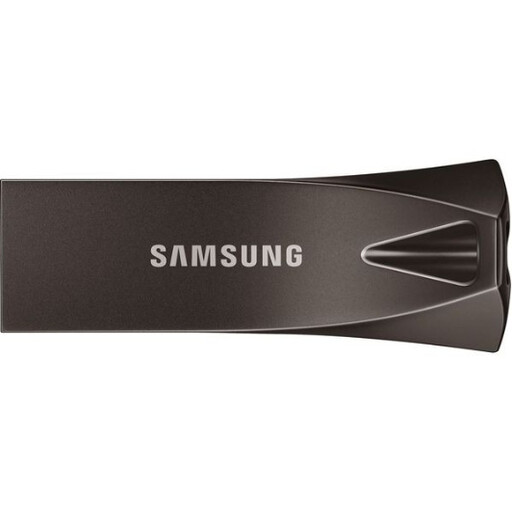 Image unavailable
Consider this USB 3.2 Gen 1 stick when the computers used for transfers have USB-A ports. Its 512GB capacity may be useful for larger sets of files, but the USB-A connector will not plug directly into a USB-C-only computer. If copying speed matters, check the exact variant's write performance separately.
 Image unavailable
Consider this USB Type-C, USB 3.2 Gen 2 SSD when transferring larger file collections regularly. Check which cable is included and whether you can connect it to every intended computer, particularly one with only USB-A ports. Actual transfer speed will also depend on the host and cable.
Choose according to the ports on every computer you will use. A single-connector stick works directly where its connector fits; if transfers regularly cross between USB-A and USB-C computers, a drive with both connectors avoids relying on an adapter.
Consider a portable SSD for frequent large-file transfers if a separate drive and cable suit the way you carry files. For example, Samsung's stated maximum T7 speeds require a USB 3.2 Gen 2 connection and cable with UASP support, so check the intended computers before choosing it for speed.
Copy any files you need elsewhere first: Apple warns that formatting erases the drive. Apple's Disk Utility guidance recommends ExFAT for a disk over 32GB being formatted for Windows compatibility; check the format needed by your devices before making the change.
Match protection to the sensitivity of the files and the rules of any organisation involved. The UK National Cyber Security Centre warns that removable media can create risks of data loss and unauthorised access, so do not assume a standard drive protects its contents if it is lost.