People using mixed ports
If you move files between older USB-A computers and newer USB-C devices, direct connection at both ends may matter more than avoiding an extra adapter.


Choose a USB stick that connects to every computer you regularly use: USB-A for matching older ports, USB-C for matching newer ports, or a dual-connector drive for a routine mix. For large folders, compare capacity and stated read and write speeds, and consider a portable SSD if transfer time matters. Protect sensitive files appropriately and keep a separate copy of anything important.
If you move files between older USB-A computers and newer USB-C devices, direct connection at both ends may matter more than avoiding an extra adapter.
If you regularly carry photo, video or project folders, consider both the space required and how long copying to and from the drive may take.
If a drive may hold personal or workplace information, plan how to protect those files if it is lost. The Information Commissioner’s Office identifies encryption as effective protection for personal information stored on USB media.
For transfers between computers, check the ports at both ends before comparing capacity and speed. Then consider the files you carry and what would happen if the drive were lost.
| Concern | What to check | Who this matters to |
|---|---|---|
| Connector compatibility | Check every computer’s data ports. For a regular mix of USB-A and USB-C, consider a dual-connector drive. | I need to use an older computer and a newer laptop without stopping to find an adapter. Roughly 33% of consumers would put direct connector compatibility first. |
| Large-folder transfers | Allow space beyond your largest routine folder, and compare stated read and write speeds alongside your computers’ USB capabilities. | When I carry sizeable photo or project folders, repeated copying time and available space shape my choice. Around 25% of consumers would prioritise this need. |
| Sensitive files | Check any workplace rules and whether an appropriate encryption method and recovery process fit your devices. | I may carry personal or work files, so I need a plan for protecting them if the drive goes missing. Roughly 25% of consumers would make file protection their primary concern. |
| Everyday carrying | Look at how the connector is covered and how you will keep track of the drive; check durability claims for the exact model. | For occasional documents and presentations, I want a drive that is straightforward to carry without relying on it as my only copy. Around 17% of consumers would put everyday portability first. |
A USB-C stick will not plug directly into a computer that has only USB-A ports.
Check the ports on every destination computer. If both types are routine, consider a dual-connector drive.
Otherwise, you may need to carry a compatible adapter.
Writing a large folder to the drive also takes time. The USB Implementers Forum says connected USB products operate at their lowest common speed capability.
Compare stated write as well as read speeds, and check the data capability of the computer port you will use.
A protected connector does not preserve a file if the drive is lost or its contents become inaccessible. The National Cyber Security Centre describes a backup as a separate copy kept in a safe location.
Use the stick for transfer and keep another current copy of important files separately.
Loss of a USB drive can expose stored information. The Information Commissioner’s Office identifies encryption as effective protection for personal information on removable media.
Follow any organisational rules and choose risk-appropriate protection, with a password or recovery method managed separately from the drive.
Samsung offers Type-C flash drives and DUO Plus models for different connector needs.
SanDisk’s Ultra Dual Drive Go is a USB-C and USB-A option for transfers between devices with different ports.
Kingston’s DataTraveler Max USB-C range is relevant when large-file transfer speed is a priority.
Transcend’s JetFlash 890 is another dual-connector route for moving files between USB-C and USB-A devices.
These choices cover portable SSDs for larger folders and USB sticks for USB-A, USB-C or mixed-port transfers. Match the connection and capacity to your own computers and files.
 No image available
Consider this portable SSD when you regularly move large folders and need 1 TB of capacity.
The product name specifies USB 3.2 Gen 2. Check the ports and cable you will use, since transfer speed depends on the connected devices.
Keep a separate copy of important files.
 No image available
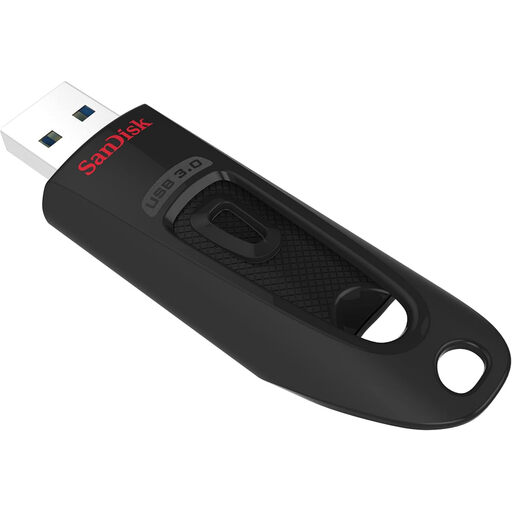
Consider this flash drive for routine transfers between computers with matching USB-A ports.
It is a 128 GB USB 3.0 model. If you plan to carry sensitive files, check whether your chosen protection method meets your needs and any workplace rules.
 No image available
Consider this 2 TB portable SSD for sizeable collections of files when your regular computers have suitable USB-C data ports.
The product name specifies USB 3.2 Gen 2x2. If you also use USB-A computers, confirm the cable or adapter you would need; check host compatibility before relying on a stated speed.
 No image available
Consider this dual-connector stick if files regularly move between USB-A and USB-C computers.
The product name specifies 128 GB, USB 3.2 and a 360° swivel design. It also states a 500 MB/s read figure; check your host’s capability and do not treat that figure as a guaranteed copying speed.
 No image available
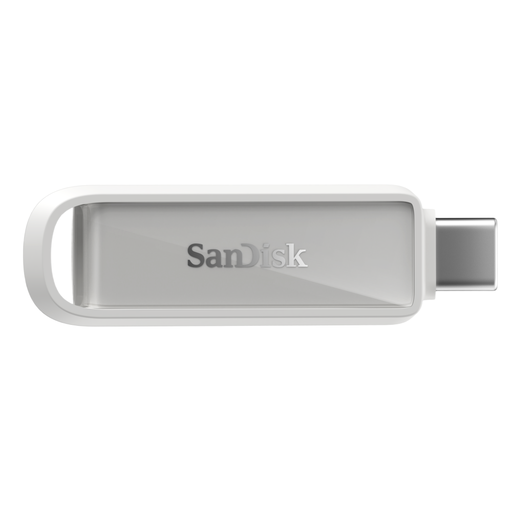
Consider this 128 GB USB-C stick when the computers and other devices in your transfer routine have compatible data-capable ports.
It is not a direct USB-A connection. If you intend to use phone or tablet file-management features, check compatibility with your particular device and workflow.
Choose the connector that fits the computers you regularly use. USB-A suits matching full-size ports, USB-C suits matching USB-C data ports, and a dual-connector stick can connect directly across both types; the connector alone does not establish transfer speed.
No. The USB Implementers Forum says connected USB products operate at their lowest common speed capability. Check the computer port as well as the drive, and compare stated write speeds if you regularly copy large folders onto it.
Keep another current copy in a separate safe location. The National Cyber Security Centre describes a backup as a separate copy you can use if the original becomes inaccessible; a stick used to move files does not remove the need for one.
No blanket requirement to encrypt all personal information follows from UK GDPR, according to the Information Commissioner’s Office. The ICO identifies encryption as effective protection for personal information stored on USB media; assess the risk and follow any applicable workplace policy.
Confirm that its file-system format works with each intended device and the size of the files you need to move. Transfer a non-critical folder, safely eject the drive and check that the files open on the destination computer before removing an original copy.