People sharing files across different ports
If you move files between USB-A and USB-C devices, check that each device can read external storage; a matching plug alone does not confirm compatibility.


Start by checking that every device you plan to use can read the drive, then compare the total folder size, largest individual file and write performance. A USB stick suits straightforward file hand-offs; a dual-connector stick can help when compatible USB-A and USB-C devices both need access, while a portable SSD is worth considering for larger or repeated transfers if your devices support its connection and format.
If you move files between USB-A and USB-C devices, check that each device can read external storage; a matching plug alone does not confirm compatibility.
If you carry documents or media between computers, choose a capacity that fits your files without making transfer speed the main consideration. Which? identifies connector type, capacity and speed as factors to consider when choosing a USB stick.
If you often transfer substantial folders, compare write performance and capacity with the extra cable and host requirements of a portable SSD.
For moving files between devices, check device access first, then file fit, write time and how you will carry the drive. Which? identifies connector type, capacity and speed as USB-stick selection factors.
Choose when: The devices that need to read the files have compatible USB-A ports.
Trade-off: A USB-C-only device may need a compatible adapter or another drive.
Choose when: The devices that need direct access have USB-C ports and support external storage.
Trade-off: A USB-A-only computer may need an adapter.
Choose when: You regularly transfer files between devices with USB-A and USB-C ports, and both can read the drive and its format.
Trade-off: Two connector types do not confirm phone compatibility or fast write performance.
Consider when: Your collection is too large for a practical stick or repeated large copies make transfer time important.
Trade-off: An SSD adds a cable and depends on compatible host connections and file formats.
| Concern | What to check when buying | Who this matters to |
|---|---|---|
| Device access | Check every device’s port and external-storage support, including the required adapter and file system for phones or tablets. | If I move files between USB-A and USB-C devices, I need each one to read the drive, not merely accept its plug. Consumers whose primary concern is device access make up around 36%. |
| Capacity and file fit | Check the folder total, the largest individual file and the formats supported by both devices. Microsoft Learn lists a 4 GiB individual-file limit for FAT32. | If I need to carry a whole folder, I want the largest file to fit as well as the collection. Consumers putting capacity and file fit first make up around 29%. |
| Write time | For files copied onto the drive, check model-specific write information and whether the host connection and cable support the drive. | When I repeat large transfers, I care about the time taken to save files, not only the advertised read speed. Consumers who prioritise copy time make up around 21%. |
| Carrying and protecting files | Check the specific model’s construction and warranty terms. For important files, verify the copy and keep another copy; consider access protection for sensitive material. | If I carry files with me, I want a manageable drive and a plan for files that would be difficult to replace. Consumers whose primary concern is carrying and managing an offline copy make up around 14%. |
A USB-A, USB-C or dual-connector plug addresses the physical connection, but does not confirm that a phone, tablet or computer can read the drive and its format.
Check each destination device’s external-storage and file-format support before choosing a connector.
You may need a compatible adapter, or the intended device may not read the drive or format.
Read and write speeds describe different tasks. Samsung says the cited BAR Plus variant’s write speed is lower than its rated read speed; actual speed can also vary.
If you are saving files to the drive, compare model-specific write information and check the host connection.
Repeated hand-offs can take longer than expected.
The file system can limit the size of an individual file even when the drive has enough free space. Microsoft Learn lists a 4 GiB maximum file size for FAT32.
Check the largest file and confirm that both devices support the format before changing it.
Changing formats or finding another compatible transfer method can take extra time.
A portable drive can be misplaced or damaged. A durable casing or warranty does not provide another copy of your files.
Verify that the transfer worked and keep another copy of files you cannot replace.
Files may be lost if the drive is misplaced, damaged or unreadable.
The cited DataTraveler 70 is a USB-C-only option; DataTraveler Duo has USB-A and USB-C connectors for transfers between compatible devices.
The cited BAR Plus MUF-256BE3/EU is a 256 GB USB-A option with a metal body for carrying between computers.
The cited 256 GB Ultra Dual Drive Go SDDDC3-256G-G46 has USB-A and USB-C connectors for transfers between compatible devices.
The X9 1 TB CT1000X9SSD9 is a USB-C portable SSD to consider for larger collections or repeated transfers.
These Joybuy choices include USB-A flash drives and portable SSDs for carrying files between compatible devices. Check each device’s connection and external-storage support, and compare the drive’s stated capacity with your files.
 No image available
Consider this portable SSD if you regularly move larger files and your devices support its connection and format.
1 TB capacity; USB Type-C; USB 3.2 Gen 2.
Check the receiving device’s external-storage support before choosing.
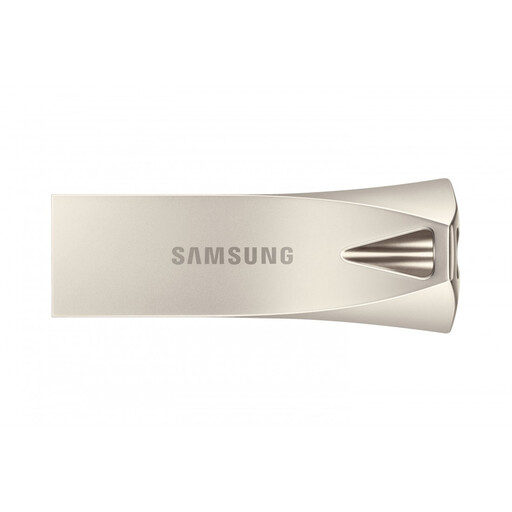 No image available
A USB-A flash-drive option for file hand-offs between devices that support USB-A storage.
256 GB capacity; USB Type-A; USB 3.2 Gen 1.
Check that each device you plan to use can read the drive and its file format.
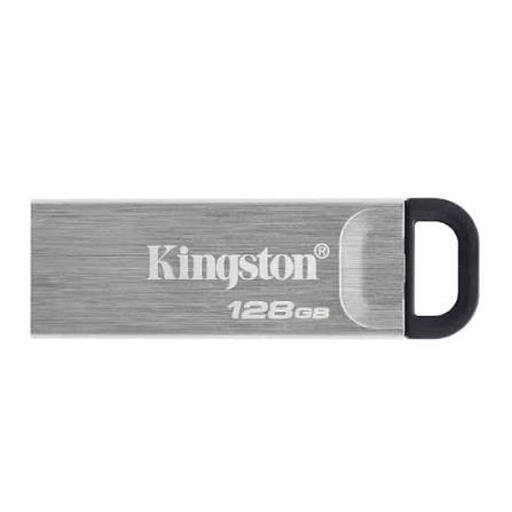 No image available
Consider this USB stick for carrying documents or media between devices; confirm the exact capacity and connection details against your needs.
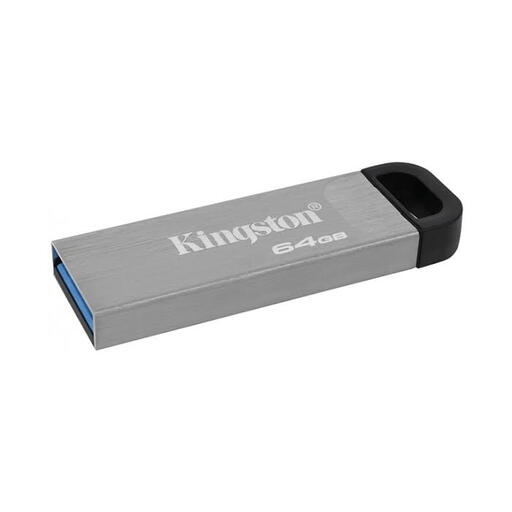 No image available
Consider this USB-A option for carrying documents or media between devices with compatible USB-A storage support.
USB Type-A.
Check the drive’s capacity and the largest file you need to transfer.
 No image available
Consider this portable SSD for substantial or repeated transfers when the devices you use support its connection and format.
1 TB capacity; USB Type-C; USB 3.2 Gen 2.
The product description qualifies its IP65 rating for temporary water exposure, not long-term submersion.
No: the socket alone does not confirm that a phone can read external storage. Check support for the drive and its format; Apple explains how supported external storage can be accessed through Files on iPhone.
Check the individual file size and the drive’s file system. Microsoft lists a 4 GiB maximum file size for FAT32; another format may work if both devices support it, but protect existing files before reformatting.
Open the destination drive and check that the files copied, then eject it before unplugging from a Windows PC. Microsoft advises ejecting the device to help avoid lost or corrupted files.
The ICO does not describe a blanket requirement to encrypt every item of personal information. For organisations processing personal information, the ICO says UK GDPR requires appropriate security but does not specifically require encryption in every case, and recommends encryption for personal information on removable media.
Check the exact model’s warranty terms rather than assuming they cover lost files. GOV.UK says waste electrical products can be taken to a household waste recycling centre; remove or appropriately sanitise sensitive data before giving a drive away.