Joybuy product options
These flash drives and portable SSDs address different shared-studio jobs: carrying session copies, connecting across port types and retaining larger project folders. Match the device to the computers and files involved rather than treating the listed order as a speed comparison.
 No image available
Samsung Portable SSD T7 2 TB, Blue
Consider this portable SSD when retained recordings and project versions call for a 2 TB workspace rather than a transfer stick.
The product name specifies USB Type-C 3.2 Gen 2. Check the computers and cable arrangements that will be used, and keep a separate copy of important sessions.
View on Joybuy
 No image available
Samsung T7 Shield Portable SSD 1 TB, Blue
This portable SSD is an option for keeping substantial recordings and retained versions together, rather than passing around a small session-copy stick.
The product name specifies USB 3.2 Gen 2. Confirm the connections needed by each studio computer; do not treat the drive as a replacement for a separate backup.
View on Joybuy
 No image available
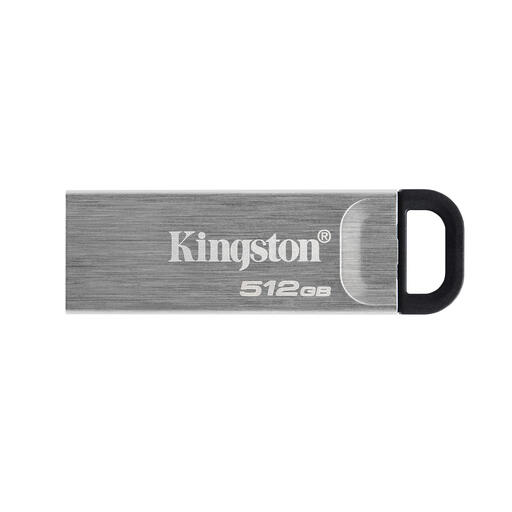
Kingston Technology DataTraveler Kyson 512GB
This flash drive suits carrying session copies when a 512GB capacity fits the folders you need to hand over.
Before choosing it for frequent large transfers, check its write-speed specification and whether its connector fits every intended computer.
View on Joybuy
 No image available
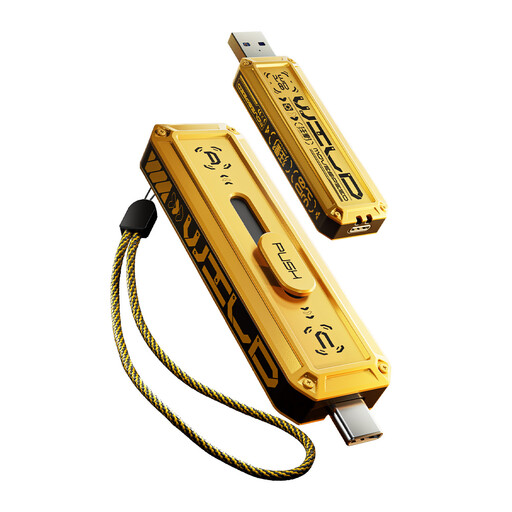
MOVESPEED YSUWD10-1TSY 1TB dual-connector flash drive, Yellow
Consider this compact drive if session copies must move between USB-A and USB-C ports and 1TB suits the folders being carried.
The product name specifies USB 3.2 Gen 2×1 and Type-C. Confirm the exact model's interface and write performance before relying on it for time-sensitive transfers; keep another copy of the recordings.
View on Joybuy
 No image available
SanDisk Portable SSD 2TB
This portable SSD is an option when the storage task is retaining a sizeable project archive rather than handing over one session at a time.
Check the write speed and cable connection against your copying routine and studio computers. Keep a separate backup of recordings held on the drive.
View on Joybuy
Questions about studio storage
How much capacity do multitrack recordings need?
Choose capacity from the largest recorded project and the versions you intend to keep, not just its finished stereo mix. For uncompressed PCM audio, storage rises with sample rate, bit depth, recorded channels and duration; Focusrite explains that raising the sample rate captures more samples each second. If many projects must remain on the device, consider whether a portable SSD better fits that role.
Should a drive shared by Macs and Windows PCs use exFAT?
ExFAT is a practical format to consider when the same drive must be used with current Macs and Windows PCs. Apple identifies it as Windows-compatible and specifies it for Windows volumes over 32GB. Confirm compatibility with every device in the workflow, and copy existing recordings elsewhere before formatting.
Does every shared-studio USB drive need encryption?
Choose security measures according to the information on the drive and the risks of sharing or losing it, rather than assuming one setting suits every studio. The National Cyber Security Centre states that UK GDPR requires personal data to be processed securely, while the Information Commissioner's Office explains that encryption can protect personal information on USB media. Where recordings or folders identify people, plan access, credential handling and recovery alongside the choice of drive.


