
24/7 Customer Support

Free returns

Same-day & Next-day Delivery

Quality Guaranteed

Unlock Your Welcome Offers: FREE Delivery | Up to 80% OFF | Free 30-day JoyPlus trial
Download the APP
Tired of appearing as a blurry, poorly-lit silhouette in your video calls? In an age of remote work, online classes and digital catch-ups, a reliable USB webcam has become an essential tool. While most laptops have a built-in camera, they often fall short in quality, leaving you with grainy video and muffled audio.
Upgrading to an external USB webcam for your PC or laptop is one of the simplest ways to improve how you appear online. But with so many options available, featuring terms like 4K, autofocus and wide-angle, choosing the right one can feel overwhelming. This guide is here to help. As a Joybuy Product Recommendation Officer, my role is to cut through the clutter and provide clear, practical advice to help you find a webcam that fits your needs and budget.
Before we look at our recommendations, let's cover a few key features to consider. Understanding these will help you make a more informed decision.
Resolution determines the clarity and detail of your video. It's often the main feature people look for, and it's measured in pixels (p).
These two features control what the camera sees and how it keeps you sharp.
A good webcam with microphone can save you from buying a separate audio device. Look for models with built-in noise reduction, which helps filter out background sounds like typing or household chatter, ensuring your voice is heard clearly. Other useful features include low-light correction for dim environments and physical privacy shutters for peace of mind.
Based on features, user needs and overall value, here are our recommendations for upgrading your video setup.
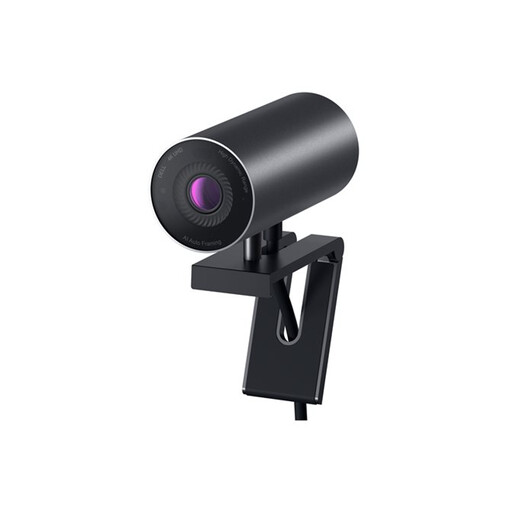
Why It Stands Out: The Dell WB7022 is engineered for premium performance. Its standout feature is the large 4K Sony STARVIS CMOS sensor, which excels at capturing crisp, detailed video, even in low-light conditions. The intelligent AI auto-framing keeps you perfectly centred in the shot, while Digital Overlap HDR ensures colours look natural and true-to-life, even with a bright window behind you.
Pros:
Who is it for? This is an ideal choice for professionals, executives and content creators who require a top-tier 4K webcam for streaming or delivering high-stakes presentations where image quality is paramount.
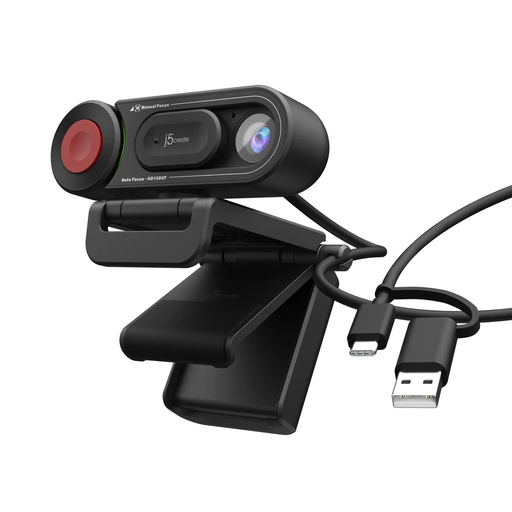
Why It Stands Out: The j5create JVU250 offers a unique blend of simplicity and control. Its most notable feature is the physical switch that lets you toggle between automatic and manual focus. This gives you the convenience of an autofocus webcam for general use, plus the ability to fine-tune the focus manually for product demos or creative shots. It’s a practical, no-fuss solution for everyday video calls.
Pros:
Who is it for? Perfect for students, families and home users who need a dependable and affordable upgrade for daily tasks like online classes, virtual tutoring or casual chats with friends and family.
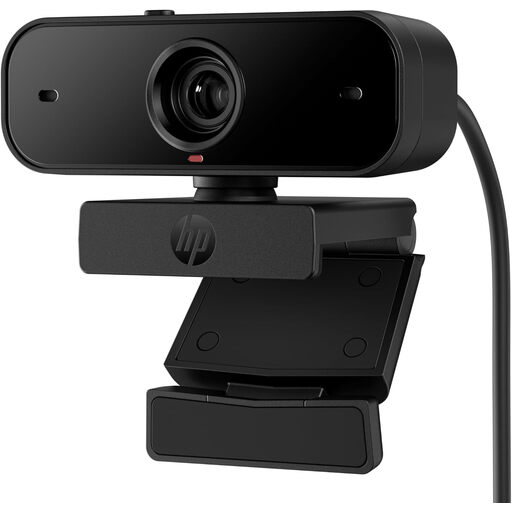
Why It Stands Out: The HP 430 is a fantastic all-rounder that balances quality, features and value. It delivers sharp Full HD 1080p video, making it a reliable workhorse for professional settings. The wide-angle lens is great for capturing more of your workspace or including a colleague in the frame, while the built-in noise-cancelling microphones ensure your audio is just as clear as your video.
Pros:
Who is it for? An excellent choice for remote professionals and office workers who spend a lot of time in webcam for Zoom meetings. It provides a significant quality boost over standard laptop cameras without the premium price tag of a 4K model.
While these three models cover a wide range of needs, they are just a starting point. If you're looking for a different set of features, a specific design or another price point, there are many other great options to discover.
Explore our full range of computer cameras to find the perfect match for your setup.
1. Do I need to install software for a USB webcam? Most modern USB webcams are 'plug-and-play', which means they work automatically as soon as you connect them to your computer's USB port. Some advanced models, like the Dell WB7022, offer optional software that allows you to customise settings like field of view, colour and AI tracking, but it is not required for basic operation.
2. Can I use a USB webcam with my laptop? Absolutely. Using an external USB webcam for a PC or laptop is one of the most popular ways to upgrade from a lower-quality built-in camera. They typically attach to the top of your screen with an integrated clip and connect via a standard USB-A or USB-C port.
3. What is the difference between a 1080p and a 4K webcam? The primary difference is resolution. A 4K webcam has four times as many pixels as a 1080p webcam, resulting in a significantly sharper, more detailed and clearer image. While 1080p is more than sufficient for professional video calls, 4K is the preferred choice for high-quality content creation, recording and streaming where every detail matters.