
24/7 Customer Support

Free returns

Same-day & Next-day Delivery

Quality Guaranteed

Unlock Your Welcome Offers: FREE Delivery | Up to 80% OFF | Free 30-day JoyPlus trial
Download the APP
A USB wireless microphone can make spoken audio easier to record, but choosing the wrong system may leave you with compatibility problems, short battery life or disappointing background noise control. This matters whether you are filming TikTok videos, recording interviews, hosting a podcast, gaming on a PC or streaming from a spare room in the UK.
Before buying, look beyond phrases such as “studio quality” or “noise cancelling”. Check the connection, microphone design and included accessories instead. These details determine whether the microphone suits your phone, computer or recording setup.
A USB-C connector describes the physical port, not every device function. Some smartphones may require audio access to be enabled, while certain cameras, tablets or computers may not accept digital microphone input in the same way. An iPhone microphone also needs the correct connector for the phone: a USB-C receiver is not interchangeable with a Lightning receiver without suitable equipment.
Before purchasing, confirm:
One-click noise cancellation can reduce some surrounding sounds, but it will not remove every source of noise. Traffic, echoing walls, keyboard taps and a microphone placed too far from your mouth can still affect the recording.
A lavalier microphone clipped near the speaker generally provides a more consistent voice level than a phone microphone. For outdoor work, a furry wind muff can also help reduce wind interference. Positioning remains important even when a product includes noise reduction.
Wireless microphones use rechargeable batteries in the transmitter and receiver. A quoted battery figure may apply under particular conditions, so check whether a charging case is included and whether both components need charging separately.
For interviews or livestreams, real-time monitoring can help identify loose connections, clothing noise or excessive volume before recording. However, not every compact smartphone microphone includes a headphone output. If monitoring is important, look for a receiver with a 3.5mm headphone jack or consider a wired USB/XLR microphone with direct monitoring.
A USB-C wireless microphone is practical for many modern Android phones, tablets, laptops and compatible iPhones. A Lightning receiver is designed for older or compatible iPhone models using that port. For a desktop setup, a USB receiver is usually simpler than Bluetooth because it avoids pairing menus and can provide a more direct connection.
Check whether the product uses:
A USB/XLR microphone is not wireless, but it may be more suitable for a permanent podcast or gaming desk where mobility is not needed.
An omnidirectional microphone captures sound from multiple directions, which can be useful for interviews or natural movement. A unidirectional or cardioid microphone focuses more on sound from the front and can help reduce some side and rear noise.
Dynamic microphones, such as many podcast and gaming models, are often suited to close-range speech. They usually work best when the speaker stays within the recommended distance. A compact wireless lavalier system provides more freedom of movement for vlogging, reporting and demonstrations.
Look for practical features rather than headline claims. Useful specifications include:
A two-transmitter kit can be useful for interviews, while a one-transmitter kit may be more economical for solo videos.
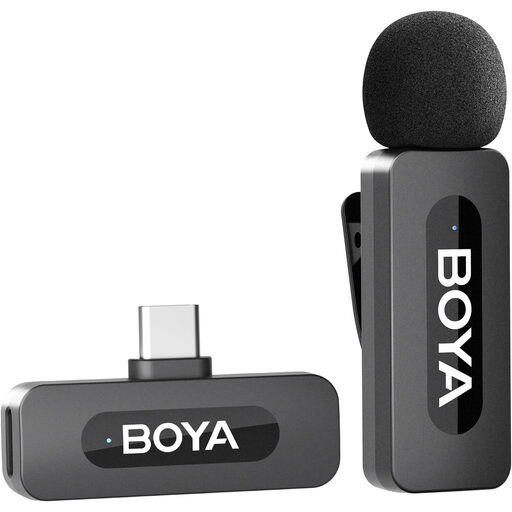
Why This Fits Their Persona: A one-transmitter, one-receiver kit is a straightforward option for solo vloggers and Android or USB-C phone users who want a compact setup.
The USB-C receiver avoids relying on Bluetooth pairing, while one-click noise cancellation is available when recording in moderately busy surroundings.
USB-C connection, one transmitter and stated battery life of up to 9 hours.

Why This Fits Their Persona: This desk-based kit suits podcasters, voice-over creators and musicians who prefer a boom arm and a controlled home recording position.
The dynamic, unidirectional design and shock mount address some desktop vibration and surrounding-noise issues. An XLR cable must be purchased separately.
USB-C and XLR outputs, headphone jack, mute control and included boom arm.
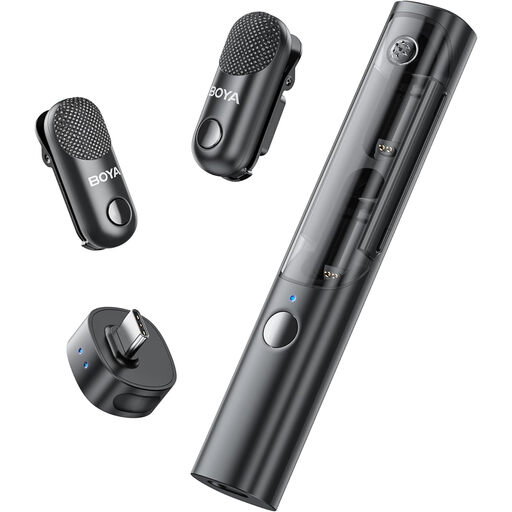
Why This Fits Their Persona: Two transmitters make this suitable for interviews, two-person videos and mobile reporting where speakers may move around.
The two-transmitter layout reduces the need to share one microphone, while the charging case supports transport between recording locations.
Two transmitters, one receiver and a charging case for USB-C devices.
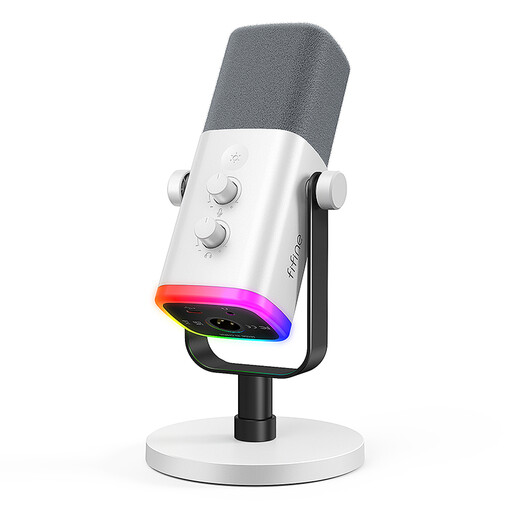
Why This Fits Their Persona: PC gamers and streamers can use USB for a direct computer connection, with XLR available for a mixer or audio interface later.
The unidirectional dynamic format is intended for close-range speech, while the gain control, mute button and headphone jack provide physical access to key settings.
USB/XLR connectivity, monitoring jack, gain knob, mute button and adjustable RGB lighting through USB.
We have compiled a complete, real-time list of products that fully satisfy these strict selection criteria and UK safety regulations.
They can, provided the receiver matches the phone’s port and the device accepts external digital audio. Check whether your phone uses USB-C or Lightning, and confirm the product listing names compatible devices. A USB-C receiver may suit many modern phones, but connector shape alone does not guarantee compatibility.
For mobile interviews and video podcasts, a wireless lavalier system offers freedom of movement. For a fixed desk podcast, a USB or USB/XLR dynamic microphone may provide easier headphone monitoring, physical gain control and a stable connection. Choose according to whether portability or desk-based control matters more.
Battery life varies by model, transmission settings and usage. Some products state up to several hours per charge, while charging cases can provide additional recharges. For long livestreams or reporting assignments, select a system with a stated operating time that exceeds your planned session and charge it before use.