Commuters carrying one laptop
If your laptop is documented to charge through USB-C, a smaller direct charger may make your bag easier to pack. Match its output to the laptop’s requirements before replacing the supplied charger.


Choose a compact USB-C Power Delivery charger for commuting only if the manufacturer confirms that your exact laptop charges through its USB-C port and the charger and cable meet its power requirements. If the laptop uses a proprietary charging connector, or its USB-C charging requirements are unclear, a manufacturer replacement is the more straightforward choice. A multi-port charger or dock may leave less power available to the laptop than its headline rating suggests.
If your laptop is documented to charge through USB-C, a smaller direct charger may make your bag easier to pack. Match its output to the laptop’s requirements before replacing the supplied charger.
One multi-port charger may serve both devices, but check the power available to the laptop when the other port is in use. UGREEN’s guidance for its three-port Nexode model, for example, says power is distributed across connected ports.
If you see a low-power or slow-charging warning, check the exact laptop’s requirements and the power reaching it through any dock or dongle. Dell documents cases where an undersized supply affects charging or performance on the systems concerned.
Choose it when: the laptop needs a proprietary connector or you cannot establish its USB-C charging requirements.
Trade-off: it may take up more room in your bag than a compact USB-C charger.
Choose it when: the exact laptop is documented to charge through USB-C and the charger can provide its required output.
Trade-off: other devices or a dock can reduce the power reaching the laptop; check the relevant output limits.
| Concern | What to check | Who this matters to |
|---|---|---|
| Laptop compatibility and power | Confirm charging through the exact USB-C port in the manufacturer’s documentation. Compare the laptop’s required power and output profiles with the charger’s direct USB-C output. | I want a smaller charger, but I need to know it will power my particular laptop rather than just fit its port. Roughly 36% of consumers put confirmed compatibility and sufficient direct power first. |
| Power shared across devices | Read the output table for the ports you will use together. If charging through a dock, check its power pass-through limit too. | When I plug in my laptop and phone together, I need the laptop to receive enough power. For around 29% of consumers, power allocation is the primary concern. |
| Cable capability | Match the cable’s marked power capability to the charging requirement; check data and video capability separately if it will also connect a dock or display. | I want one cable for travel and my desk, without assuming that a charging label also covers my monitor or dock. Cable versatility comes first for roughly 21% of consumers. |
| Mains safety and traceability | Choose a traceable product from a reputable retailer, follow its instructions and check the exact model against official UK safety alerts and recalls. | I carry a mains charger between locations and want to know who supplied it and whether there is a safety alert. Around 14% of consumers make traceability and support their first priority. |
A USB-C port’s shape does not establish that it can power the laptop. Even similarly named laptop variants can have different requirements.
Check the manufacturer’s documentation for the exact model, configuration and charging port before choosing a charger.
The power reaching a laptop can be lower when a charger serves several ports or supplies a dock. Dell documents undersized-power warnings on affected systems, while UGREEN describes power sharing on its multi-port Nexode charger.
Check the simultaneous-port output table or dock pass-through limit against your laptop’s requirement.
The USB Implementers Forum notes that cables have different capabilities. Power capability does not, by itself, establish support for the data or video connection you need.
Check the cable’s power marking for charging, then check its data and display capabilities separately if it will connect a dock or monitor.
A mains charger should be identifiable if you need instructions, support or information about a model-specific safety alert. Electrical Safety First advises buying USB chargers from a reputable retailer rather than an online third-party seller.
Check the manufacturer or importer details, retain proof of purchase and look up the exact model in the UK product safety alerts and recalls service.
Anker offers compact USB-C chargers, including the single-port 715 Nano II 65W.
UGREEN’s 65 W Nexode example is a multi-port option for carrying a laptop charger alongside connections for smaller devices.
Belkin lists a compact, single-port 65 W USB-C wall charger with foldable prongs.
These USB-C charger options are relevant if your laptop is confirmed to accept USB-C charging. Check the laptop’s required output and your cable before deciding which charger fits the way you travel.
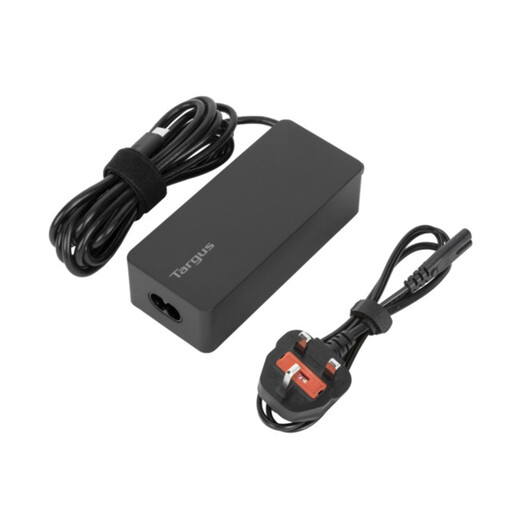 No image available
Consider this charger for a USB-C-chargeable laptop if its required output matches the charger’s capabilities.
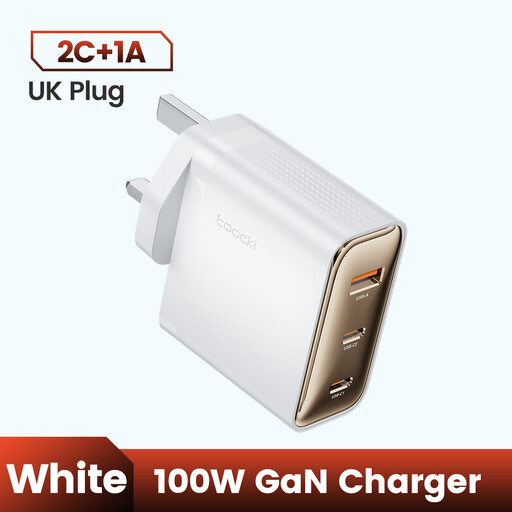 No image available
Consider this three-port charger if you want to connect a laptop and smaller devices, provided the laptop receives its required power during simultaneous use.
Check the manufacturer’s documentation for your exact model and configuration, including which port accepts charging and the required power. A USB-C connector or display-capable port alone does not establish charging support. Dell documents USB-C adapter options for the Latitude 7390 2-in-1, but that does not establish the requirements of another Latitude 7390 variant.
The power reaching the laptop may be below what that model requires, particularly through a dock, dongle or shared charger. Dell documents an affected setup in which 57 W is detected against an originally supplied 65 W adapter; check your own laptop’s requirement and each device in its charging path rather than applying that example to every laptop.
Choose a USB-C to USB-C cable whose marked power capability meets or exceeds your verified charging requirement. The USB Implementers Forum identifies 60 W and 240 W power labels for certified USB-C cables; if the cable will also connect a dock or monitor, check its data and video capabilities separately.
Choose a traceable charger from a reputable retailer, follow its instructions and check the exact model against UK product safety alerts and recalls. Electrical Safety First advises caution with online third-party sellers; inspect plugs and sockets for damage and stop using equipment that shows concerning signs.