
24/7 Customer Support

Free returns

Same-day & Next-day Delivery

Quality Guaranteed

Unlock Your Welcome Offers: FREE Delivery | Up to 80% OFF | Free 30-day JoyPlus trial
Download the APP
A USB-C wireless microphone can make smartphone videos, interviews and live streams sound more consistent without tying you to a desk. However, choosing one based only on phrases such as “studio quality”, “noise cancelling” or “plug and play” can lead to compatibility problems, short battery life and disappointing recordings.
This guide from the Joybuy Product Recommendation Officer focuses on the practical details that matter for UK users, from phone ports and battery expectations to the difference between a wireless lavalier microphone and a USB/XLR dynamic microphone.
A USB-C plug indicates the connector shape, not guaranteed compatibility. Some smartphones support digital audio through USB-C, while others may require specific settings or accessories. Check that your phone, tablet, camera or computer accepts an external microphone through its USB-C port.
An older iPhone with a Lightning port will not work directly with a standard Type-C microphone receiver. Conversely, current USB-C iPhone models can use a compatible USB-C microphone for iPhone, subject to the device’s recording app and permissions.
A microphone described as a noise-cancelling microphone may include electronic noise reduction, a directional pickup pattern or a wind cover. These features can help reduce certain unwanted sounds, but they do not make traffic, loud ventilation or room echo disappear.
For outdoor vlogging, a furry wind muff can be useful. Indoors, microphone placement and distance from hard walls often have a greater effect. A lavalier microphone clipped close to your collar can also help maintain a more consistent voice level.
Wireless systems usually include a transmitter worn or held by the speaker and a receiver connected to the recording device. Both parts need power. Check the stated operating time, charging method and whether the receiver occupies the phone’s only USB-C port.
A quoted battery range should be treated as a guide rather than a guarantee for every recording condition. Long live streams, cold outdoor weather and repeated pairing can affect practical usage time.
For a plug-and-play microphone, confirm all of the following:
For Android users, a wireless microphone for Android with a USB-C receiver is often convenient for mobile video and social media recording. For a computer, a wired USB microphone may offer simpler long-session use.
A 2.4 GHz transmitter-and-receiver system is different from a Bluetooth microphone. Dedicated receivers are commonly designed for low-delay audio-video recording, while Bluetooth compatibility can vary between phones and apps.
Consider whether you need one or two transmitters. A single microphone suits solo videos, gaming commentary and calls. Dual microphones are more practical for interviews, two-person podcasts and conversations where both speakers need separate pickup.
Look for details that affect everyday use:
If you are considering a desk-based microphone, check the included stand or boom arm, clamp thickness and cable length. The FIFINE kits listed below include USB-C connectivity, while their XLR cables are not included.
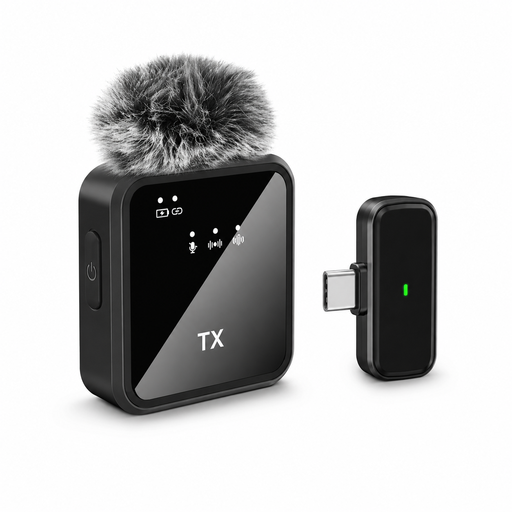
Why This Fits Their Persona: A compact single-microphone format suits new creators making short videos, calls or occasional interviews with a Type-C phone or computer.
Its listing identifies a single microphone, Type-C interface and 3–6-hour battery range, helping buyers set realistic expectations rather than assuming multi-person coverage.
Single-microphone design; magnetic charging case; listed for recording, video conferencing and interviews.
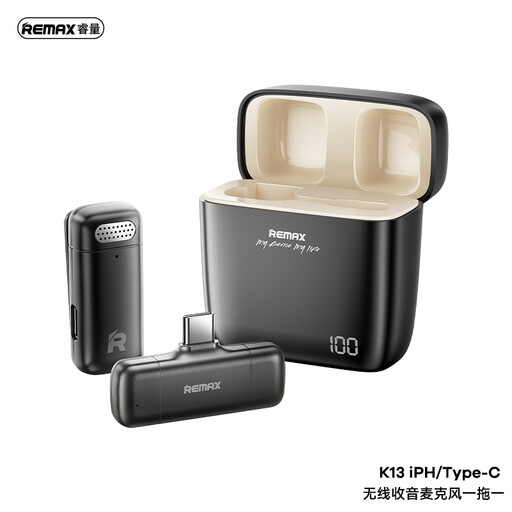
Why This Fits Their Persona: Vloggers, journalists and live streamers who want a portable receiver with monitoring and wind protection may prefer this all-in-one format.
The product description specifies a USB-C receiver, 2.4G transmission, one-touch controls, a 3.5mm monitoring jack and a furry wind muff.
USB-C plug-and-play receiver; real-time monitoring; included outdoor wind muff.

Why This Fits Their Persona: Podcasters, musicians, gamers and remote workers recording at a fixed desk can use USB-C now and retain an XLR connection for a mixer or audio interface.
It is a corded dynamic microphone rather than a battery-powered wireless system, so long sessions do not depend on transmitter runtime. Its listing also states that the XLR cable is not included.
USB-C and XLR outputs; cardioid pickup; headphone monitoring, mute and gain controls through USB.
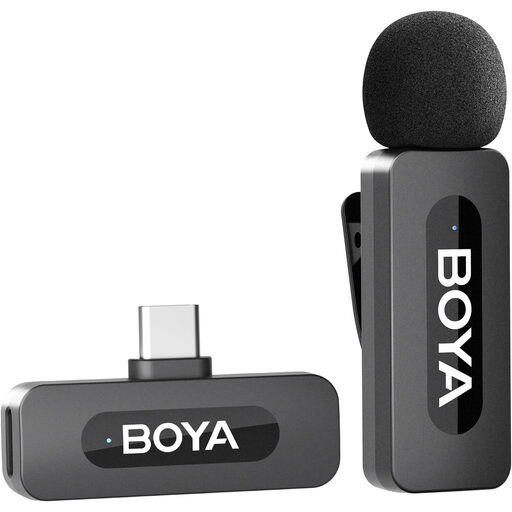
Why This Fits Their Persona: A one-transmitter, one-receiver kit is suited to solo smartphone videos, mobile live streaming and quick recordings using compatible iPhone or Android devices.
The listing states a USB-C connection, one-click noise cancellation and up to 9 hours of battery life, making the main operating limits clear before purchase.
1 TX + 1 RX configuration; stated 9-hour battery life; USB-C format for compatible devices.
We have compiled a complete, real-time list of products that fully satisfy these strict selection criteria and UK safety regulations.
For a desk setup, a dynamic USB/XLR microphone is generally more practical than a wireless lavalier microphone. The FIFINE AM8W, for example, provides USB-C and XLR connections, a headphone jack, gain control, mute control and RGB lighting through USB. Its XLR cable and boom arm are not included, so factor those into the total cost.
Yes, if the iPhone has a USB-C port and supports external audio input. Check the receiver type and your phone model before ordering. Lightning iPhones require a Lightning-specific microphone receiver or a suitable certified adapter.
Not necessarily. Many wireless lavalier systems use a dedicated 2.4 GHz transmitter and receiver. This can provide a direct connection for recording, while Bluetooth microphones depend more heavily on device and app compatibility.
Battery runtime varies by model and usage. The products above list approximately 3–6 hours or up to 9 hours, depending on the model. Protect the transmitter and receiver from moisture, heat, impact and extreme temperatures, and recharge them according to the manufacturer’s instructions.