
24/7 Customer Support

Free returns

Same-day & Next-day Delivery

Quality Guaranteed
Download the APP
Categories
If you spend your workday at a desk, you are likely familiar with the creeping discomfort in your wrist, arm or even shoulder after hours of clicking and scrolling. A standard computer mouse forces your forearm into a twisted, unnatural position, which can lead to strain over time. This is where a vertical ergonomic mouse can make a significant difference.
By shifting your hand into a more neutral "handshake" position, these devices are designed to reduce muscle tension and promote better posture. As a Joybuy Product Recommendation Officer, my role is to help you navigate the options and find a practical solution that enhances both comfort and productivity. This guide will walk you through key features to consider and highlight some of our top recommendations for 2026.
Selecting the right ergonomic computer mouse involves more than just picking a new design. Consider these factors to ensure you find a model that fits your needs.
The core benefit of a vertical mouse is its shape. The "handshake" orientation keeps the bones in your forearm (the radius and ulna) parallel, avoiding the pronation or twisting that a flat mouse causes. This simple change can alleviate pressure on the median nerve in the wrist, making it a popular choice for those looking for a mouse for wrist pain or a tool for RSI prevention. Look for a mouse with an angle that feels natural to you—most fall between 50 and 90 degrees.
A wireless vertical mouse declutters your desk and offers greater freedom of movement. You will typically find two connection types:
Modern ergonomic mice are not just about comfort; they are also built for efficiency. Look for features like:
Here are a few standout vertical mice that balance ergonomic design with practical, modern features.
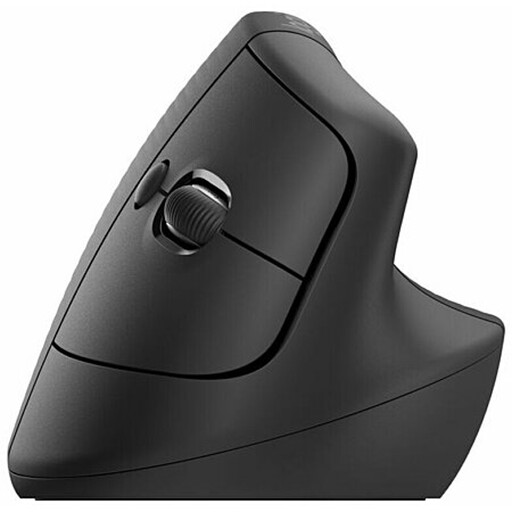
Why It Stands Out: The Logitech Lift is specifically engineered for small to medium-sized hands, offering a comfortable fit that many larger models lack. Its 57-degree vertical angle is positioned to provide immediate relief from wrist pressure. The combination of whisper-quiet clicks and the responsive SmartWheel makes it a pleasure to use in any office environment.
Pros:
Who is it for? Professionals with small to medium-sized hands who are seeking a premium, well-built wireless mouse for all-day use. It is an excellent choice for those working in shared or quiet spaces.
View Details for the Logitech Lift Mouse
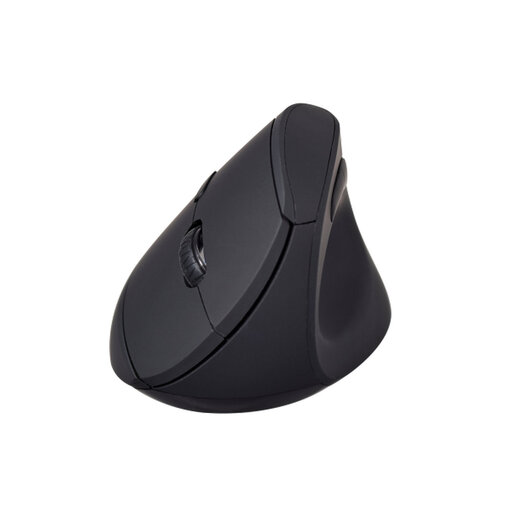
Why It Stands Out: The V7 MW500BT offers a fantastic combination of ergonomic features and versatile connectivity at an accessible price point. Its dual-mode wireless capability (2.4GHz and Bluetooth) makes it easy to pair with different devices, while the soft-touch surface and concave thumb rest provide a secure and comfortable grip.
Pros:
Who is it for? Users looking for a functional and affordable handshake mouse that does not compromise on core ergonomic principles. Its dual-mode connectivity makes it a great option for people who switch between a desktop and a laptop.
View Details for the V7 MW500BT Mouse
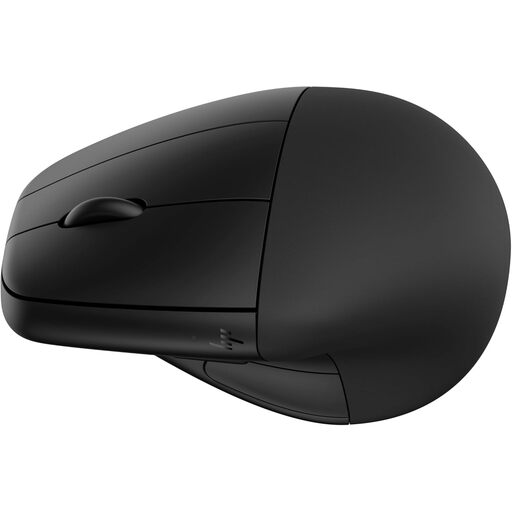
Why It Stands Out: The HP 920 stands apart with its detachable magnetic wrist rest, providing an extra layer of support that can be added or removed to suit your preference. It is also a strong performer, featuring a rechargeable battery with an impressive lifespan and fast-charging capabilities. According to HP, its design is certified by Human Factors and US Ergonomics.
Pros:
Who is it for? Individuals who want maximum wrist support and the convenience of a rechargeable battery. The high DPI range and customisable buttons also make it suitable for power users who need precision and control.
View Details for the HP 920 Mouse
These recommendations are a great starting point, but the ideal mouse is a personal choice. If you are still searching for the perfect fit or want to compare more styles and features, we have a wider selection available.
Explore Our Full Collection of Ergonomic Wireless Mice
A vertical mouse places your forearm and wrist in a more neutral, untwisted posture, similar to a handshake. This can reduce the muscle strain and pressure on nerves that often contribute to discomfort from using a traditional mouse. While it is not a medical treatment for conditions like carpal tunnel syndrome, many users report a noticeable reduction in pain and fatigue during long hours at the computer.
There is typically a short adjustment period, which can last from a few days to a week. Because the grip is different, your movements might feel slightly less precise at first. However, most people adapt quickly and the comfortable position soon becomes second nature.
While you can use a vertical mouse for casual gaming, most are designed for productivity and comfort rather than the high-speed, high-precision demands of competitive gaming. Gaming mice usually have higher DPI ranges, faster polling rates and designs optimised for rapid movements. For general office work and everyday tasks, a vertical mouse is an excellent tool.