Shared-desk journal editors
If someone sits nearby while you arrange text and images, click noise may matter alongside grip. Logitech describes Lift as having quiet clicks, while Trust describes Bayo II Wireless as having silent buttons.


Choose a vertical mouse for travel-journal editing only if its size lets you keep it close and in line with your elbow; the Health and Safety Executive also advises arranging the rest of the workstation so your shoulders can relax. At a shared desk, check quiet-click claims for the exact model, then choose Bluetooth, a USB receiver or both according to your devices and free ports.
If someone sits nearby while you arrange text and images, click noise may matter alongside grip. Logitech describes Lift as having quiet clicks, while Trust describes Bayo II Wireless as having silent buttons.
Choose a connection method that works with your laptop and available ports. Logitech lists Bluetooth Low Energy and a Logi Bolt USB receiver as connection options for Lift.
A different mouse shape is only one part of the arrangement. The Health and Safety Executive advises keeping the mouse in line with your elbow and the keyboard just below elbow height.
Start with hand fit and mouse placement, then decide how much click noise, connectivity and pointer controls matter at your shared desk.
| Concern | What to check | Who this matters to |
|---|---|---|
| Hand fit and desk position | Check the model’s hand-size guidance and whether you can reach its buttons while keeping the mouse close to the keyboard and in line with your elbow. | If the grip makes me stretch or the desk makes me reach, changing the mouse shape will not address the whole setup. Around 37% of consumers put fit and workstation position first. |
| Quiet clicks | Look for a quiet-click or silent-button claim for the exact model; if wheel noise matters, check that separately. | When someone works beside me, repeated clicks could be distracting even if the mouse fits my hand. Roughly 36% of consumers prioritise quieter operation. |
| Connection and editing controls | Confirm Bluetooth or receiver support, the ports your device needs, operating-system compatibility and any cursor-speed controls you plan to use. | If I edit across devices or adjust the pointer for layouts, the connection and controls need to suit that workflow. About 27% of consumers make those needs their main priority. |
A stated angle describes the mouse, not how your chair, keyboard, screen and mouse sit together. The Health and Safety Executive advises keeping the mouse in line with your elbow.
Arrange the desk first, then check whether the mouse fits your hand without making you reach.
Quiet buttons are a model-specific feature: Logitech describes them for Lift, and Trust describes silent buttons for Bayo II Wireless.
Check the exact model’s button description rather than treating its vertical shape as evidence of low noise.
A mouse that connects through a USB receiver needs a suitable free port. Bluetooth is an alternative only on models that offer it.
Check your laptop’s ports and the selected mouse’s connection options before ordering.
Joybuy displayed an out-of-stock notice on its Logitech Lift product page, so the existence of a listing does not establish that an order can be placed.
Check current availability, the selected variant and delivery terms on the product page before deciding.
Lift and MX Vertical address different priorities within Logitech’s vertical-mouse range.
Bayo II Wireless is worth considering if silent buttons and a USB-receiver connection suit your desk.
The MW500BT offers a route to consider when both Bluetooth and 2.4 GHz connection options matter.
These wireless vertical mice offer options for travel-journal editors considering desk layout and device connection. Check each model’s fit and click sound separately before using it at a shared desk.
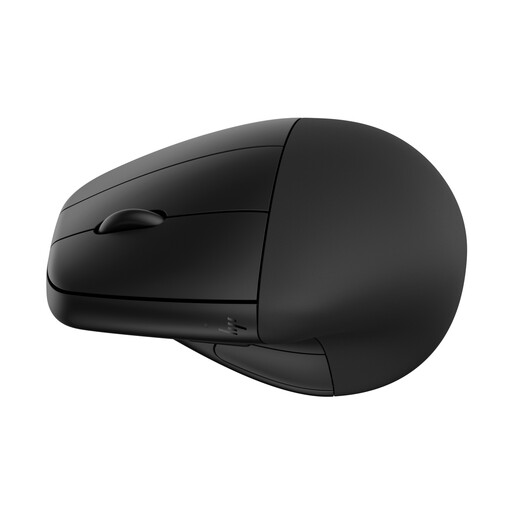 No image available
Consider this wireless model if a detachable wrist rest appeals to you while editing at a shared desk. Check its grip size and click sound against your needs before choosing it.
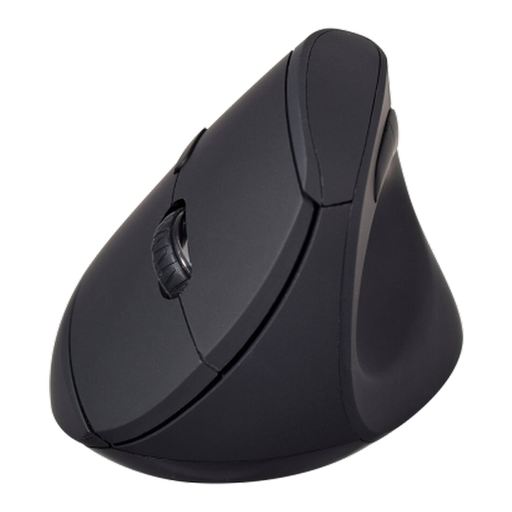 No image available
Consider this model if you want to choose between Bluetooth and 2.4 GHz connectivity for editing. The Joybuy listing describes six buttons and 800, 1200 and 1600 DPI settings; check hand fit and click sound if either is important at your shared desk.
No mouse shape replaces arranging the whole workstation. The Health and Safety Executive advises keeping your shoulders relaxed, the keyboard just below elbow height and the mouse in line with your elbow.
The Health and Safety Executive says employers must assess workstations for workers who use display screen equipment daily as part of normal work, continuously for an hour or more. The assessment concerns the workstation and individual requirements, not just the choice of mouse.
Look for a quiet-click or silent-button statement for the exact model. Logitech describes Lift as having quiet clicks and Trust describes Bayo II Wireless as having silent buttons; neither claim applies automatically to other vertical mice.