Home-office slide creators considering a different grip
If you spend extended periods editing slides and supporting documents, assess whether a vertical shape fits your hand and workstation rather than relying on comfort claims alone.


Choose a vertical mouse for preparing slides by matching its hand size, handedness and connection to your setup before considering extra buttons. If you want shortcuts, check whether the exact mouse and its software support the actions you use. A vertical grip does not replace attention to the rest of your home workstation or your work routine.
If you spend extended periods editing slides and supporting documents, assess whether a vertical shape fits your hand and workstation rather than relying on comfort claims alone.
If you move repeatedly between slides, notes and browser research, configurable buttons may be useful when the exact mouse software and your applications support the assignments you want.
Left-handed users, people choosing between hand-size ranges and those who need Bluetooth or a USB receiver should check the specific variant before ordering.
For home-office slide preparation, check hand fit and computer compatibility before weighing shortcut controls and shared-space conveniences.
| Concern | What to check | Who this matters to |
|---|---|---|
| Hand fit and grip | Check the stated hand-size range and whether the variant is left- or right-handed. Logitech describes Lift as fitting small-to-medium hands; Kensington positions its right-handed Pro Fit Ergo Vertical Wireless Mouse for average-to-larger hands. | When I edit slides for long stretches, I want a shape sized for my hand, with controls on the correct side. Around 36% of consumers put fit first. |
| Computer connection | Check the connection method, available ports, operating-system version and any processor exclusions. Kensington states that its cited Pro Fit Ergo Vertical Wireless Mouse does not currently support Windows ARM-based computers. | If my laptop has limited ports or specific software requirements, the mouse needs to work with that setup. Connection is the primary concern for around 29% of consumers. |
| Shortcut controls | Check button placement, customisation software and whether your intended assignment works in your presentation application. | Moving between slides, notes and research makes repeated commands worth considering. Around 21% of consumers prioritise shortcut control. |
| Noise and power | Check the stated click behaviour and power source, including what you would need when the battery runs low. | In a shared work area, I would rather avoid distracting clicks or a power interruption. Quiet operation or power convenience comes first for around 14% of consumers. |
The Health and Safety Executive advises considering equipment, furniture and working conditions together when assessing display screen equipment work. Changing the mouse does not address the rest of the setup.
If your work involves daily display screen use for continuous periods of an hour or more, consider the appropriate workstation assessment and work routine alongside your mouse choice.
Logitech and Kensington describe different models for different hand sizes and handedness. The intended grip and access to controls therefore depend on the variant.
Check the stated size guidance and select the correct left- or right-handed version before ordering.
A USB-receiver model needs a suitable port, while operating-system support depends on the exact mouse. Kensington says its cited Pro Fit Ergo Vertical Wireless Mouse does not currently support Windows ARM-based computers.
Check your computer’s ports, operating-system version and processor against the model specification, and confirm the required connection equipment is included.
If your computer lacks the required USB port, using a receiver may require an adapter.
Button customisation on some mice does not establish that next- and previous-slide commands will work in every presentation application.
Set up and test the intended assignments in your actual application before relying on them during a presentation.
Its vertical-mouse range includes Lift, with a left-handed option, and the larger MX Vertical line.
Its cited ergonomic mice include a right-handed Pro Fit Ergo Vertical Wireless Mouse and a separate left-handed Pro Fit model.
The Pro Click V2 Vertical is a right-handed vertical wireless model in Razer’s productivity-oriented Pro Click V2 line.
These Joybuy mice offer vertical designs for home-office slide work. Compare their stated connection and control features, then check hand fit and any application-specific shortcuts for the exact model.
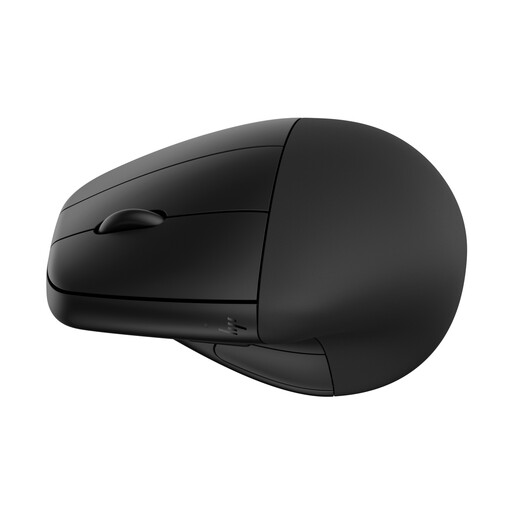 No image available
Consider this model if a detachable wrist rest is relevant to your desk setup. Check that its shape fits your hand and that any controls you intend to use can be assigned in your presentation application.
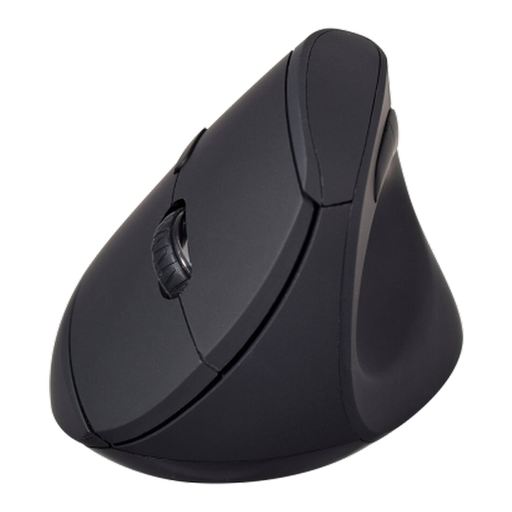 No image available
Consider this model if you want a vertical mouse with Bluetooth or 2.4 GHz wireless mode. Its name lists six buttons and an adjustable sensor up to 1600 DPI; check hand fit, whether a receiver is included if you need that mode, and whether the buttons suit your slide workflow.
No: the mouse still needs to fit your hand, and the wider workstation matters. The Health and Safety Executive says display screen equipment work should be considered in the context of the workstation and working conditions; its guidance covers home workers who use display screens daily for continuous periods of an hour or more.
Not necessarily. Kensington lists button controls and customisation on its cited models, but that does not establish how every presentation application will respond. Check the exact mouse software and test the assignment you want before presenting.
Match the exact model’s connection method to your computer’s ports and operating system. Kensington lists a 2.4 GHz USB receiver for its cited Pro Fit Ergo Vertical Wireless Mouse and states that Windows ARM-based computers are not currently supported; connection options on other models or variants may differ.
No. Kensington states a three-year warranty for its cited left-handed Pro Fit Ergo Wireless Mouse, but that term should not be applied to other models. Check the warranty and support information for the exact variant you plan to order.