
24/7 Customer Support

Free returns

Same-day & Next-day Delivery

Quality Guaranteed

Unlock Your Welcome Offers: FREE Delivery | Up to 80% OFF | Free 30-day JoyPlus trial
Download the APP
A video baby monitor can make night-time checks and daytime naps easier, but choosing one based only on screen size or a high-resolution label can lead to disappointment. UK homes vary considerably: a flat may need reliable coverage between rooms, while a larger house may require a long-range baby monitor or smartphone access when you are away.
Before buying, focus on how the monitor connects, what happens when the room is dark and whether the camera and parent unit suit your daily routine.
A manufacturer’s range is usually measured in open conditions. Brick walls, floors, foil-backed insulation, wireless equipment and large appliances can reduce performance. A claimed range of 300 metres or 1,000 feet should therefore be treated as a reference point rather than a guarantee for every UK home.
Check whether the product provides an out-of-range warning and consider where the camera will be placed relative to bedrooms, the kitchen and the garden.
A Wi-Fi baby monitor or smart baby monitor can provide app access from work, while travelling or when visiting family. However, it normally depends on mains power, a stable broadband connection and an account or app setup.
A non-Wi-Fi baby monitor uses a direct connection to its parent unit. It can be simpler for grandparents, babysitters and parents who prefer local viewing without relying on home internet. Some hybrid models offer both options, giving you a dedicated screen at home and app access when away.
An HD baby monitor can show more detail, but resolution is only one part of the viewing experience. Night vision, lens angle, digital zoom, screen size and camera movement may matter more during a dark-room check. A fixed camera with a sharp image may be less practical than a lower-resolution model with pan and tilt if your child moves around the nursery.
Also check whether video is recorded, where it is stored and whether additional cloud charges apply.
For a private local connection, look for a monitor using 2.4GHz FHSS or another stated secure digital transmission method. These systems do not need Wi-Fi for basic viewing, although their range still depends on the construction of your home.
If you want baby monitor with app access, check:
A hybrid monitor can be a practical compromise for households wanting both local and remote access.
A baby monitor with night vision should switch automatically in low light and provide enough contrast to see your baby’s position. Infrared night vision commonly produces a monochrome image, while some models offer colour night vision in suitable low-light conditions.
For a small cot area, a fixed camera may be sufficient. For a toddler who moves around the room, consider a baby monitor with pan and tilt, a wide-angle lens or remote zoom. Check the actual pan and tilt ranges rather than relying on phrases such as “full room coverage”.
Battery claims may differ between continuous video, audio-only mode and standby. Compare the stated video runtime with your intended use. A larger battery can reduce overnight charging, but the parent unit will still need regular charging.
Useful features include:
These are convenience features, not substitutes for responsible adult supervision or medical monitoring.
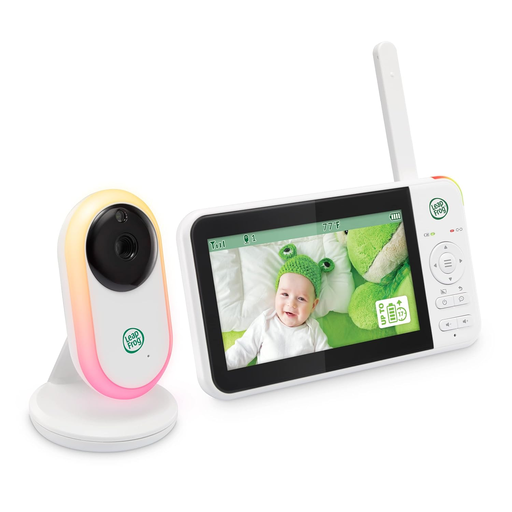
Why This Fits Their Persona: A straightforward choice for parents who want a dedicated screen without Wi-Fi setup or app access.
Its 2.4GHz FHSS connection avoids dependence on home broadband, while VOX activation reduces the need for continuous screen viewing.
5-inch IPS display, up to 1000ft stated wireless range, infrared night vision, 2x zoom and up to 17 hours of video streaming.

Why This Fits Their Persona: Suitable for families wanting a larger local screen alongside remote smartphone viewing.
The hybrid design provides local viewing if you do not want to use the app, while remote access is available when you are away.
5.5-inch 1080p parent unit, 360-degree horizontal pan, 94-degree vertical tilt, colour night vision and no stated subscription fee.
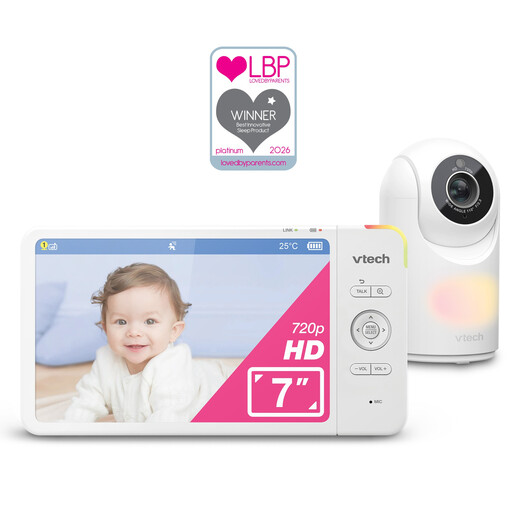
Why This Fits Their Persona: A larger display and camera controls suit frequent nursery checks or carers who prefer clear on-device viewing.
It combines a 7-inch screen with pan, tilt and zoom, rather than relying on resolution alone to improve visibility.
7-inch 1024x600 display, 360-degree panoramic viewing, 117-degree tilt, 4x digital zoom and up to 13 hours of video streaming.
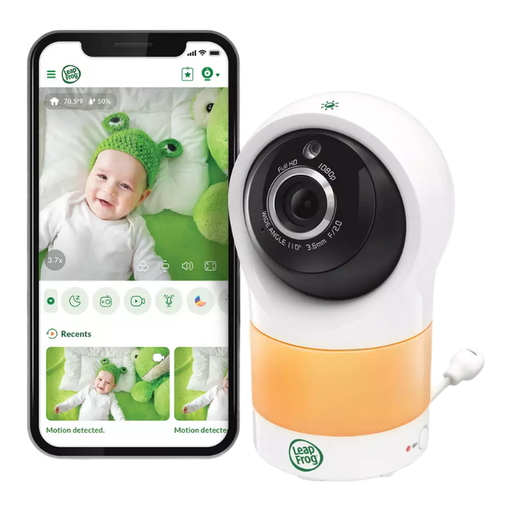
Why This Fits Their Persona: Designed for parents who primarily check the nursery through a smartphone and want remote camera movement.
Its app-based design is clear about requiring home Wi-Fi, helping buyers distinguish remote monitoring from a local monitor.
Full HD video, 360-degree horizontal pan, 152-degree vertical tilt, colour night vision and temperature and humidity sensing.
We have compiled a complete, real-time list of products that fully satisfy these strict selection criteria and UK safety regulations.
Position the camera at least 1 metre away from the cot and keep every cable securely out of reach. Do not place the camera, parent unit or power cord inside the cot or attach it to the cot rail. Use the supplied adaptor, keep equipment away from water and heat and inspect cables and mounts regularly.
Most camera units are mains powered. Running cost is generally linked to electricity use, while Wi-Fi models may also involve optional cloud-storage charges. Check whether recording is local, subscription-based or unavailable before purchase.
No. A non-Wi-Fi model can send video to a dedicated parent unit through a direct wireless connection. Wi-Fi is needed for smartphone viewing from outside the home and for many smart alerts.
It varies by model and mode. Continuous video commonly uses more power than audio-only or standby operation. Compare the manufacturer’s stated video runtime and charge the parent unit fully before overnight use.
No. A monitor is an aid for hearing and viewing from another room, not a replacement for responsible adult supervision. Follow the manufacturer’s positioning instructions and check your baby personally at suitable intervals.