For private individual calls in a busy home, assess a headset first; choose a webcam if the main problem is how you appear on camera, or a speakerphone when nearby people need to join from a quiet room. A USB microphone suits a fixed desk setup when you need a separate voice input but already have a way to hear the call. Before buying, check the connection, meeting-app controls and any restrictions on your work computer.
Who is each device for?
Start with the part of a call that causes difficulty: hearing privately, being seen clearly or including someone else in the room.
Individual callers in a busy home
If other people or appliances are active nearby, a headset keeps incoming call audio out of the room. For outgoing speech, compare the exact microphone design and its stated conditions rather than assuming that every noise-reduction label describes the same result.
Callers who are hard to see on camera
If your built-in camera or room lighting makes your image difficult to see, check camera placement and available light before choosing a webcam. Resolution, light correction and a physical privacy shutter are separate features to assess for your setup.
People sharing a quiet call space
A speakerphone can provide hands-free audio when someone nearby needs to participate. Match the manufacturer’s stated microphone pickup range to where people will sit, and remember that everyone in the room can hear the call.
What should you check before choosing?
Decide whether the problem is private audio, voice input, camera image or a shared call. Then check that the proposed device can connect to the computer and work under its meeting-app and employer settings.
| Priority |
What to check |
Your needs |
| Private calls |
Check whether a headset provides the listening arrangement you want and where its microphone sits. Treat noise-reduction descriptions as model-specific claims, not a promise about your room. |
I need to hear colleagues without playing their voices around the home, while making my own speech clear when household activity is nearby. |
| Camera image |
Check camera position, room light, stated resolution and whether light correction or a privacy shutter is included. Confirm that any framing feature works on your computer. |
Colleagues struggle to see me in a dim or backlit room, or my built-in camera does not give the image I need for meetings. |
| Connection and controls |
Match the device’s USB connector, receiver, Bluetooth or audio jack to your computer. Check the exact model against your meeting app’s supported controls and your employer’s camera, microphone and software rules. |
I want a device I can use on my work computer; physical mute or answer buttons matter only if they work in the app and connection mode I use. |
| Shared-room audio |
For a speakerphone, compare the stated pickup range with the seating arrangement and check the room conditions attached to that specification. Consider who else could hear the meeting. |
Another person sometimes joins from the same quiet room, and we need hands-free audio rather than private listening. |
| Separate voice input |
Check whether a USB microphone can sit close enough for your desk arrangement and be selected as the meeting app’s input. Plan separately for headphones or speakers. |
I already have a way to hear calls but want a dedicated microphone for solo desk meetings or presentations. |
| Extra lighting |
Try camera position and available room light first. If considering a light, check its placement and power requirements; it will not change microphone pickup or call controls. |
My face remains poorly lit on camera after I have adjusted the room setup, so a separate light may be worth considering. |
What can go wrong with the choice?
-
Assuming every headset button controls every meeting app
Basic headset audio and app-integrated answer, mute or hang-up controls are different questions. Microsoft describes conditions for Teams call controls, while Zoom maintains a supported USB HID device list for its own button functions.
Check your exact model, operating system, app and connection method. If a button function matters, look for support for that particular configuration rather than relying on the presence of a physical button.
-
Using a speakerphone to solve a private-call problem
A speakerphone plays meeting audio into the room and may pick up nearby voices. Its stated pickup range helps assess a shared seating arrangement; it does not establish that the device will reject household activity.
Choose a headset for private individual listening. Consider a speakerphone when hands-free participation from a quiet room is the reason for buying one.
-
Relying on webcam features that need restricted software
Some enhanced features depend on a companion app, operating system or processor. Logitech says Brio 505 auto-framing requires Logi Tune, which is unavailable for ChromeOS, and that the feature is unsupported on ARM computers. An employer-managed computer may also restrict installations or camera access.
Confirm the webcam’s core operation on your computer, then check the requirements and workplace permission for any additional feature you intend to use.
-
Reading a feature name as a guaranteed result
Noise-reduction and light-correction descriptions do not establish how a device will perform in your room. Camera position, lighting, microphone placement and meeting-app settings can all affect the result.
Use the stated feature to identify models worth checking, then compare their operating conditions with your home-call setup.
Which brands offer relevant models?
These brand references concern particular headsets, webcams and speakerphones; features and platform support should be checked for the exact model and variant.
Logitech
Logitech offers home-working headsets and business webcams, including models with stated meeting-platform support.
- Logitech lists Teams, Zoom, Google Meet and Google Voice certification for Zone Vibe Wireless, with connection options that depend on the version.
- For Brio 505, Logitech says Logi Tune is unavailable on ChromeOS and auto-framing is unsupported on ARM computers. Do not extend those feature claims or restrictions to every Logitech webcam.
Poly
HP positions the Poly Sync range for hands-free calls, from individual desks to shared spaces.
- HP specifies three microphones, an up-to-2 m pickup range and an ideal room size of 4 m × 4 m for the Poly Sync 20+ Teams-certified USB-C model.
- Those are conditions for that model, not a reason to use a speakerphone for confidential calls or assume the same range across the Poly range.
Jabra
Jabra headsets and speakerphones are relevant when meeting-app button integration is part of the decision.
- Zoom includes specified Jabra Evolve2 and Speak models on its supported USB HID device list.
- Zoom notes that some additional functions depend on USB dongles and associated applications. Its listing does not establish the same controls for an unlisted model or another meeting platform.
Joybuy options for home calls
These Joybuy options cover hands-free speakerphones, private-listening headphones, a webcam and a desk microphone. Choose the type that addresses your call setup, then check the exact connection and any work-device restrictions before ordering.
 No image available
DELL Pro Wired Speakerphone SP325
A wired speakerphone to consider for hands-free calls with someone nearby. Because meeting audio plays into the room, use a headset instead when private listening is the priority; check that its connection fits your computer.
View on Joybuy
 No image available
EMEET Lunaplus 8-Mic Bluetooth Conference Speaker, 360° Pickup, 5W
A Bluetooth conference speaker for a hands-free arrangement with nearby participants. Its name specifies eight microphones, 360° pickup and a 5W speaker; check the intended seating area, computer compatibility and workplace pairing rules rather than treating pickup wording as a room-size guarantee.
View on Joybuy
 No image available
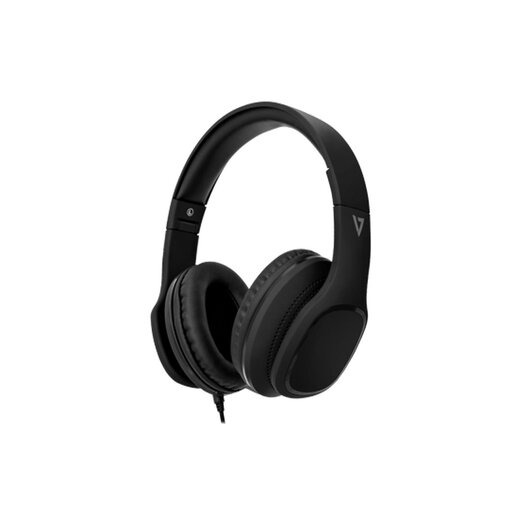
V7 HA701-3EP Wired Over-Ear Headphones, 40mm, Inline MEMS Mic
An individual-listening option when you do not want meeting audio played around the room. The name specifies 40mm drivers and an inline MEMS microphone; check the wired connector against your computer and confirm any inline call-button behaviour in your meeting app. Passive isolation wording does not establish how much household sound the microphone will remove.
View on Joybuy
 No image available
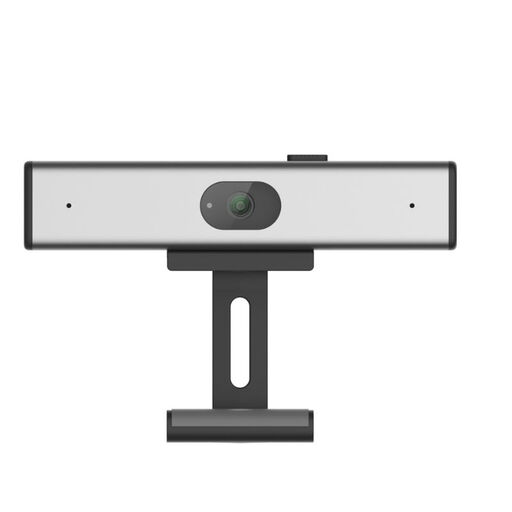
Philips SPL6308S/00 2K QHD Clip-on Webcam, EU Version, Silver
A clip-on PC webcam to assess when your built-in camera does not provide the image detail you need. Its name specifies 2K QHD video and describes a noise-reduction microphone; confirm the connection and operating-system fit, and check light correction or a privacy shutter separately if those features matter.
View on Joybuy
 No image available
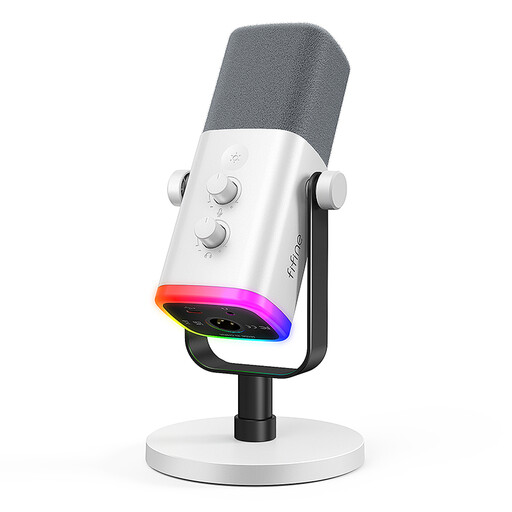
FIFINE AM8W XLR/USB Dynamic Microphone, White
A separate voice-input option for a fixed solo desk setup if you already have headphones or speakers for incoming audio. The named controls include a gain knob, mute button and monitoring jack; check how the functions operate in your intended connection mode and whether your work computer and meeting app can use the microphone.
View on Joybuy
Questions about setup and use
Will any USB headset’s call buttons work in Microsoft Teams?
No: a USB connection alone does not establish button integration. Microsoft Support describes call-control support for the installed Teams app on Windows and Mac and recommends Teams-certified models for optimum performance; check the exact headset and Teams version before relying on its answer or mute buttons.
Can I use video-call peripherals with Zoom on an older computer?
Check the operating system before choosing the peripheral. Zoom Support lists Windows 10 and 11 and macOS 10.15 or later among its desktop-app requirements; it accepts built-in, USB and Bluetooth audio devices, but physical device-button integration has separate supported-device conditions.
Can workplace settings block a compatible camera or microphone?
Yes. Microsoft documents Teams meeting policies that control audio and video, and Intune restrictions that can allow or block a managed device’s camera. Ask your IT team about access and software installation before buying a device whose intended features depend on them.
Do I need a speakerphone for a home office?
A speakerphone makes more sense for intentional hands-free or shared calls in a quiet room than for private individual calls. As a model-specific example, HP states an up-to-2 m microphone pickup range and an ideal 4 m × 4 m room for the Poly Sync 20+; compare the stated conditions of any model with where participants will sit.


