For regular calls in a shared home, assess a headset with a microphone near your mouth first if household noise and private listening are the main concerns. If the problem is how you look on camera, check the camera position and room lighting before choosing a webcam or light; a desktop microphone suits a relatively quiet, fixed desk, while a USB-C hub is useful only when you need its ports and your laptop supports the required functions.
Who is each setup for?
Hybrid workers in shared homes
If other people are nearby during calls, a headset lets you listen privately and puts its microphone close to your mouth. Test it from your usual desk position rather than assuming noise cancellation will remove sound from the room.
Compact-desk laptop users
If the laptop camera is awkwardly placed or your face is poorly lit, consider camera positioning, an external webcam or a compact light. Check mounting space and available ports before adding equipment to a small desk.
Fixed-desk callers in quieter rooms
A desktop USB microphone can suit a settled workspace when physical controls and headphone monitoring matter. Allow room to position it and select a pickup pattern appropriate to the call.
What should you check before choosing?
Start with the part of a normal meeting that causes trouble, then check the accessory against your desk, laptop and meeting app.
| Priority | What to check | Your needs |
|---|
| Call audio |
Check microphone position, headset connector or adapter, and the selected meeting-platform variant. Test the microphone in your usual room. |
I need colleagues to hear my speech while other people are at home, and I want to listen without using laptop speakers. |
| Camera view |
Check whether camera placement, focus or light correction addresses the problem. Confirm any companion software needed for features such as auto-framing. |
My laptop camera sits at an awkward angle, or changing daylight makes my face difficult to see. |
| Face lighting |
Check panel placement, mounting clearance, power source and included accessories. Elgato says the Key Light Air MK.2’s maximum brightness depends on its power source. |
The camera is usable, but I look underlit or sit with a bright window behind me. |
| Desktop microphone |
Check desk space, pickup-pattern selection, mute controls and headphone monitoring. Select and test the device in the meeting app. |
I make calls from a relatively quiet, fixed desk and would use controls on the microphone itself. |
| Ports and apps |
Match the hub’s ports to your devices and check the laptop’s USB-C video-output and charging capabilities. For Teams on the web, Microsoft says browser permission is needed for camera or microphone access. |
I have too few laptop ports, or an accessory connects but cannot be used in my meeting app. |
Common buying mistakes
-
Assuming noise cancellation removes sound for callers
Headset active noise cancellation concerns what the wearer hears; it does not establish what the microphone sends to a meeting.
For calls in a shared home, check microphone placement and make a test call from your normal desk position.
-
Choosing a USB-C hub by its socket shape alone
A hub’s HDMI and charging features do not establish that the laptop’s USB-C port supports video output or the charging function you need.
Read the laptop’s port specification, then compare it with the hub’s display, power and peripheral requirements.
-
Expecting a webcam microphone to fix shared-room audio
A webcam may address camera framing without addressing the separate need for a microphone close to the speaker or private listening.
If call audio is the main problem, assess a headset first; add a webcam when the camera view also needs attention.
-
Buying a light without planning its position and power
A light must fit where it can illuminate your face, and usable brightness can depend on its power source.
Measure the mounting area and check the exact bundle’s accessories and power requirements before ordering.
Depending on the bundle and your setup, a suitable mount or power adapter may also be needed.
Relevant brand references
Logitech
The Brio 500 is a webcam option for callers assessing camera framing and variable light.
- Logitech lists Full HD 1080p video and light correction for the Brio 500.
- Its auto-framing requires Logi Tune; its built-in microphones should not be treated as a substitute for testing audio in a shared room.
Jabra
The Evolve2 65 Flex is a headset reference for private listening and frequent work calls.
- Jabra describes voice-isolating microphone technology and hybrid active noise cancellation for this model.
- Check the chosen USB-A or USB-C adapter and Teams or Unified Communications variant; noise cancellation is not proof that callers will hear no room noise.
HyperX
The QuadCast 2 illustrates the desktop-microphone route for a relatively quiet, fixed desk.
- HyperX lists PC and Mac compatibility, four selectable pickup patterns, a headphone jack and a supplied desk stand.
- A desktop microphone needs space and deliberate positioning; it does not provide private listening on its own.
Elgato
The Key Light Air MK.2 is a compact-light reference when face lighting is the issue.
- Elgato specifies a 2,900–7,000 K colour range and brightness up to 2,100 lumens, depending on power source.
- Confirm the power supply and mounting accessories included with the exact configuration.
UGREEN
Its 5-in-1 USB-C hub is a reference for connecting peripherals and a display through a laptop port.
- UGREEN lists HDMI, USB-C power delivery, one USB-A 3.0 port and two USB-A 2.0 ports for this hub.
- Its stated maximum display and charging specifications do not establish what a particular laptop can output or accept.
Joybuy product options
These options cover external cameras, a desktop microphone, a portable light and a multiport adapter for a home meeting setup. Choose by the problem you need to solve rather than treating them as interchangeable accessories.
 No image available
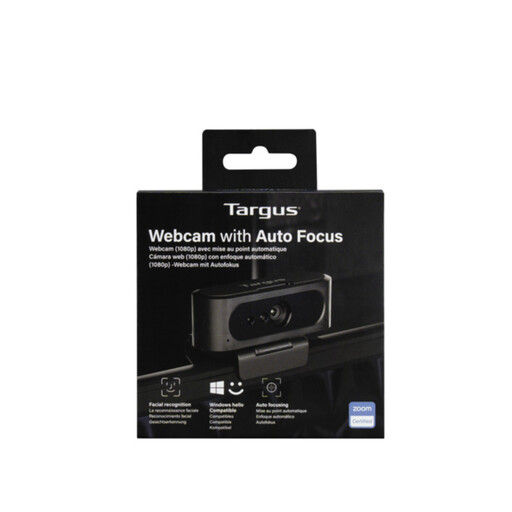
Targus 2K Webcam with Auto Focus
Consider this external webcam if camera positioning or focus is the problem. Confirm its capture resolution before buying: the listing’s 2K title conflicts with a Full HD 1080p technical specification.
View on Joybuy
 No image available
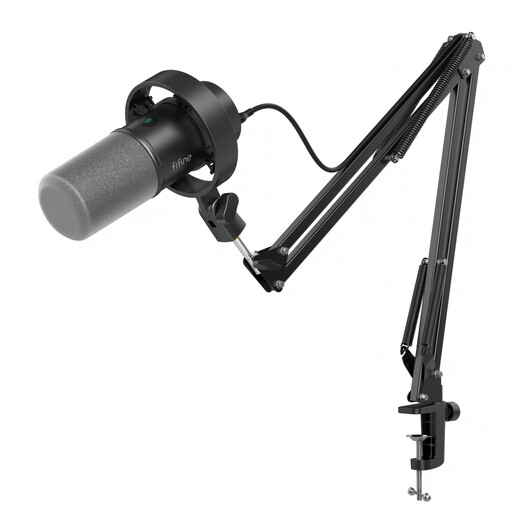
FIFINE K688CT USB/XLR microphone kit with boom arm
This desktop-microphone route suits a relatively quiet, fixed workspace where you can position the supplied boom arm. The title lists mute and gain controls and a headphone jack; check desk-clamp clearance and whether the controls you need operate in your chosen connection mode.
View on Joybuy
 No image available
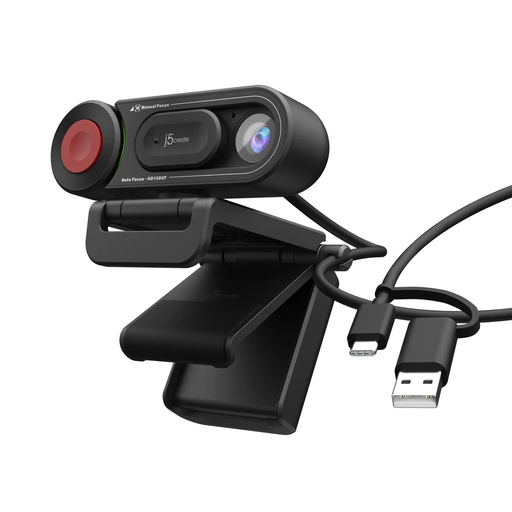
j5create JVU250 HD Webcam with Auto and Manual Focus Switch
Consider this webcam when you want an external camera with a choice of auto or manual focus. Its listing states 720p video; check whether that resolution and its connection suit your calls and laptop.
View on Joybuy
 No image available
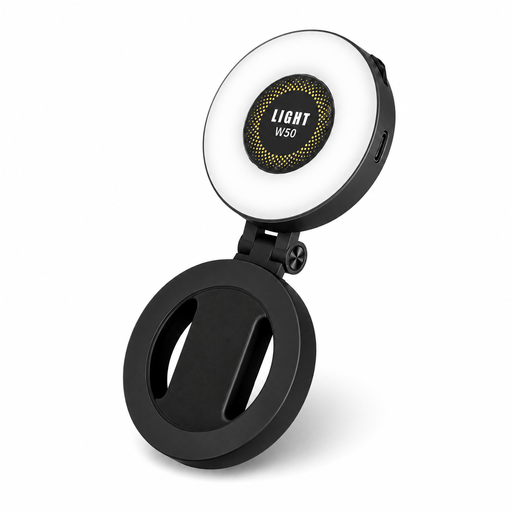
VoxorAI M28 magnetic portable fill light with mirror
This portable light is an option when face lighting, rather than camera hardware, needs attention. Check how its magnetic attachment would be positioned for your calls. If battery operation matters, confirm capacity and runtime: the listing gives conflicting capacity figures.
View on Joybuy
 No image available
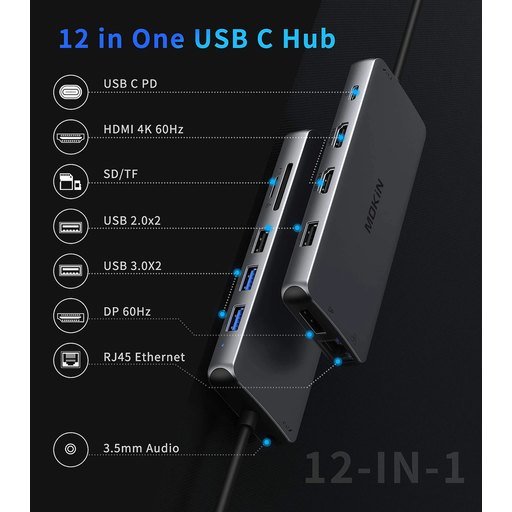
USB-C adapter with 2 HDMI, DP, 4 USB, RJ45, PD, SD/TF and audio
Consider this adapter if your laptop lacks ports for the devices in your meeting setup. Its title lists the connection types, but you should confirm the required display and charging specifications and whether your laptop’s USB-C port supports them.
View on Joybuy
Frequently asked questions
Do I need both a webcam and a video light?
Not necessarily. Test the built-in camera under your normal meeting conditions: consider a webcam if placement or image quality is the problem, and a light if the camera is usable but your face is underlit or backlit.
Should I choose a headset or desktop microphone for a shared home?
Assess a headset first when nearby activity and private listening are the main concerns. A desktop microphone is better suited to a relatively quiet, fixed desk where you can position it and choose an appropriate pickup pattern.
Will any USB camera or microphone work in Zoom?
Do not assume every device will work with your setup. Zoom supports built-in and USB webcams and several microphone connection types, but you still need to check your computer’s requirements, select the intended device in Zoom and run its audio test.
Why can Teams in a browser not use a connected device?
Browser permissions can prevent Teams on the web from accessing a connected camera or microphone. Microsoft advises allowing the relevant permissions; also check the device selected in Teams and any workplace-managed settings.
What should I check before buying a USB-C hub?
Check your laptop’s specific USB-C port capabilities and the connections your accessories require. In particular, confirm video output and charging support against the hub’s specifications; an HDMI or power-delivery label on the hub does not establish what the laptop supports.


