Hands-free family callers
You are replacing an uncomfortable-to-hold phone with a screen your relative can see while it rests securely at a useful angle.


Choose the calling app and a stable, compatible case-and-stand setup first, then try the screen, sound and controls with your relative. A Wi-Fi tablet can suit calls in one place if the care setting permits it and the connection works there; consider cellular only for calls away from usable Wi-Fi, after checking signal and data arrangements. Simplified controls are worth considering, but check that they work with the calling app your family will actually use.
You are replacing an uncomfortable-to-hold phone with a screen your relative can see while it rests securely at a useful angle.
You want controls and a familiar calling service your relative can use, with help setting them up if needed.
You need to decide whether Wi-Fi will work at the calling location, whether mobile data is necessary, or whether a checked refurbished tablet suits your needs.
Start with the calling app and a secure, compatible way to position the tablet; then check the connection and controls where calls will actually happen.
| Concern | What to check when buying | Who this matters to |
|---|---|---|
| Stable, hands-free viewing | Check that the exact case fits the tablet and that its stand holds a useful angle without blocking the camera. | If I need the tablet to stay tilted and protected during a call, I would check the complete setup at the intended table or bedside position. Around 31% of consumers put stable, hands-free viewing first. |
| Controls and calling app | Try the intended app, including answering and ending a call; check text size and controls on the exact operating system. | If my relative needs familiar, easy-to-follow call controls, I would try the family’s actual service together. Around 25% of consumers prioritise simple controls and app familiarity. |
| Connection at the care setting | Ask about permitted device use, resident Wi-Fi, the connection where calls will happen and safe charging arrangements. | For regular calls in one room, I would confirm that the setting allows the tablet and that a call works at the intended spot. Around 19% of consumers put a workable connection there first. |
| Calls away from Wi-Fi | Check that the exact model is cellular, then assess signal at the intended location and the data arrangement. | If calls must happen where usable Wi-Fi is unavailable, I would check cellular reception and data needs before choosing a model. Around 13% of consumers prioritise calling away from Wi-Fi. |
| Refurbished condition and support | Check the individual listing’s condition, software and app support, charging equipment, included accessories and seller terms. | If I am considering a refurbished setup, I would establish what is included and whether the exact tablet can run the required calling app. Around 12% of consumers put refurbished value first. |
A screen and calling app do not meet the hands-free need if the tablet still has to be held.
Confirm that the case fits the exact model, provides the protection you need and holds the tablet securely at the intended angle.
Mobile reception can still be poor indoors, while working Wi-Fi may be enough for regular calls in one place.
Ask the care setting about its network and personal-device rules, then test a call at the intended location. If cellular is still needed, check the exact variant, local signal and data arrangements.
A simplified home screen does not necessarily change the controls inside WhatsApp or another third-party calling app.
Try the actual service with your relative, including receiving and ending a call, before settling on an interface.
Condition, charging equipment and accessories can vary, and worn components may need attention.
Read the exact listing and check the device, software, charging equipment and compatible case-and-stand options before buying.
The iPad 11-inch (A16) is an iPadOS option to consider if your relative already knows iPad or your family can use FaceTime and set up suitable accessibility controls.
The Galaxy Tab A9+ Wi-Fi is an approximately 11-inch Android tablet option. Check that you are looking at the A9+ rather than the smaller A9, and at the variant you need.
The Tab M11 is an 11-inch Android option with a listed front camera. Lenovo lists a compatible folio case with a stand mode separately.
These choices include Wi-Fi tablets and one 4G tablet. Pair any option with a compatible case and tilting stand, and check the care setting’s rules, the calling app and the connection before choosing a setup.
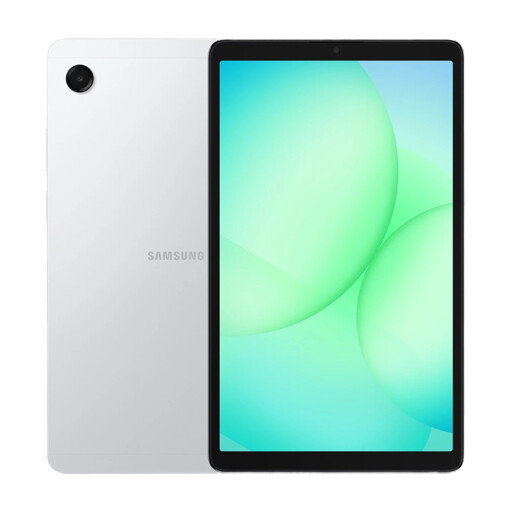 No image available
This Wi-Fi tablet is one option for calls in a place with a usable, permitted connection; check whether its screen suits your relative’s viewing needs.
Listed details include an 8.7-inch display and a 5MP front camera. A compatible stand and protective case are not identified in the product name.
 No image available
This larger-screen Wi-Fi option may suit calls where the care setting provides a usable connection; try the display and controls with your relative.
Listed details include an 11-inch display and a 5MP front camera. Check separately for a compatible case and stand that hold the tablet securely.
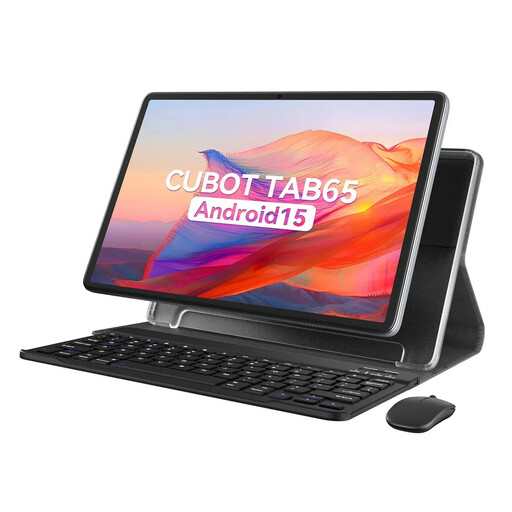 No image available
This Wi-Fi tablet is listed with a protective case, which may be useful when assembling a call setup; check whether a separate tilting stand is also needed.
Listed details include a 10.1-inch screen, a 5MP front camera and an included protective case. Check the exact listing for the included configuration.
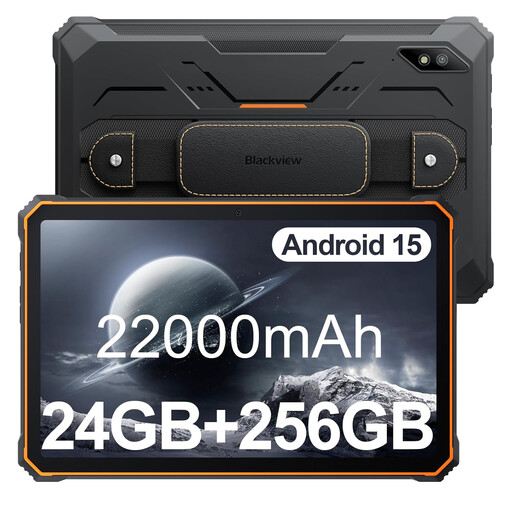 No image available
This cellular option may be relevant for planned calls away from usable Wi-Fi, but check reception at the intended location and the data arrangement first.
The listed variant specifies 4G calling and dual SIM; the product description lists a 16MP front camera. A compatible stand and case still need to be checked.
 No image available
This Wi-Fi iPad option may suit a family already using iPadOS or FaceTime; check app familiarity and accessibility settings with your relative.
Listed details include an 11-inch display, Wi-Fi 6 and a 12MP Center Stage front camera. Confirm that a compatible case and tilting stand are part of your setup.
Check with the specific setting, as access and arrangements vary. Ask about resident Wi-Fi, personal-device rules, the connection where calls will happen, safe charging and who can help with setup.
Not necessarily. Apple documents simplified FaceTime calling in Assistive Access, while other iPadOS apps can be added in their original form. If your family uses WhatsApp, try its installation, sign-in, incoming-call and hang-up steps with your relative.
Consider cellular when calls are planned where suitable Wi-Fi is unavailable and the exact variant can use an appropriate data arrangement. Ofcom’s indoor coverage predictions are a guide rather than a guarantee for a particular room, so check the signal and data terms before choosing cellular.
Arrange for an authorised helper to support account access, charging and connection, and check the calling app after updates. Apple says that updating software or installing new apps in Assistive Access requires exiting it.
Check the exact device’s condition, battery information, supported software and calling app, charging equipment and included accessories. For an online purchase from a trader, GOV.UK guidance describes a 14-day period to notify the seller of cancellation after receiving the goods, subject to applicable rules and exceptions; do not assume a private sale has the same terms.