What to check before buying
Start with the calling service the family already uses, then check the intended room, how the screen will be supported and who will maintain the account and connection.
| Priority |
What to check |
Your needs |
| Calling-app compatibility |
Check the exact model has the required app store, a supported operating system, browser access where needed, and camera and microphone permissions. |
I want the family's usual calling service to install and remain usable, rather than discovering after setup that the device cannot run it. |
| Screen, weight and support |
Compare screen size with viewing distance, weight and the availability of a case and stand made for the exact model. Check that the stand leaves the camera and charging port accessible. |
The screen needs to be easy to see from a chair or bedside position without asking the resident to hold a heavy tablet. |
| Connection and sound |
Test Wi-Fi or mobile coverage in the intended room, along with speaker volume, microphone pickup and camera framing. NHS Scotland recommends 1.1 Mbps download and 0.7 Mbps upload for its own video-call service; other apps can have different requirements. |
I need calls that can be heard and seen without relying on the resident to solve weak signal or awkward audio controls. |
| Family-managed access |
Set up simplified access before leaving the device, keep account recovery details with a responsible family member, and review contact permissions for smart displays. |
The device should stay straightforward for the resident while contacts and privacy settings continue to reflect their wishes. |
Joybuy product options
These Joybuy tablet options focus on larger-screen video calls where mobile connectivity may help with accompanied outings or unreliable room Wi-Fi. Check the family's calling app, care-home arrangements, stand compatibility and connection before choosing.
 No image available
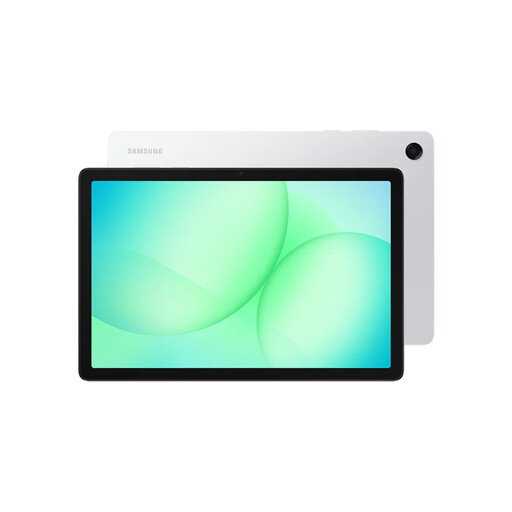
Samsung Galaxy Tab A11+ 5G X236, 6GB RAM, 128GB
An 11-inch Android tablet for a larger calling view at a bedside or during accompanied travel.
Stated specifications include an 11-inch display, 5 MP front camera, Wi-Fi, 5G, quad speakers, 3.5 mm audio jack, USB-C charging and 482 g weight.
Check the chosen calling app, care-home Wi-Fi, local 5G coverage, data plan and a compatible stand and case before purchase.
Joybuy
 No image available
TABWEE W90 11-inch Android Tablet, Dual 4G SIM
This 11-inch tablet offers stated Wi-Fi and dual-SIM 4G LTE options for calls from a stand or on accompanied outings.
The listing states a 1920 × 1200 display, 8 MP front camera, dual-band Wi-Fi, USB-C charging and 534 g weight.
Confirm the exact battery specification and charger requirements, as well as app availability, coverage, SIM administration and stand compatibility.
Joybuy
 No image available
TECLAST ArtPad Pro 12.7-inch 2K Android Tablet
The stated 12.7-inch screen can suit a larger fixed calling view when used with a stable bedside stand.
Listed features include Android 15, a 2K display, 8 MP front camera, dual-SIM 4G LTE, Wi-Fi, 256GB storage, USB-C and a 10,000mAh battery.
Verify that a protective case and stable stand fit this exact model, and confirm calling-app support, room connectivity and charging arrangements.
Joybuy
 No image available
TECLAST T65 Plus 13.4-inch Android Tablet
A large-screen option for supported, stand-based family calls rather than regular handheld use.
The listing states a 13.4-inch 1920 × 1200 display, Android 15, 8 MP front camera, dual-SIM 4G LTE, Wi-Fi, 256GB storage and 720 g weight.
Its stated weight makes a secure compatible stand important; check Wi-Fi, local 4G coverage, SIM management and exact app permissions.
Joybuy
 No image available
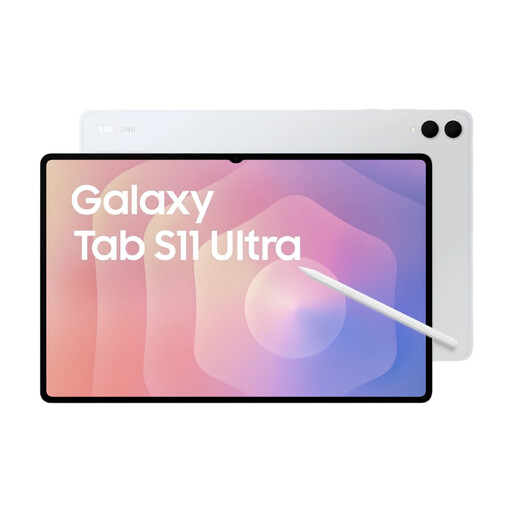
Samsung Galaxy Tab S11 Ultra X930 WiFi, 14.6-inch, 12GB RAM, 256GB
This Wi-Fi tablet is intended for a prominent fixed screen in a room with dependable wireless coverage.
The listing states a 14.6-inch display, 12 MP front camera, USB-C charging, Wi-Fi connectivity and 692 g weight.
A secure stand and compatible case are especially important at this size. Confirm room Wi-Fi and the family's chosen calling app before purchase; this listing does not state cellular connectivity.
Joybuy
Frequently asked questions
Will WhatsApp work on an iPad or Android tablet?
WhatsApp's UK App Store listing identifies iPad support and says devices including iPads can be linked, while its Google Play listing supports voice and video calls across mobile devices. Confirm that the exact tablet has the relevant app store, supported operating system and the family's preferred WhatsApp account setup before buying.
When is Wi-Fi-only enough, and when is a cellular tablet worth considering?
Wi-Fi-only is usually enough for a device that remains in a care-home room with reliable Wi-Fi. Consider cellular connectivity for accompanied travel, temporary stays elsewhere or unsuitable room Wi-Fi, but plan for coverage checks, data allowance and SIM or eSIM administration. NHS Scotland notes that Wi-Fi or mobile data can be used for video calls, while WhatsApp says data charges may apply.
What should the family test in the resident's room?
Test an actual call from the usual chair or bedside position, including signal strength, camera framing from the stand, speaker volume, microphone pickup, glare, charging-cable reach and whether the resident can answer or end the call. NHS Scotland recommends at least 1.1 Mbps download, 0.7 Mbps upload and maximum latency of 150 ms for its own video-call service; use these as a test reference rather than a universal requirement.
Can a family lock an iPad to the calling app?
Yes. Apple Guided Access can temporarily restrict an iPad to a single app and lets an administrator control selected buttons, screen areas, touch and time limits. Keep the Guided Access passcode and account-recovery details with the responsible family member.
Is an Echo Show suitable for care-home video calls?
It can suit a resident who benefits from a fixed mains-powered screen and whose family is prepared to use Alexa-compatible calling. It is not a replacement for a tablet running WhatsApp or Google Meet. If using Drop In, review permissions carefully because Amazon says enabled contacts and their household members can connect to the Echo device.


