What to check before buying
Start with the connection at the door and the remote function you need; then decide how recordings will be stored and whether the installation suits the available power and camera position.
| Concern |
What to check |
Who this matters to |
| Doorstep connection |
Check the exact Wi-Fi bands and test the signal at the mounting point. Compare a stated upload requirement where available: Ring recommends 2.5 Mbps for optimal performance from its Battery Video Doorbell Plus. |
If the hub is far from my entrance, I need alerts and video to work where the doorbell will actually sit. Around 27% of consumers put the doorstep connection first. |
| Remote alerts and access |
Distinguish notifications and live video through the maker’s app from direct inbound access to home equipment. For direct access, check the provider, plan and network arrangement. |
When I am away, I want to answer a visitor through the app without designing a direct-access network setup. Roughly 27% of consumers make straightforward remote alerts their primary concern. |
| Recording storage |
Check whether clips use a hub, microSD card or cloud service, what hardware is needed, and which functions work without a subscription. |
I want to keep visitor clips but would rather manage local storage than depend on a recording plan. Around 20% of consumers prioritise that storage choice. |
| Power and camera position |
Check the model’s battery-charging needs or exact wiring requirements. Aim the camera to minimise capture beyond your property; the Information Commissioner’s Office says data-protection law applies if it captures someone else’s property, a public area or communal space. |
My entrance needs a workable power arrangement and a view that does not unnecessarily include neighbouring space. About 26% of consumers put installation and placement first. |
Joybuy video doorbells
These video doorbells offer different approaches to local recording and entrance installation. Compare their stated features with your doorstep Wi-Fi, power arrangement and storage preferences; a product’s presence here does not establish that it will work with every mobile-broadband setup.
 No image available
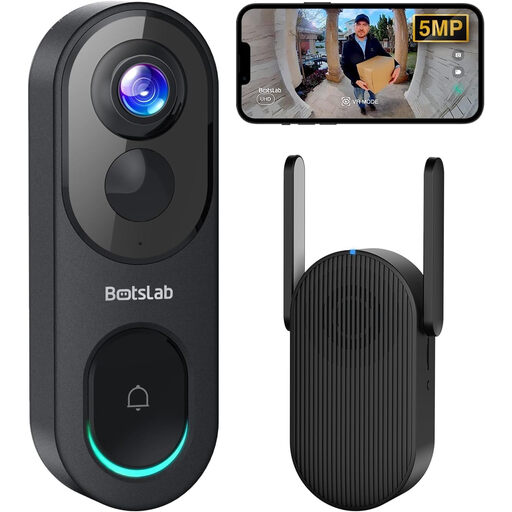
BOTSLAB R810 5MP video doorbell with 32GB SD card
Consider this model if you want visitor alerts and a local-recording setup; confirm that the 2.4 GHz Wi-Fi signal works at your entrance.
The product name specifies 5MP video and a 32GB SD card. Check the proposed camera angle if the entrance faces beyond your property.
View on Joybuy
 No image available
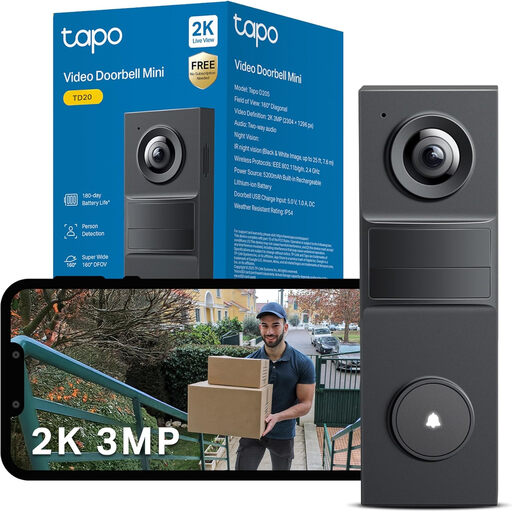
Tapo TD20 3MP smart video doorbell
If you want app-based visitor communication and are considering local recording, check the storage arrangement and whether a compatible card is supplied.
The product name specifies 3MP HD video and night vision. Test the connection at the intended mounting point before committing to that position.
View on Joybuy
 No image available
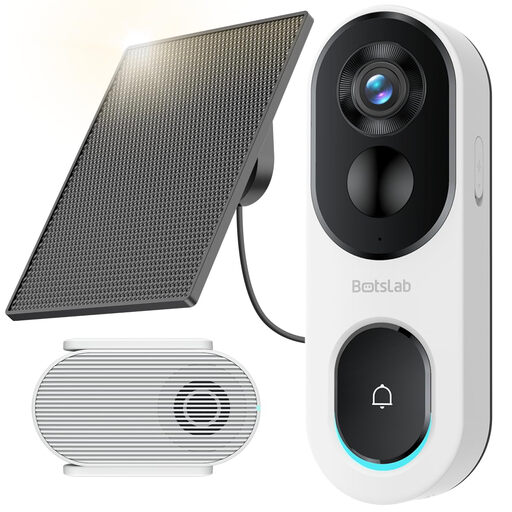
BOTSLAB R810SE 2K solar-powered video doorbell
This is a solar-powered option to assess where the panel can be positioned suitably; check the local-storage setup and plan for a compatible card.
The product name specifies 2K video and 2.4 GHz Wi-Fi only. Test that band at the door and check that the camera can be aimed appropriately.
View on Joybuy
 No image available
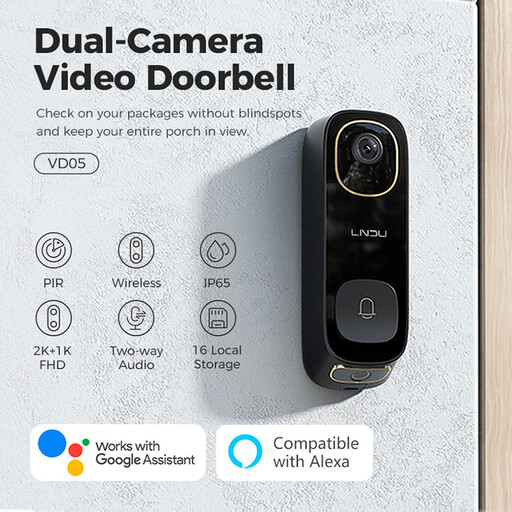
LNDU VD05 2K video doorbell with monitor
Consider this variant if you want a doorbell with a monitor and two-way audio. Confirm its supported Wi-Fi bands against your hub before choosing it for a mobile-broadband home.
The product name also specifies dual PIR motion detection. Check the exact local-storage arrangement and power requirements for the installation you intend.
View on Joybuy
 No image available
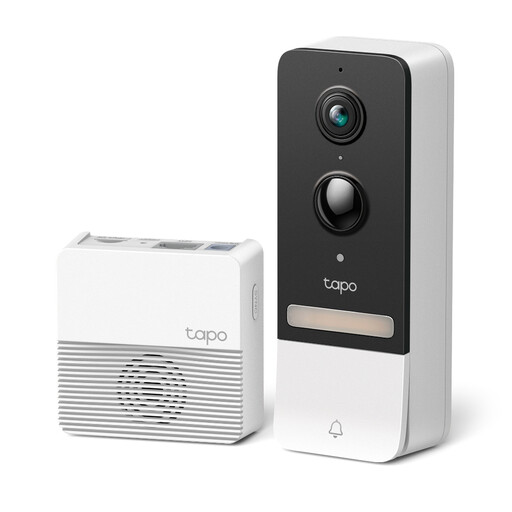
Tapo D230S1 smart battery video doorbell
This battery model is worth checking if you prefer flexible placement and local recording. Confirm its Wi-Fi compatibility and signal at the proposed position.
TP-Link specifies hub-installed microSD storage up to 512 GB for D230S1. Check which hub and card are supplied with this particular offer.
View on Joybuy
Common questions
Does UK data-protection law apply to a video doorbell at home?
It applies when the camera captures someone else’s property, a public area or communal space, according to the Information Commissioner’s Office. Its home-CCTV guidance includes smart doorbells and advises positioning cameras to capture only your property where possible. The ICO says this guidance is under review following changes made by the Data (Use and Access) Act, so consult its current guidance when planning your installation.
Do remote visitor alerts require a public static IP address?
Not necessarily if you use the doorbell maker’s supported app for visitor notifications and communication. Direct inbound access to a local camera or recorder is a separate requirement: EE says port forwarding may be needed for some home devices, while a Three Community moderator described Three’s home-broadband network arrangement in September 2024 and said static IPs were not offered. Check your own provider, plan and device requirements rather than applying either provider’s position to every mobile service.
Is 2.4 GHz-only or dual-band Wi-Fi more suitable at the door?
Choose a model whose supported band has a usable signal at your intended mounting point. Ring specifies 2.4 GHz Wi-Fi for Battery Video Doorbell Plus; Reolink specifies both 2.4 GHz and 5 GHz for its cited battery and wired models. Dual-band support gives you another connection option, but it does not guarantee coverage at an outside entrance.
Can a battery doorbell record continuously?
Do not assume its battery-powered mode supports continuous recording. For example, TP-Link specifies 24/7 recording with pre-roll for Tapo D260 when it is hardwired. Check the recording modes and required power configuration for the exact doorbell you intend to install.
What happens if I replace my mobile-broadband hub?
You may need to reconnect the doorbell to the new Wi-Fi network using its maker’s instructions. Google Home and Nest Help says Nest or Home devices need reconnecting after a router or Wi-Fi credential change and that a factory reset may be necessary if the normal reconnection steps fail; follow the instructions for your particular doorbell ecosystem.


