What should you check before buying?
Start with the view from the mounting position, then check whether the installation and recording arrangement will work at that property. GOV.UK says UK GDPR and the Data Protection Act 2018 apply if domestic CCTV captures people outside the private domestic property boundary.
| Concern |
What to check |
Who this matters to |
| Recording boundaries |
Check the actual view and audio pickup from the proposed position. If available, check privacy masking as well as physical placement. |
If my entrance faces a shared route or a neighbour's property, I want to avoid recording more than I need. About 31% of consumers put boundary control first. |
| Permitted installation |
Check battery or wiring requirements and whether mounting, drilling or electrical work is allowed under the property's rules. |
I need a way to fit the device without making alterations I cannot carry out. For about 25% of consumers, an acceptable installation is the primary concern. |
| Recording access |
Check whether missed events can be replayed and whether that requires a subscription, compatible card or hub. |
If I miss an alert, I want to know whether I can review the footage without taking on an unsuitable recording arrangement. Keeping control of storage requirements comes first for about 19% of consumers. |
| View, power and connection |
Check doorstep versus wider-entrance coverage, available power and Wi-Fi at the proposed position. |
I need to see the part of the entrance that matters and keep the device connected and powered there. About 25% of consumers make that practical fit their main priority. |
Joybuy video doorbells for entrance monitoring
These video doorbells are options for monitoring callers or the doorstep. Check each proposed view against nearby shared or public areas before choosing one; a doorway-focused device does not replace a fixed camera where a wider, carefully limited entrance view is needed.
 Image unavailable
BOTSLAB R810 5MP video doorbell with 32GB SD card
Consider this doorbell if doorstep visitors and a supplied local-storage arrangement are priorities. Its title specifies 5MP video and a 32GB SD card; check the actual view from your mounting position and the device's privacy controls before fitting it.
View on Joybuy
 Image unavailable
tapo D230S1 smart battery video doorbell
A battery-powered option to consider where new doorbell wiring is undesirable. Check whether the mounting position is permitted, whether the view includes shared space, and which recording hardware and privacy controls the exact configuration offers.
View on Joybuy
 Image unavailable
eufy Security Video Doorbell C31, 2K FHD
Consider the C31 where battery operation now or compatible hardwiring is useful at one doorway. The product title lists both power routes and 24/7 recording; confirm the wiring and exact recording conditions before relying on continuous footage, and check the storage arrangement separately.
View on Joybuy
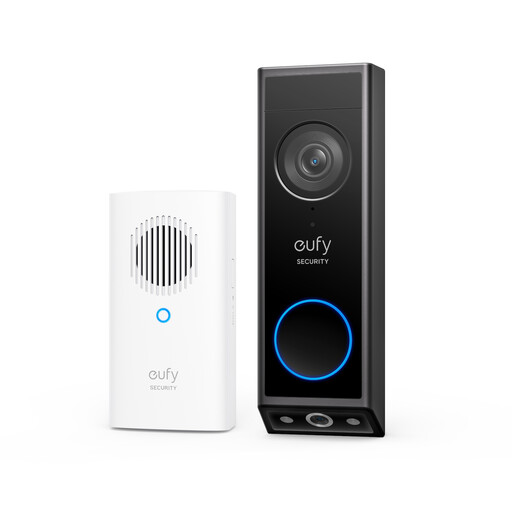 Image unavailable
eufy E340 2K dual-camera video doorbell with chime
The dual-camera design is relevant if you want to assess coverage of both visitors and the doorstep. The title also lists battery power and colour night vision. For wired use, check the stated 8–24V, greater-than-10VA requirement and chime compatibility; the battery must remain installed.
View on Joybuy
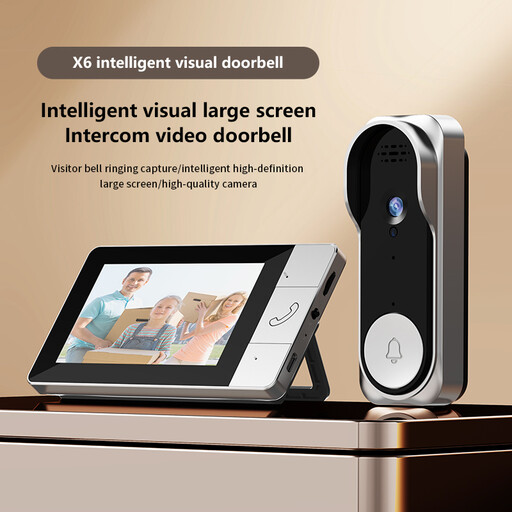 Image unavailable
Verbex NT601A video doorbell
Consider this monitor-based doorbell if you want a setup that does not rely on home Wi-Fi or a phone app. Video recording requires a TF card; check whether a card is included and whether the camera's view and monitor arrangement meet your needs.
View on Joybuy
Common questions
When does UK data-protection law apply to a home camera or video doorbell?
GOV.UK says UK GDPR and the Data Protection Act 2018 apply if a domestic system captures people outside the boundary of your private domestic property. That can include a neighbour's property, a public area or communal space, so check the real view before installation.
Can a privacy mask replace careful camera placement?
No: check the physical angle as well as any controls supported by the exact model. Ring says its Privacy Zones block designated areas from live and recorded video on supported devices, but motion may still be detected behind a blocked area.
Can I fit a video doorbell to a rented home?
Check the rules for your particular property before fitting one, even if it runs on a battery. Your tenancy or lease, landlord or housing-provider requirements, mounting surface and any proposed drilling or electrical work can affect what is permitted.
Will I need a subscription to review missed events?
That depends on the product and recording route. Ring says reviewing recorded video requires a subscription; Google lists three hours of included event history for the battery Nest Doorbell. For local-storage models, check the compatible card or hub and what the bundle includes.
Does a battery doorbell record continuously when wired?
Not necessarily. Google says the battery Nest Doorbell cannot provide continuous video history even when wired. If an uninterrupted timeline matters, confirm continuous-recording eligibility and all power and recording requirements for the exact model.


