Households away for deliveries or callers
Phone alerts, live view and two-way speech can help you identify and speak to a visitor when you cannot reach the door. Check that the doorbell, app and connection provide the interaction you need.


Choose a battery video doorbell if avoiding wiring is important and you can accommodate charging; consider a compatible wired or dual-power model if continuous power or model-specific continuous recording matters more. Before choosing either, check how you will see and speak to callers, where footage will be stored, what the camera will capture and whether your property arrangements permit the fitting.
A video doorbell is worth considering when seeing and speaking to someone at the entrance through a phone would help, provided the connection and fitting work for your home.
Phone alerts, live view and two-way speech can help you identify and speak to a visitor when you cannot reach the door. Check that the doorbell, app and connection provide the interaction you need.
A battery model may avoid using existing doorbell wiring. Check the agreement and any applicable building rules before fixing it to an exterior door or wall, especially if drilling or a shared entrance is involved.
If you want to review missed visits, distinguish live viewing from stored footage. Check the event-history period, any cloud plan and whether local recording needs a compatible card or other hardware.
Start with the installation your property allows, then check remote communication and the footage arrangement for the exact model. Power source and storage method are separate choices: neither alone establishes what the doorbell can record.
Consider when: Suitable wiring is unavailable or you want to avoid using it.
Trade-off: Plan for charging and check recording limits. Google says its battery Nest Doorbell cannot provide continuous 24/7 history even when wired; TP-Link says the battery-only Tapo D210 cannot record continuously.
Consider when: A compatible supply and the necessary property permissions allow the fitting, particularly if avoiding charging interruptions matters.
Trade-off: Check the supply and exact recording mode. TP-Link specifies an 8–24V hardwired option for the Tapo D235; continuous recording is not an automatic feature of every wired doorbell.
| Priority | What to check | Your needs |
|---|---|---|
| Remote conversation | Check for phone alerts, live view and two-way audio. Confirm that the app works with your phone and that Wi-Fi reaches the entrance. | I want to know who has called and speak to them when I cannot answer the door in person. |
| Power and fitting | Check charging arrangements or the exact wired-supply requirement. Before attaching or drilling, check the lease, tenancy terms and any building rules that apply. | Will a battery fitting suit my entrance, or can I use existing wiring without making an unauthorised alteration? |
| Footage history | Compare event clips with any continuous-recording mode, its power requirements and the retention period. For local storage, check the supported card or hub and what is included; for cloud storage, check the current plan. | I need to review missed visits, but I want to know what recording will require beyond the doorbell itself. |
| Camera position | Check the installed view, not just the stated field of view. Aim it at your entrance where possible and assess available privacy controls if other areas appear in the image. | My doorway needs to be visible without unnecessarily filming neighbours or people passing outside. |
A doorbell aimed beyond the entrance may also capture neighbours’ property, public areas or communal space. GOV.UK and the Information Commissioner’s Office say data-protection law applies when domestic camera footage captures outside the private-property boundary.
Position the camera towards your entrance where possible, use suitable privacy controls if available and check the actual view after fitting.
Local storage still depends on the exact device’s storage arrangement. TP-Link states that a microSD card for the Tapo D210 is sold separately.
Check the supported card type and capacity, where recordings are held and which accessories come with the model you choose.
A compatible card may be a separate accessory to obtain and maintain.
Battery installation does not establish continuous-recording capability. Google says its battery Nest Doorbell cannot record continuous 24/7 history, even when wired, and TP-Link says the battery-only Tapo D210 records events rather than continuous footage.
If continuous history is essential, check the exact model, required power mode and storage or plan conditions before buying.
A proposed fixing or wiring change may affect parts of a property controlled by someone else. LEASE advises that the terms of a lease can require freeholder permission for alterations.
Read the relevant lease or tenancy documents and check with the landlord, freeholder or managing agent where the proposed work requires approval.
These brand references illustrate different power and recording arrangements; compare the exact model rather than assuming every doorbell in a range works the same way.
The Tapo D210 and D235 are useful models to compare for battery power, local microSD recording and optional cloud storage.
Eufy’s dual-camera doorbell range is a route to examine if coverage of both callers and the area immediately below the camera matters.
The battery Nest Doorbell is a model to consider if you want battery fitting and are comparing event-history options.
If considering a Ring doorbell, make its live-view and recorded-footage arrangements part of the model comparison.
The Hemma Doorbell is a model to examine when straightforward household setup is a priority.
These Joybuy options cover battery, solar-powered and battery-or-wired doorbells for visitor communication. Compare each model’s fitting, phone interaction and footage arrangements against what your entrance requires.
 No image available
A battery option for an entrance where you do not intend to use doorbell wiring. If reviewing missed calls matters, check its recording choices and whether the local-storage accessories you need are included.
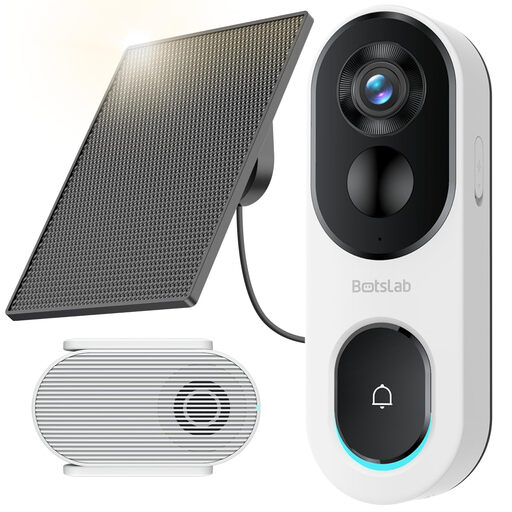 No image available
The title specifies two-way audio and 2.4GHz Wi-Fi only. Check that the entrance has a suitable connection and solar-panel position, and confirm the base-station contents and any card needed for local recording.
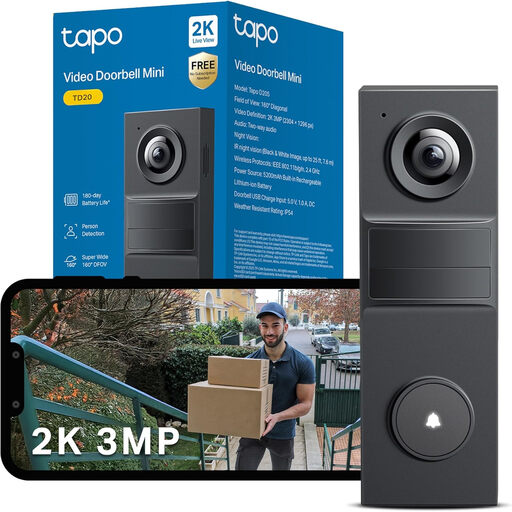 No image available
Night vision is stated in the product name. Before planning charging or upkeep, confirm the exact battery configuration: the product information gives conflicting battery details. Check the included accessories if you intend to record locally.
 No image available
The product name specifies battery or hardwired power and a live video call. Continuous recording is associated with hardwired use; check the supply and fitting requirements, then confirm how footage is stored and retained.
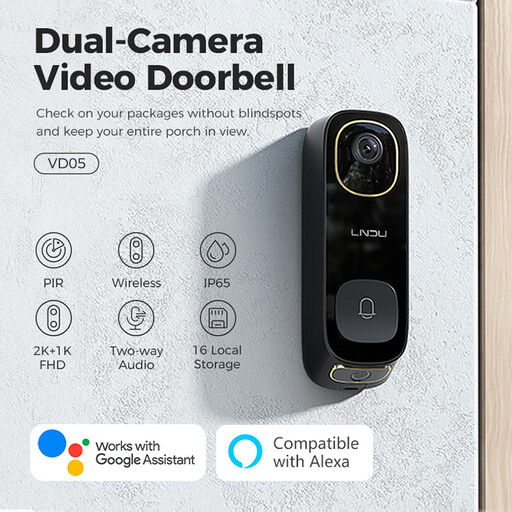 No image available
The product name specifies two-way audio, dual PIR motion detection and IP65. If answering from a phone is essential, confirm the app, remote-connection and alert arrangement; check supply compatibility before considering a wired fitting.
They apply when the camera captures people outside the boundary of your private domestic property. GOV.UK and the Information Commissioner’s Office include neighbouring property, public areas and communal space in their guidance; position the camera to capture only your own property where possible.
First check whether you can reposition the doorbell to cover your own entrance instead. The Information Commissioner’s Office advises using privacy controls where possible to reduce capture of other people’s property or public spaces; if the view still extends beyond your boundary, follow its domestic-CCTV guidance.
Check the particular lease and proposed fixing before work begins. LEASE says lease terms may require freeholder permission or impose conditions on alterations; obtain written consent where those terms require it, especially for work on a controlled exterior or shared part of the building.
Compare what history is available without a plan, how long event clips are kept under any chosen plan and whether continuous history works with the exact doorbell and power mode. For local recording, check the storage location, compatible hardware and included accessories; TP-Link says a microSD card for the Tapo D210 is sold separately.
Do not assume it can: continuous recording depends on the model and installation mode. Google says its battery Nest Doorbell cannot provide continuous 24/7 history even when wired, while TP-Link says the battery-only Tapo D210 cannot record continuously. Check the exact device if this is a requirement.