What to check before buying
Start with the footage you need to review, then match the power and storage setup to your entrance before deciding on camera coverage and mounting.
| Priority |
What to check |
Your needs |
| Footage after an alert |
Compare free and paid event-history periods; check whether the model supports continuous recording or motion clips only; confirm playback access. |
I want to look back at a courier visit after I have missed the notification, rather than relying on a live alert alone. |
| Storage and subscriptions |
Check local versus cloud storage; confirm included cards, hubs or other hardware; compare retention capacity and plan-dependent features. |
I want reviewable doorstep footage without taking on a recurring recording fee where local storage suits my setup. |
| Parcel-level coverage |
Check the vertical field of view, mounting height and downward coverage; confirm whether a second camera is fitted on dual-camera designs. |
I need to see both the visitor and the area where a parcel may be left, not only the face-height view. |
| Power and installation |
Choose between battery and compatible wired power; test Wi-Fi at the entrance; verify wiring voltage, chime compatibility and charging access where relevant. |
I want an installation that fits my entrance without frequent charging or unsuitable wiring work. |
| Privacy and permissions |
Plan the camera angle toward your own entrance; check for neighbouring property, public space or communal areas in view; confirm tenancy, lease or building permissions. |
I want to monitor my private entrance while avoiding unnecessary capture of neighbours or shared areas. The Information Commissioner’s Office says data protection law applies if those areas are captured. |
Joybuy product options
Joybuy video-doorbell options for delivery alerts, doorstep viewing and different local-storage, battery and wired-installation preferences.
 No image available
BOTSLAB R810 5MP Video Doorbell Camera with 32GB SD Card
A local-storage option for reviewing doorstep activity without a required monthly fee, with stated package and human detection.
Stated features include a Wi-Fi base station with a pre-installed 32GB SD card, 1:1 view, two-way audio, battery operation and wired-power support. Check retention and overwrite settings, charging needs, Wi-Fi coverage and the planned camera view.
Joybuy
 No image available
tapo D230S1 Smart Battery Video Doorbell
A battery option for checking parcels after a missed visit, with stated head-to-toe 4:3 viewing, person notifications and two-way audio.
The listing states local microSD storage up to 512GB, colour night vision and an included indoor chime. Confirm whether a card is included, the recording-retention arrangement and Wi-Fi strength at the door.
Joybuy
 No image available
eufy Security Video Doorbell C31 2K
This model offers battery or hardwired installation routes for households balancing lower-impact fitting with reduced charging work.
The listing states a 4:3 view for visitors and packages, 24/7 recording in hardwired use, five-second pre-roll, human and motion detection, and HomeBase 3 compatibility. Check the compatible wiring, storage location and retention terms before relying on continuous footage.
Joybuy
 No image available
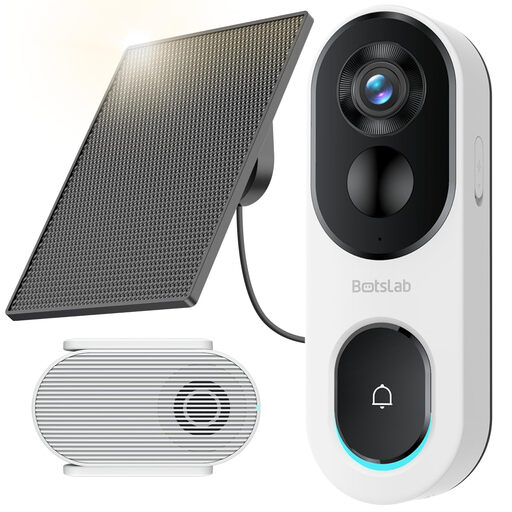
BOTSLAB R810SE 2K Solar-Powered Doorbell Camera
A local-storage and solar-supported battery option for an entrance with a suitable position for the separate panel.
Stated features include head-to-toe 2K viewing, package and human detection, base-station microSD recording, two-way audio and 2.4GHz Wi-Fi. A microSD card is not included; check card requirements, panel placement and signal strength.
Joybuy
 No image available
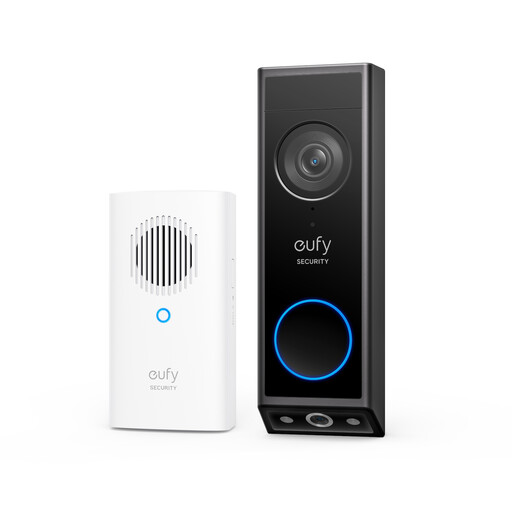
eufy E340 2K Dual-Camera Video Doorbell with Chime
The second downward-facing camera is intended to show the floor directly in front of the entrance, helping with parcel-level viewing.
The listing states 2K video, colour night vision, a quick-release battery pack and optional wired operation. Wired use requires 8–24V and more than 10VA while the battery remains fitted; check storage, subscription and accessory compatibility for the exact setup.
Joybuy
Frequently asked questions
Does UK data protection law apply to a video doorbell at home?
Yes, where the camera captures someone else’s property, a public area or communal space. The Information Commissioner’s Office says its home-CCTV guidance includes smart doorbells and advises owners to capture only their own property where possible; check its current guidance before installation.
Can a tenant or leaseholder install a video doorbell without permission?
Check the tenancy agreement or lease before fitting one, and obtain written permission where it is required for drilling, wiring or changes to external fixtures. Requirements vary by provider and building; Tendring District Council and Hammersmith & Fulham Council both publish consent requirements for relevant tenant alterations, with restrictions around communal areas.
Will a battery doorbell keep recording when it is wired?
It depends on the model. Google states that Nest Doorbell (battery) cannot record 24/7 video history whether battery-powered or wired, while eufy states that the E340’s wired mode keeps its battery installed and topped up.
Can I avoid a subscription and still replay delivery footage?
Yes, if the exact model supports local recording and the required storage hardware is included or added. Reolink states that its UK doorbell options can use local storage without monthly fees, but check the card, hub or NVR arrangement, capacity and playback method before purchase.
What should I check before mounting the camera?
Check the view from the intended height and angle, Wi-Fi strength at the entrance, compatible power or wiring, and any tenancy, lease or building-management requirements. If the proposed view includes neighbours, public space or a shared area, reposition the camera or consider privacy masking.


