What should you check before buying?
Decide what area genuinely needs watching before choosing a viewpoint or recording method. For a UK home, GOV.UK says footage extending beyond the private domestic-property boundary brings UK GDPR and the Data Protection Act 2018 into play.
Video doorbell
Consider it when: You need to see visitors and activity immediately at your own door.
Trade-off: An entrance view can still include a shared corridor, neighbouring doorway or pavement.
Outdoor camera
Consider it when: You need to watch a private gate, driveway or side passage that the doorbell cannot see.
Trade-off: A wider or moving view needs particular care around neighbouring and public areas.
| Concern | What to check | Who this matters to |
|---|
| Capture beyond your boundary |
Check the view from the intended mounting point and whether the exact model offers effective privacy masking. |
If I only need to see my own entrance, I do not want a broad view of a neighbour’s property or shared route. Around 33% of consumers put limiting that capture first. |
| Installation permission |
Check the tenancy, lease or building rules against the proposed mount, drilling and wiring. |
When I live in a shared building, I need to know whether I can fit the device before settling on a model. Permission is the primary concern for around 27% of consumers. |
| Recording and retention |
Confirm the recording destination, compatible storage and how footage can be retrieved and deleted. |
If I keep recordings, I want to control where they go and how long I retain them. Around 20% of consumers make that their first consideration. |
| Remote-access security |
Check account protections and the manufacturer’s stated minimum security-update period. |
For away-from-home viewing, I need access that I can protect and a device I can keep updated. That comes first for around 20% of consumers. |
Joybuy products for these uses
These entrance-focused doorbells, an indoor window camera and an outdoor camera offer different mounting and viewing approaches. For a shared boundary, compare their actual installed views and recording controls before choosing.
 No image available
Tapo D230S1 Smart Battery Video Doorbell
Consider this battery doorbell when you need a view of visitors at your entrance. Check its installed view and privacy controls if the doorway faces a shared route.
View on Joybuy
 No image available
eufy Security Video Doorbell C31, 2K FHD, Battery or Hardwire Powered
Consider the C31 for entrance viewing when battery or hardwired power suits your fitting plan. Its listed features include live video calls and human and motion detection; confirm the view, recording destination and any permissions needed for wiring.
View on Joybuy
 No image available
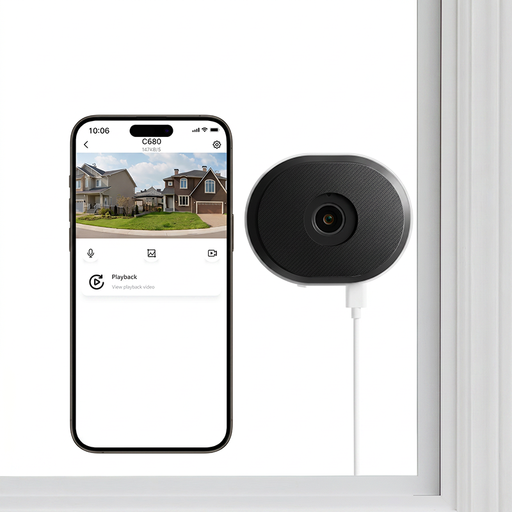
ZOSI C680 3MP 2K Window Security Camera, 1 PCS
Consider this indoor, plug-in window camera when the proposed window position gives you the view you need. The title lists 2.4/5GHz Wi-Fi, but a through-glass position still needs checking for unnecessary capture beyond your boundary.
View on Joybuy
 No image available
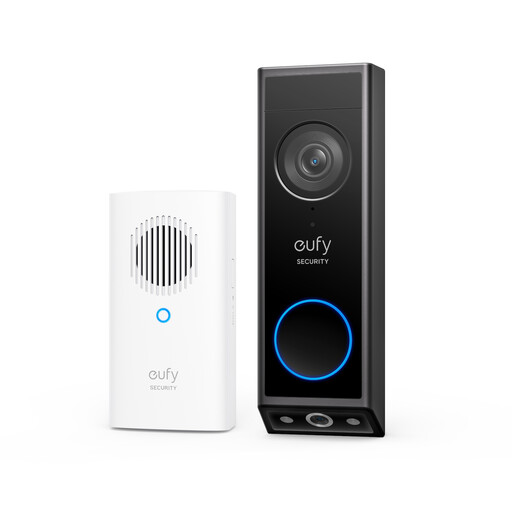
eufy E340 2K Dual-Camera Video Doorbell with Chime
Consider this battery-powered doorbell when you want to assess more than one view around the doorstep. Its dual-camera design makes it important to check what each camera captures from your chosen mounting position.
View on Joybuy
 No image available
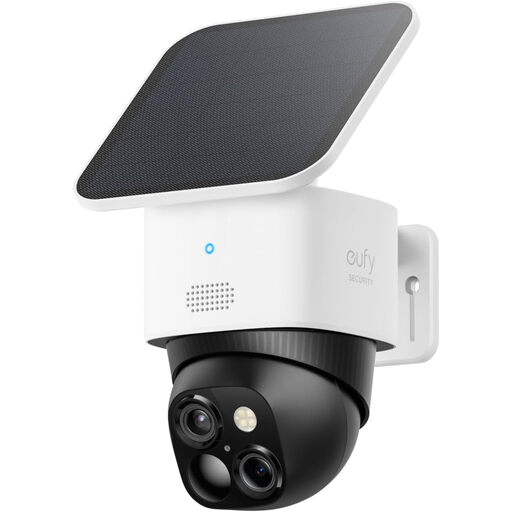
eufy Security SoloCam S340 Dual-Camera Solar Outdoor Camera
Consider an outdoor camera when the private area you need to watch is out of sight of the door. The S340 title lists 3K video, 360° coverage, 2.4 GHz Wi-Fi and HomeBase S380 compatibility; check whether its view can be kept within the necessary area and whether the planned mount needs approval.
View on Joybuy
Frequently asked questions
Does UK GDPR apply to a home doorbell camera?
Yes, if the domestic system captures images of people outside the boundary of your private domestic property, such as in a neighbour’s garden, a communal space or a public area. GOV.UK says UK GDPR and the Data Protection Act 2018 then apply; assess the installed view rather than relying on the product description.
Should I record audio near a shared entrance?
Avoid routine audio recording where it could pick up other people’s conversations. The Information Commissioner’s Office describes recording conversations between members of the public as highly intrusive; check whether your chosen device lets you disable audio recording.
Can I fit a doorbell camera without asking my landlord or managing agent?
Check your tenancy, lease and building rules before fitting it; permission depends on the property and mounting method. Stevenage Borough Council’s guidance, for example, calls for permission for certain fittings to building fabric or fixed wiring. Seek written confirmation where your proposed installation may affect those features or a communal area.
How long should I keep camera recordings?
Set a retention period that fits the reason you record, rather than keeping footage indefinitely by default. The Information Commissioner’s Office says its video-surveillance guidance does not prescribe a universal minimum or maximum retention period; keep recordings secure and review when they are no longer needed.
What security support should I check for a connected camera?
Check the manufacturer’s stated minimum security-update period for the exact device, then protect remote access with a strong, unique password and available account safeguards. The National Cyber Security Centre says the UK connected-product security rules applying from 29 April 2024 require manufacturers of relevant products to state that update period; the disclosure does not mean every model has the same length of support.


