Who each route suits

Doorstep and parcel checkers

If identifying visitors, speaking to them remotely and checking immediately outside the door are the main tasks, start with a video doorbell. Check its mounting requirements and whether you can review missed events without a subscription.

Wider-approach monitors

If you need to see a driveway, front garden, side gate or path rather than just a caller at the door, compare outdoor-camera positions. The intended view also needs suitable connectivity, outdoor placement and careful framing around neighbouring property.

Privacy- and subscription-conscious households

If avoiding unnecessary capture and controlling recorded footage matter most, compare the exact device’s privacy controls and storage arrangements. Check account protection and security-update information as well as what happens to recordings without a plan.

What matters when choosing

Video doorbell

Choose it when: Seeing and speaking with someone at the door is the main reason for installing a device.

Trade-off: A doorstep-focused view may not show a driveway or side entrance well enough.

Outdoor camera

Choose it when: You need to position the view towards an approach, gate or other area beyond the doorstep.

Trade-off: Placement and aiming need particular care if the wider view could include neighbouring or shared space.

Concern What to check Who this matters to
Privacy-safe coverage Test the view from the proposed mount. Check whether the model can mask parts of the image; an activity zone should not be assumed to stop recording outside it. I want to see my entrance without unnecessarily capturing neighbours or shared space. Around 29% of consumers would put that privacy boundary first.
Coverage beyond the doorstep Check whether the mounting position shows the required approach, then compare the outdoor rating and view for that position. If the side gate or driveway is my main worry, a view centred on callers will not answer my question. For around 24% of consumers, wider-area coverage comes first.
Installation flexibility Check power, connectivity and the proposed fixing method. If you rent, check your agreement and obtain consent where required before making alterations. I need a mounting and power arrangement that works at my home without an unauthorised alteration. Around 24% of consumers would make installation their primary concern.
Recording and account control Confirm what can be played back without a subscription, what local storage requires and the maker’s stated security-update support. I want to review missed activity and keep control of an internet-connected device without agreeing to recording terms I do not need. This would come first for around 23% of consumers.

Mistakes to avoid

  • Assuming a camera aimed at your door cannot affect anyone else

    What the device actually captures is decisive. The Information Commissioner's Office says UK data protection law applies when a home system captures someone else’s property, a public area or communal space.

    Check the view before fixing the mount. Aim it to minimise unnecessary capture and assess any genuine image-masking controls on the model you choose.

  • Treating live view and recorded playback as the same feature

    Recording arrangements differ. Ring says a subscription is required to review recorded video on its cameras and doorbells, although live viewing and responding to alerts remain available without one.

    Decide whether you need to answer visitors live, play back missed events or keep longer history, then check the exact model’s current storage and plan terms.

  • Assuming battery power removes the need for installation permission

    A battery device may avoid electrical wiring but still need a fixing that your tenancy agreement or housing provider controls. Havering Council, for example, requires its tenants to obtain prior written permission for CCTV installations, including video doorbells.

    Check your own agreement and proposed mount before buying; obtain written consent where it is required.

  • Overlooking the security of a connected camera

    A device that uses an app and home network needs attention after installation as well as on the day it is set up. The National Cyber Security Centre gives household guidance on protecting smart cameras from common cyber attacks.

    Check the maker’s security-update support, use a unique strong account password, enable multi-factor authentication where available and keep the app and device updated.

Brands to consider

Ring

Ring offers video doorbells and cameras with app-based live response and subscription-based recorded history.

  • Ring says live video and responses to alerts remain available without a subscription.
  • Ring says reviewing recorded video requires a subscription; check the current plan for the device you are considering.

Google Nest

Google Nest includes a battery doorbell for households considering a doorbell without existing wiring.

  • Google states that the Nest Doorbell (battery) works without wires and includes three hours of event video history.
  • Google lists longer event history through a subscription; check the recording mode you need on the exact Nest model.

eufy

eufy has doorbells and outdoor cameras for comparing battery or wired installation and local-storage arrangements.

  • eufy’s UK materials describe microSD, HomeBase and NVR storage options across selected cameras; its E340 doorbell listing describes battery or wired operation.
  • Check which storage hardware comes with the exact bundle and which features work without a subscription.

Tapo

Tapo offers doorbells and outdoor cameras for households comparing app control with local or cloud recording.

  • TP-Link specifies Ethernet or Wi-Fi networking, IP66 protection and microSD support up to 512 GB for the Tapo C310P2 outdoor camera.
  • Those specifications belong to the C310P2; check storage hardware and available recording options separately for any other Tapo model.

Joybuy product choices

These choices include video doorbells for checking callers and outdoor camera kits for watching an approach. Compare each device against the view and installation position you actually need; the two types do not serve identical purposes.

BOTSLAB R810 5MP video doorbell with 32GB SD card

BOTSLAB R810 5MP Video Doorbell with 32GB SD Card

Consider this doorbell if checking visitors and speaking to them at the entrance are your priorities. Its product name specifies 5MP video, a 32GB SD card, package and human detection, and two-way audio. Confirm the card’s place in the bundle, recording arrangements and whether its view can be masked where needed.

View on Joybuy

Tapo D230S1 smart battery video doorbell

Tapo D230S1 Smart Battery Video Doorbell

The battery-powered doorbell format is worth considering when wiring at the entrance is undesirable. Check the mounting arrangement and whether the recording storage you want needs a separately supplied card or a subscription; battery power does not settle tenancy permission.

View on Joybuy
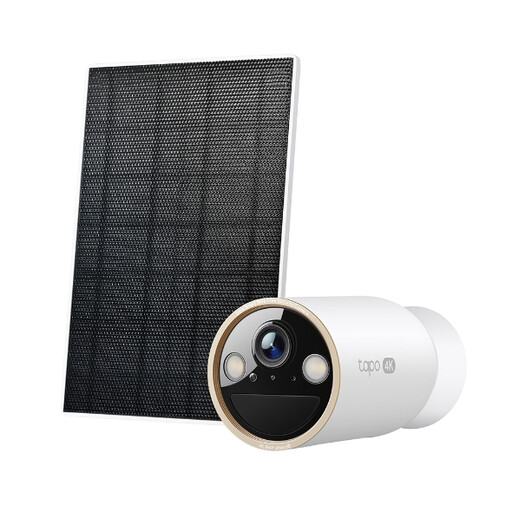
Tapo C460 KIT solar-powered security camera kit

Tapo C460 KIT Solar-Powered Security Camera Kit

Consider an outdoor camera kit rather than a doorbell when the approach to the entrance is the area you need to see. For this solar-powered kit, check whether the intended panel position receives suitable light, where the camera can be mounted and what storage hardware the chosen recording route requires.

View on Joybuy
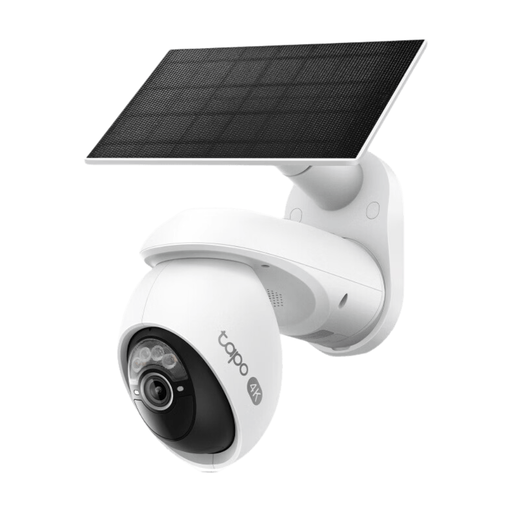
Tapo C660 KIT solar-powered pan-and-tilt security camera kit

Tapo C660 KIT Solar-Powered Pan/Tilt Security Camera Kit

This outdoor kit is a route to consider if you need to assess an approach from a camera position rather than answer callers through a doorbell. Its name identifies solar power and pan-and-tilt operation; check the usable panel location and how the camera’s moving view affects what lies beyond your boundary.

View on Joybuy
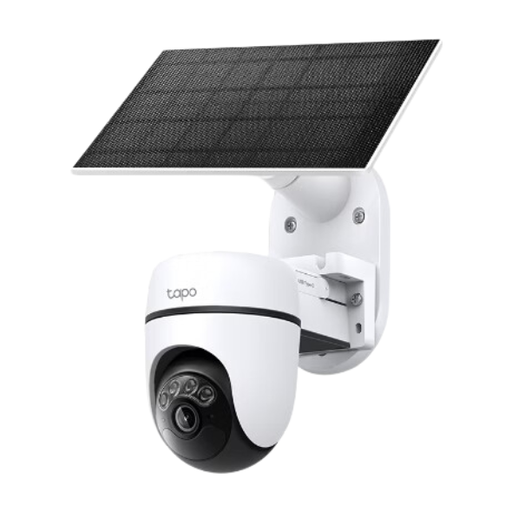
Tapo C610 KIT solar-powered pan-and-tilt security camera kit

Tapo C610 KIT Solar-Powered Pan/Tilt Security Camera Kit

Consider this solar-powered pan-and-tilt kit when an outdoor approach, not doorstep conversation, is your monitoring priority. Check its proposed mounting position, sunlight and recording arrangement, and assess every part of the view it may capture when repositioned.

View on Joybuy

Common questions

When does UK data protection law apply to a home doorbell or camera?

It applies when the system captures images outside the boundary of your private domestic property, such as a neighbour’s property, a public area or communal space. GOV.UK’s domestic CCTV guidance, updated on 21 May 2026, sets out that boundary for the UK; check the planned camera view rather than assuming that pointing it towards your own entrance is enough.

Do renters need permission to install a video doorbell?

Permission depends on the tenancy agreement and housing provider’s requirements, including the proposed fixing method. Havering Council requires prior written permission under its own tenancy terms for CCTV, including video doorbells; check your agreement and seek consent where required before drilling or mounting a device.

Can I use a video doorbell without a subscription?

You can use some functions without a subscription, but recorded playback depends on the model and service. Ring says live viewing and responding to alerts remain available without a plan, while reviewing recorded video requires one; if you want local recording instead, check the exact device’s storage medium, required hardware and playback features.

What security checks matter before buying a connected camera?

Check the maker’s stated security-update support and the account-protection options for the exact device. The National Cyber Security Centre advises households on protecting smart cameras from common cyber attacks; after installation, use a unique strong password, enable multi-factor authentication where available and keep the device and app updated.