Choose a video doorbell if seeing and speaking with visitors is the main task; a tall or downward-facing view matters when parcels are left below it. A fixed outdoor camera is more relevant for a driveway, gate or side approach, and the two can serve different areas if one view cannot cover both. Whichever route you choose, check the recorded frame against your property boundary and decide whether local storage or a subscription-based recording service meets your needs.
Who is each setup for?
Households watching the doorstep
If visitors and parcels at the front door are your focus, consider a doorbell with a tall view or a second downward-facing camera. Check that it shows the spot where deliveries are usually left, as well as the visitor.
Households watching an approach
For a driveway, gate or side access, consider where a fixed outdoor camera could be mounted and what its frame would capture. The ICO advises positioning home cameras to show only your own property where possible.
Buyers weighing storage and privacy
Compare on-device, microSD or hub recording with cloud-history plans. Check the exact device’s included alerts and recording functions, and whether its position keeps neighbouring or shared areas out of view.
What should you check before buying?
Choose the area you need to see first, then check how the device records it and whether the proposed position respects nearby boundaries.
Video doorbell
Choose it when: answering visitors and seeing deliveries at the door are the main tasks.
Trade-off: its doorstep-focused position may leave a driveway or side passage outside the useful frame.
Fixed outdoor camera
Choose it when: a gate, driveway or other approach needs its own camera position.
Trade-off: a wider frame needs careful aiming to avoid unnecessary views beyond your property.
| Priority | What to check | Your needs |
|---|
| Doorstep view |
Check the vertical field of view or downward-facing camera from the intended mounting height. Confirm that the required motion or parcel alerts are included on the exact model. |
I want to see a visitor and the place where a parcel would be left, not just receive a motion alert. |
| Outdoor coverage |
Compare the viewing angle with the driveway, gate or path you need to see. For an exposed position, check the model’s outdoor rating and its power and network requirements. |
The area I need to watch extends beyond the front-door threshold. |
| Recording |
Check whether clips are stored on the device, a card, a hub or in the cloud. Confirm what recording history and alerts work without a subscription, and whether storage hardware is included. |
I need to be able to review footage later and understand what the chosen storage setup involves. |
| Recording mode |
Confirm whether the exact device records events or supports the continuous timeline you need. Check any conditions tied to its power method, storage and plan. |
If something happens between alerts, I do not want to discover that my chosen setup only saved motion clips. |
| Privacy controls |
Inspect the actual frame after mounting. Check available angle, privacy and audio controls; the ICO advises aiming home cameras at your own property where possible and deleting footage regularly or automatically. |
I want to monitor my entrance without unnecessarily recording neighbours, shared space or the public. |
What can be easy to overlook?
-
Choosing by resolution alone
A detailed picture is of limited use if the doorstep or parcel drop-off spot falls outside the frame. A wide outdoor view may also include areas you do not need to record.
Mark the visitor, parcel and approach areas you need to see, then compare camera position and field of view alongside resolution.
-
Assuming recording features are included
Included video history and alerts vary by device and plan. Local recording may depend on a card or other storage hardware.
Check the exact model’s recording history, alert types, storage requirements and functions available without a subscription.
-
Aiming for the widest possible frame
A camera pointed across a boundary can unnecessarily capture neighbours, shared areas or passers-by. Audio recording needs particular care.
Follow the ICO’s advice to aim at your own property where possible. Check the recorded frame after installation and whether privacy or audio controls help limit capture.
-
Assuming every power setup records alike
The recording modes available can depend on the device and how it is powered; event clips and a continuous timeline are different requirements.
If you need continuous recording, confirm that the exact camera supports it with your intended power and storage setup.
Which brands illustrate the options?
These brand examples show features worth checking on specific models; they are not a statement about every product each brand makes.
Ring
Ring’s Battery Video Doorbell Plus illustrates the tall-view doorbell route for a doorstep.
- Ring lists 1536p video and a head-to-toe view for this model.
- Check which recorded-video and person or package alerts require a subscription for the device and plan you choose.
eufy
The eufy Video Doorbell E340 is a dual-camera example for visitors and parcels close to the door.
- eufy lists 2K resolution, 8 GB of on-device storage and battery or wired operation for the E340.
- For wired mode, eufy specifies that the battery stays installed and the supply is 8 to 24V and greater than 10VA.
Tapo
Tapo’s outdoor cameras illustrate the fixed-camera route for an entrance approach.
- Tapo lists a 142° field of view, IP66 rating and microSD support up to 512 GB for the C425.
- Check the required card and position a wide-angle model so its frame does not capture more than necessary.
Google Nest
The Nest Doorbell (battery) illustrates a doorbell with included event history and an optional longer-history plan.
- Google states that the Nest Doorbell (battery) includes three hours of event video history.
- Check the current plan and device requirements if you need to retain events for longer.
Joybuy entrance-monitoring options
These options include video doorbells for the immediate doorstep and outdoor cameras for an approach or several areas. Match each device’s view and recording setup to the part of your property you intend to monitor.
 No image available
BOTSLAB R810 5MP video doorbell with 32GB SD card
Consider this doorbell for visitor interaction and a doorstep view. Its product name specifies two-way audio, package and human detection, and a 32GB SD card. Confirm which alerts and recording functions work without an optional plan, and check Wi-Fi coverage at the mounting point.
View on Joybuy
 No image available
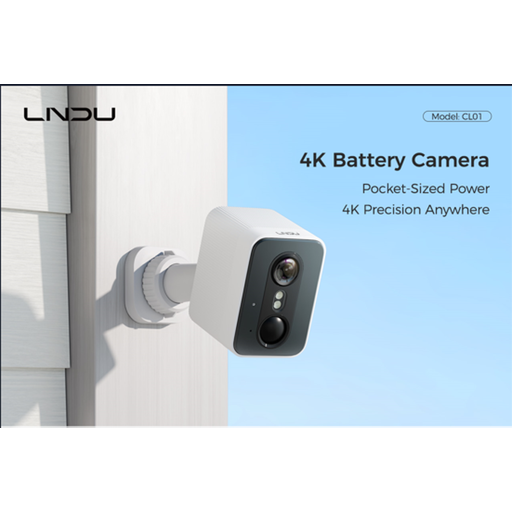
LNDU 4K wireless outdoor camera, 143° view
Consider a fixed position for an entrance approach or driveway. The product name lists a 143° field of view, 128GB local storage and 2.4GHz Wi-Fi. Check its recording mode and retained history, then test whether that wide frame stays within the area you need to monitor.
View on Joybuy
 No image available
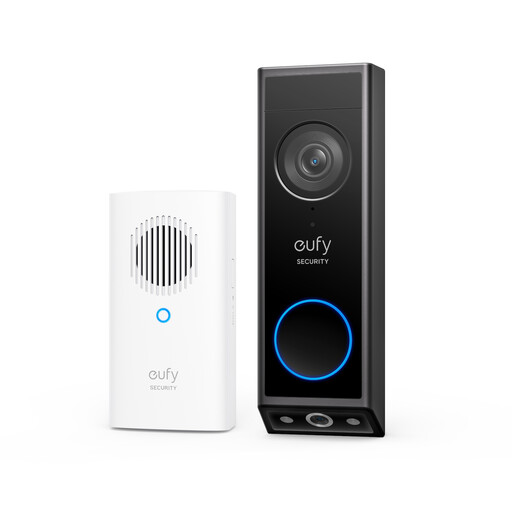
eufy E340 2K dual-camera video doorbell with chime
The second camera is relevant when parcels are left directly below the doorbell. eufy specifies 8 GB of on-device storage for the E340. If using wired mode, eufy says the battery must remain installed and the supply must be 8 to 24V and greater than 10VA; check your existing wiring and the recording history you need.
View on Joybuy
 No image available
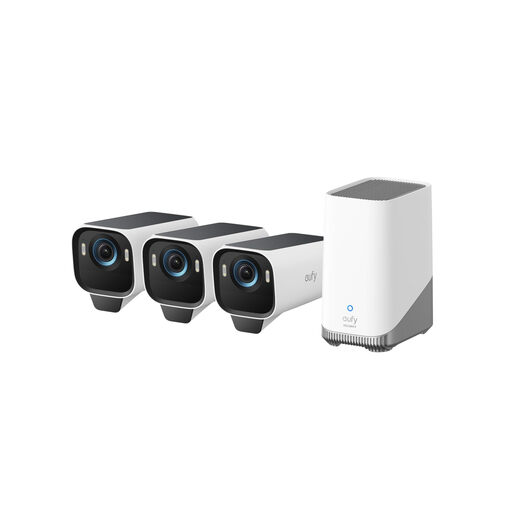
eufy Security eufyCam S3 Pro 3-Cam Kit
A three-camera kit is worth considering when separate outdoor areas need separate views. Its product name specifies 4K cameras, solar panels and local storage expandable up to 16TB. Check the included storage setup and plan each camera’s position so its recorded frame covers only the area needed.
View on Joybuy
 No image available
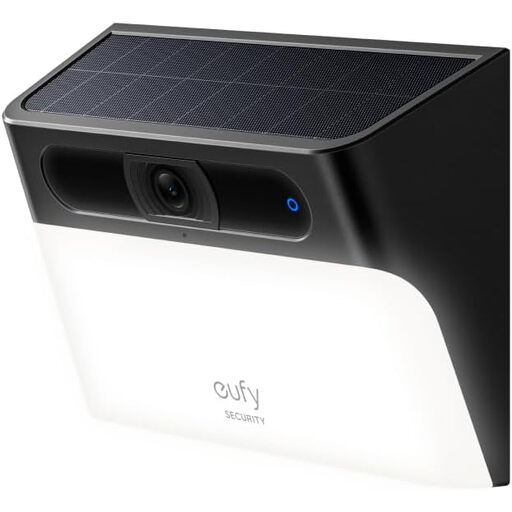
eufy Security Solar Wall Light Cam S120, 2K
This wall-light camera combines an outdoor camera position with motion-activated lighting. Its product name specifies solar power and an IP65 rating. Check the view from your intended mounting point, the available privacy settings and whether the location permits access for maintenance.
View on Joybuy
Common questions
What if my entrance camera also shows a shared path or a neighbour’s property?
First try changing its position or angle to reduce what it captures outside your boundary. The ICO advises aiming home cameras at your own property where possible and deleting footage regularly or automatically; consult its home CCTV guidance if outside-boundary capture remains.
Does a video doorbell need a subscription to save recordings?
Not always. eufy lists on-device storage for the E340, while Google says its Nest Doorbell (battery) includes three hours of event history, with a plan available for longer history. Check the exact model’s included recording, retention and alert functions before choosing a storage route.
Should I choose battery or wired power for a doorbell?
Choose according to the mounting point, available wiring and recording mode you need. Confirm the exact model’s electrical requirements before using wired mode: eufy specifies that the E340 retains its battery and needs an 8 to 24V supply greater than 10VA.
Can a video doorbell take the place of an outdoor camera?
It may be enough if the doorstep is the only area you need to see. For a driveway, gate or side route, assess a separately positioned outdoor camera instead; do not widen either camera’s frame without checking what it captures beyond your property.


