What should you check before buying?
Start with what the resident must hear and what the helper must be able to see; then check whether the entrance can support the chosen doorbell.
| Priority | What to check | Your needs |
|---|
| Indoor alert |
Confirm the exact model’s compatible chime, hub or speaker, whether it comes in the box, and how it is connected. Do not assume the existing chime will ring. |
I want the resident to hear a visitor without having to notice a phone notification. |
| Family access |
Check whether a helper can have their own access to notifications and live view, and which permissions that access grants. Ring documents device-specific sharing, but permissions must be checked for the chosen setup. |
A trusted family member needs to check an alert remotely without everyone using the owner’s account. |
| Power and wiring |
Identify the existing circuit, transformer and chime before choosing wired installation. For battery use, decide who will handle charging; check whether any wired-only feature applies to the exact model. |
If the entrance has no confirmed usable wiring, I need an installation route that does not rely on it. |
| Connection |
Check Wi-Fi reception at the mounting point and the model’s broadband requirements. Google specifies 2.4 GHz Wi-Fi and at least 2 Mbps upload for Nest Doorbell (wired); these are requirements for that model, not all doorbells. |
Remote alerts and visitor video need to work at the entrance, not just beside the router. |
| Camera view and audio |
Plan the field of view and check available privacy controls before mounting. UK government guidance says data-protection law applies when domestic CCTV captures people beyond the private property boundary; the ICO advises against normally recording public conversations. |
I need to see visitors without unnecessarily capturing neighbours or people in shared spaces. |
Which brands offer relevant options?
These brand features are starting points for checking a particular model and setup, not promises that every doorbell in a range works the same way.
Ring
An option to investigate when a helper needs separate access and the resident needs an indoor alert.
- Ring says owners can choose specific devices to share with other users.
- Ring says a compatible Chime can sound for doorbell presses and motion.
- Check permissions, chime compatibility and any plan requirements for the exact setup.
Google Nest
Offers battery and wired doorbell routes with different installation and recording conditions.
- Google describes Nest Doorbell (battery) as operating without doorbell wires.
- Google says Nest Doorbell (battery) cannot record continuous 24/7 video history, even when wired.
- Nest Doorbell (wired) requires a wired doorbell and chime, 2.4 GHz Wi-Fi and at least 2 Mbps upload, according to Google.
eufy
The Video Doorbell C31 offers a model-specific choice between rechargeable battery use and hardwiring.
- eufy specifies a quick-release 6500mAh battery for the C31.
- According to eufy, hardwiring the C31 supports continuous 24/7 recording and five-second pre-roll.
- Check the C31’s chime arrangement and family-access features separately; its Video Call feature is described as solo-use.
Tapo
A range to check if a compatible separate chime, hub or smart speaker could provide the household alert.
- TP-Link describes Tapo Chime, Tapo Hub and certain Alexa or Google Assistant devices as chime options, subject to setup.
- TP-Link says its wired-only Tapo doorbells do not operate an existing indoor chime; check the exact model before relying on an old bell.
Joybuy video doorbells to consider
These video doorbells provide different starting points for checking power, an audible household alert and remote visitor access. Confirm the exact chime, account-sharing and installation arrangements before choosing one for a relative’s home.
 No image available
Tapo D230S1 Smart Battery Video Doorbell
This battery model is worth assessing where existing doorbell wiring has not been confirmed.
Check the indoor chime arrangement, who will charge the doorbell and whether a family helper can receive the required app access.
View on Joybuy
 No image available
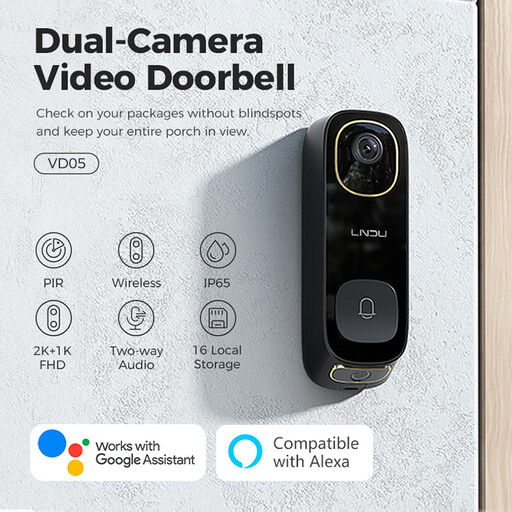
LNDU VD05 2K HD Dual PIR Video Doorbell
Consider this 2K HD, Dual PIR model for visitor checking only after confirming how it will alert the resident indoors.
Its name also specifies IP65 and two-way audio. Check its power and chime requirements against the home, along with family app access.
View on Joybuy
 No image available
eufy Security Video Doorbell C31 2K FHD
The C31 offers battery use while leaving a hardwired installation route to assess if the home’s electrical setup is suitable.
eufy specifies a rechargeable 6500mAh battery and says hardwiring supports continuous 24/7 recording and five-second pre-roll. Confirm a compatible indoor chime and separate family access; eufy describes the C31 Video Call feature as solo-use.
View on Joybuy
 No image available
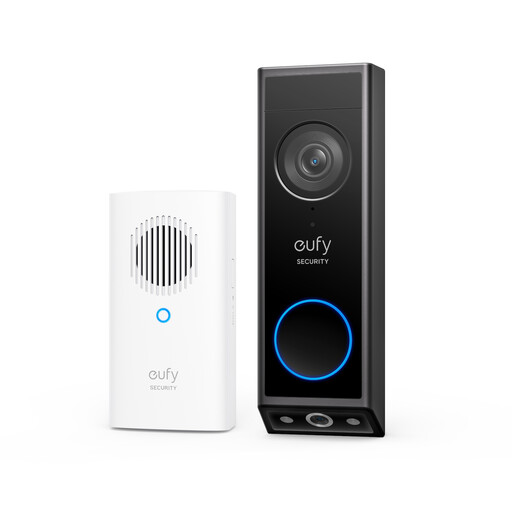
eufy E340 2K Dual Cameras Video Doorbell with Chime
This battery-powered, dual-camera model is an option to assess where the resident needs an audible alert as well as visitor video.
The product name mentions a chime; confirm what is included, how it connects and whether a helper can have the required remote access. Check the electrical requirements before considering wired use.
View on Joybuy
 No image available
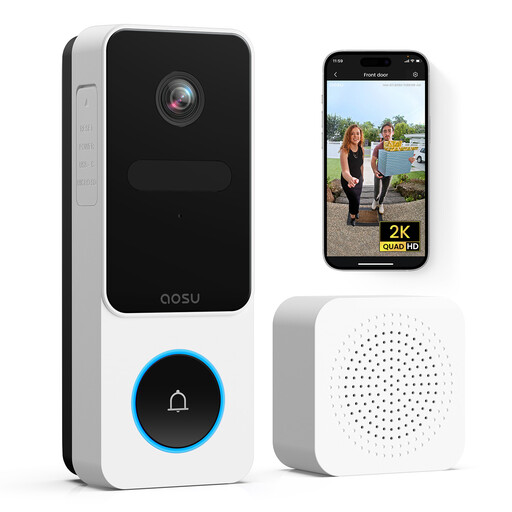
aosu 2K HD Video Doorbell with Gong, 170° View
The named gong makes the indoor-alert arrangement an important point to confirm for a resident who does not rely on an app.
The product name specifies 2K HD video, a 170° view, two-way audio and 2.4GHz Wi-Fi. Check whether the gong is included and how it connects, as well as the power supply, family access and what the wide view would capture.
View on Joybuy
Common questions
Can my relative hear a chime while I receive alerts elsewhere?
Yes, if the exact doorbell supports both a compatible indoor alert and the remote access you need. Ring documents shared-device permissions and Chime alerts; TP-Link describes chime, hub and compatible smart-speaker options for Tapo doorbells. Check the chosen model’s notification settings and who can use them.
Will the existing indoor chime work?
Do not assume it will. TP-Link says its wired-only Tapo models use a supplied wireless chime rather than the existing one. Identify the home’s chime, wiring and transformer, then check the exact doorbell’s installation instructions.
What should I check before choosing a wired doorbell?
Confirm a usable doorbell circuit, the model’s transformer and chime requirements, and the connection at the entrance. Google says Nest Doorbell (wired) requires a wired doorbell and chime, 2.4 GHz Wi-Fi and at least 2 Mbps upload; those figures apply to that Nest model, not every video doorbell.
What if the camera sees a pavement or shared hallway?
UK government guidance says GDPR and the Data Protection Act apply when domestic CCTV captures people beyond the private property boundary, including in public or shared spaces. Plan a view that limits unnecessary capture, control access to footage and follow applicable domestic-CCTV guidance. The ICO advises that active audio should not normally record public conversations.
Should I ask before mounting a doorbell at a rented home?
Check the property’s tenancy, lease or housing-association rules before drilling or electrical work; permission depends on the property and the proposed installation. Falkirk Council, for example, says its council tenants need permission when fittings penetrate the building’s external fabric or electrical work is required, and advises private and housing-association tenants to speak to their landlord. That council guidance is not a UK-wide permission rule.


