Consumers avoiding a recording subscription
If you need to revisit delivery footage without an ongoing cloud plan, consider a model with local recording. Check whether it needs a separately purchased, compatible microSD card or storage hub.


Choose a battery doorbell if suitable wiring or a permanent installation is impractical; choose a wired model if compatible power is available and you want to avoid routine recharging. Then check whether the exact model gives you enough recording history through local storage or a cloud plan, and whether its view can cover the parcel-drop point without unnecessarily capturing neighbouring or shared areas.
If you need to revisit delivery footage without an ongoing cloud plan, consider a model with local recording. Check whether it needs a separately purchased, compatible microSD card or storage hub.
If the door, outside wall or shared entrance is managed by someone else, establish what installation is permitted before choosing a mount or power method. Perth & Kinross Council and Islington Council give different examples of when their residents need permission.
If your doorway faces a pavement, another home or a communal corridor, assess the camera angle and available privacy controls as carefully as parcel visibility. The Information Commissioner's Office says data-protection law applies when a home smart doorbell captures another person's property, a public area or communal space.
Decide how the doorbell can be powered and fitted, then assess its doorstep view and how you will review a delivery you missed. Power and recording method are separate choices: a battery or wired doorbell may offer local storage or a cloud service, depending on the model.
Consider it when: suitable wiring is unavailable or a less invasive installation is needed.
Trade-off: charging remains part of use, and adding wired power to a battery model does not by itself establish that continuous recording is available.
Consider it when: compatible power and a permitted installation are available and you want to avoid routine recharging.
Trade-off: fitting or wiring the device may require approval, particularly on a managed building.
| Concern | What to check | Who this matters to |
|---|---|---|
| Delivery alerts and doorstep view | Check the view from the intended mounting point and whether the exact model offers the visitor or delivery alerts you need. Resolution alone will not tell you whether a parcel is in frame. | If parcels are left without a knock, I need to know promptly and see the drop-off point. Around 33% of consumers put doorstep visibility and timely alerts first. |
| Privacy and camera angle | Assess the frame edges, audio settings and any available angle adjustment or privacy masking. The Information Commissioner's Office says data-protection law applies if a home smart doorbell captures another person's property, a public area or communal space. | When my entrance faces a neighbour or shared space, I need to limit what the doorbell captures. Roughly 27% of consumers make controlled capture their primary concern. |
| Installation | Check available power and who controls the door or building fabric before drilling or wiring. Permission requirements depend on the property and housing provider. | In a rented flat or managed building, I need an installation I am allowed to keep. About 20% of consumers prioritise permission and fitting constraints. |
| Recording history | Distinguish a live alert from footage you can replay. Check the storage location, any required card or hub, and the exact model's included history or cloud-plan terms. | If I notice a delivery later, I need footage that is still available without taking on a plan I do not want. Around 20% of consumers put recording arrangements first. |
Local recording can depend on a model-specific microSD card or hub; an alert or live view does not necessarily mean an event has been saved.
Before ordering, check where footage is stored, whether the storage hardware is included and which playback functions work without a plan.
A compatible card or storage hub may need to be purchased separately.
A view that includes parcels may also include neighbouring property, a pavement or a communal area. The Information Commissioner's Office says data-protection law applies when a home smart doorbell captures those areas.
Assess the proposed frame from the mounting point and use suitable positioning or privacy controls where available; do not choose a wider view solely for parcel coverage.
TP-Link says recording, live viewing, router conditions and the environment affect battery duration on its doorbells. Frequent activity at a delivery entrance may change how often charging is needed.
Check how the chosen model is charged and consider how your alert and viewing settings will affect day-to-day use.
Charging may take more attention at a busy entrance or with more demanding settings.
Housing-provider rules differ. Perth & Kinross Council requires its council tenants to seek permission for a video doorbell as an alteration, while Islington Council's guidance ties permission for its tenants and leaseholders to fitting equipment to the building fabric.
Check your tenancy, lease or building rules and obtain any required approval before fixing, drilling or wiring the device.
Tapo has doorbells relevant to households considering battery power and local recording rather than relying solely on a cloud plan.
Reolink offers wired and battery doorbells with model-dependent local-storage arrangements.
Google Nest is relevant if you are comparing included event history with a paid cloud-recording arrangement.
eufy presents local storage as an option for households seeking recorded footage without a monthly cloud fee.
These video doorbells include battery and wired choices, alongside models suited to viewing visitors from an indoor monitor. Compare each one against your need for remote alerts, a view of the parcel-drop point and recordings you can review later.
 No image available
Consider this battery model where wiring is impractical. Check its view from your proposed mounting position and confirm the compatible storage card and recording functions needed to review missed deliveries.
 No image available
Consider the C31 if battery or hardwire power would suit your entrance and you want live visitor communication. Its title lists 24/7 recording; check the required power configuration, where footage is stored and what recording history is available before relying on that function.
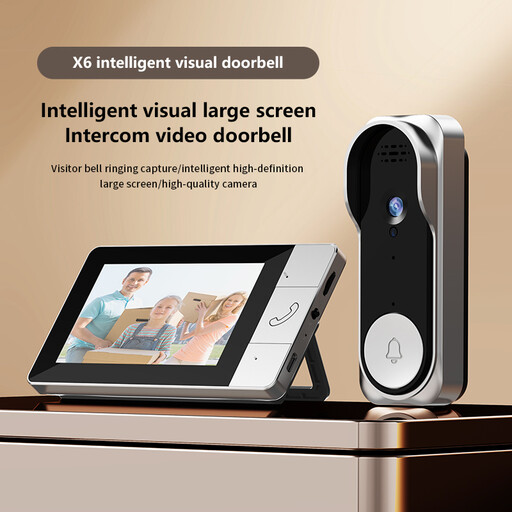 No image available
Consider this model if handling visitors through an indoor viewing setup matters more than assuming app-based alerts. Confirm its remote-notification capability, parcel-drop view and TF-card requirements if you need to monitor deliveries while away.
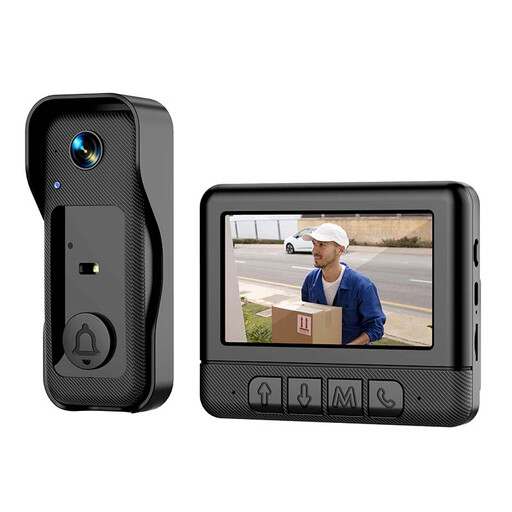 No image available
This model is worth checking if you prefer an indoor way to view and answer visitors. Its title states that a memory card is not included; confirm card compatibility, when recording starts and whether it can alert you remotely before choosing it for unattended parcels.
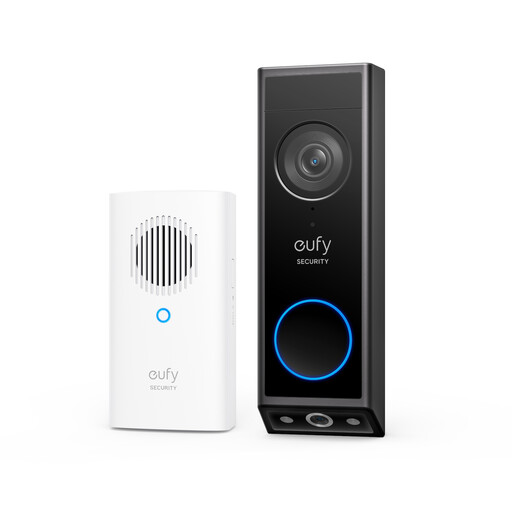 No image available
Consider its dual-camera arrangement if seeing the area where parcels are left is a priority. The title lists battery power and colour night vision; check the exact power configuration, recording arrangement and view from your entrance.
Yes, some models support local recording without a required cloud plan. TP-Link says the Tapo TD21 accepts a separately sold microSD card up to 512GB, while Reolink says its battery doorbell supports a microSD card or Home Hub; check the selected model's storage hardware and playback functions.
Google says eligible newer Nest devices, including the Nest Doorbell (battery), can provide up to three hours of event video history without a subscription. Check the device and app compatibility for live viewing; longer history depends on the applicable paid service, and Google says its battery doorbell does not support 24/7 history even when optionally wired.
Check the permission rules for your particular tenancy, lease and building before fixing or wiring one. Perth & Kinross Council requires its council tenants to seek permission for a video doorbell as an alteration; Islington Council's guidance for its tenants and leaseholders addresses equipment fitted to the building fabric. Neither policy establishes a rule for every property.
The Information Commissioner's Office says data-protection law applies if a home smart doorbell captures another person's property, a public area or communal space. Assess what the proposed camera position would show and reduce unnecessary capture where possible.
Assess audio separately from video and limit it to what is needed for your entrance. The Information Commissioner's Office recommends that domestic surveillance systems should not normally record conversations between members of the public; check when the chosen doorbell captures sound and which audio settings you can control.