What to check before buying
Start with what the camera can see from its intended mounting position. Then confirm its power route, recording arrangement and the alerts available on the exact model and plan.
| Concern |
What to check |
Who this matters to |
| Seeing parcels on the ground |
Compare downward-facing or head-to-toe framing with your doorstep and mounting height. Check package-detection claims for the exact variant. |
If parcels tend to sit beneath the lens, I need to see the floor rather than just the person at the door. Around 31% of consumers put that parcel visibility first. |
| Recording without a recurring plan |
Confirm the storage location, compatible card or hub, what comes in the bundle and which functions require a plan. |
I want to keep recordings without committing to an ongoing cloud plan, and I can manage local storage. For around 25% of consumers, avoiding a required recurring fee is the primary concern. |
| Power and installation |
Check existing wiring against the model’s requirements, or establish a workable battery, adapter or Ethernet route. |
If my doorbell wiring is uncertain, I need a power arrangement that will work at this entrance before comparing extras. That feasibility comes first for around 25% of consumers. |
| Useful alerts and proportionate coverage |
Check the exact model’s alert categories and activity-zone controls; plan its position to limit unnecessary capture. |
I want to notice relevant doorstep activity without constant unrelated alerts or an unnecessarily broad view. Around 19% of consumers prioritise that balance. |
Joybuy doorbell options
These doorbells offer battery-powered options for checking a home entrance, including models whose listed features address parcel viewing or local recording. Compare each exact model’s view, storage arrangement and power requirements against your doorway rather than treating their alert features as interchangeable.
 No image available
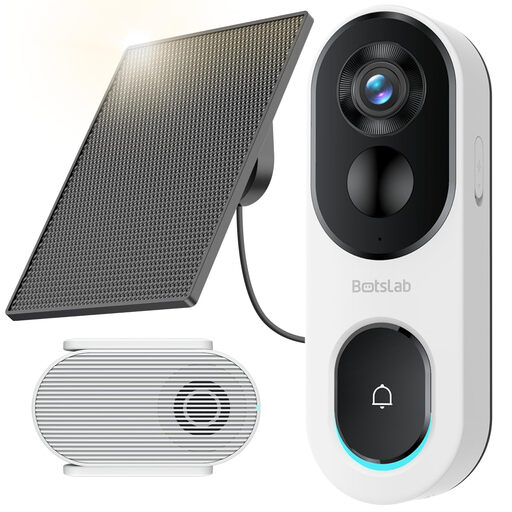
BOTSLAB R810SE 2K Solar-Powered Video Doorbell
Consider this wireless model if a view of the doorstep and a solar-panel mounting position suit your entrance; check the final camera angle before installation.
The product title specifies 2K video, head-to-toe viewing, package detection and 2.4 GHz Wi-Fi only. Confirm the card and base-station setup needed for local recording.
View on Joybuy
 No image available
BOTSLAB R810 5MP Video Doorbell with 32 GB SD Card
This wireless option is worth checking if you want a doorstep view and an SD card specified in the bundle. Confirm which alerts and recording functions work without an optional plan.
The product title specifies 5MP video, a 32 GB SD card and package and human detection. Check that the installed view includes your usual delivery spot.
View on Joybuy
 No image available
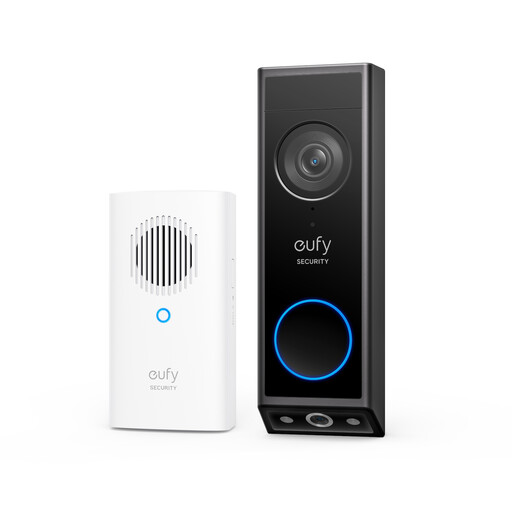
eufy E340 2K Dual-Camera Video Doorbell with Chime
Consider the E340 where parcels are left on the floor close to the door: eufy describes a separate downward-facing camera for that area. Check how the view would frame your own doorstep.
This listing specifies battery operation and a chime. If you intend to use wired mode, eufy specifies 8–24V and greater than 10VA, with the battery remaining installed. Confirm the recording and subscription arrangements for this bundle.
View on Joybuy
 No image available
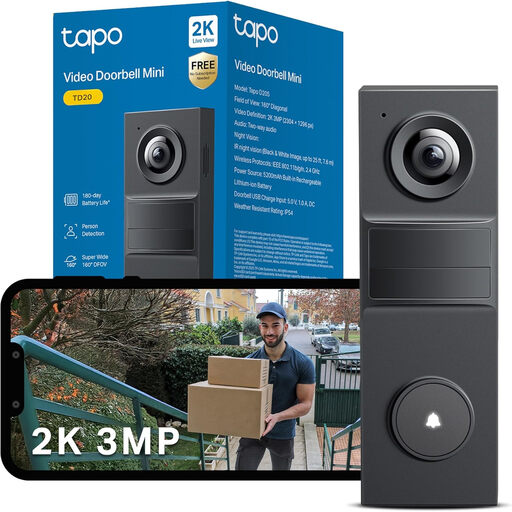
Tapo TD20 3MP Smart Video Doorbell
Check this model’s installed framing if you want to inspect the entrance as well as receive visitor alerts. Do not assume that a person alert identifies a parcel.
The product title specifies 3MP video and night vision. Confirm the local-storage arrangement, whether a card comes with this bundle and which alert categories apply to the TD20.
View on Joybuy
 No image available
Tapo D230S1 Smart Battery Video Doorbell
This battery model may suit an entrance without confirmed doorbell wiring. Check whether its view includes parcels left below the camera rather than assuming its notifications identify packages.
Confirm the recording arrangement and whether a compatible storage card is included with this exact bundle.
View on Joybuy
Frequently asked questions
When does UK data-protection law apply to a home video doorbell?
The Information Commissioner’s Office says it applies if the camera captures someone else’s property, a public area or communal space. Position the camera to capture only your property where possible, and assess its actual view after installation. The ICO says its home-CCTV guidance is under review, so check its current wording before fitting the doorbell.
How can I reduce the view of neighbouring property or public space?
Start with the mounting position and angle, then use filters or privacy blockers if the model supports them. The Information Commissioner’s Office notes that such controls may blur areas beyond your property; check the final view rather than assuming a mask resolves every capture issue.
Does local storage mean I will never need a subscription?
No: local recording can offer a route without a cloud plan, while particular cloud or alert functions may still require one. TP-Link describes microSD recording and optional Tapo Care cloud storage for the D260; Ring says its Smart Alerts require a compatible subscription. Check the card, bundle and functions of the exact model you choose.
Can a package alert confirm that a parcel was delivered?
No. A package alert is a model-specific detection feature, not proof of delivery or that a parcel remains outside. Check whether the exact variant offers the alert and whether its camera view includes the place where deliveries are normally left.
What should I check before choosing a wired doorbell?
Confirm the available power supply and, for Power over Ethernet, the network-cable route. eufy specifies 8–24V and greater than 10VA for E340 wired mode, with its battery installed. Reolink describes an adapter or existing wiring for its wired Wi-Fi model, while its PoE route uses Ethernet for power and network.


