Choose around the resident’s answering routine: an indoor screen needs to support both viewing and conversation, not just announce a visitor. A local-link or wired intercom may reduce reliance on a home network, while a connected display can suit a household where someone else manages apps, accounts and Wi-Fi; check that the resident can answer independently.
Who these setups may suit
Residents who want screen-and-button answering
If the resident wants to see who is at the door and start a conversation on an indoor device, check the answering controls on that exact screen. SwitchBot and EZVIZ describe indoor monitor-based visitor communication.
Homes looking for a local connection
If the resident should not need a smartphone or routine home-Wi-Fi access to answer, compare the doorbell-to-monitor connection and placement conditions. SwitchBot and Avidsen document different wireless intercom approaches.
Households with a family tech helper
If a family member can handle setup and account maintenance, a connected doorbell and compatible indoor display may be an option. Google Home and Nest Help documents Talk and listen on compatible Nest displays.
What to check before buying
For a household seeking visitor viewing and conversation without relying on the resident’s smartphone, compare the answering routine, connection, installation, ongoing management and camera view.
| Concern |
What to check when buying |
Who this matters to |
| Independent answering |
Try the complete sequence on the indoor device: ring, view, talk and end the call, with the helper’s phone put away. |
I want the resident to answer without operating a phone. Around 31% of consumers put independent answering first. |
| Door-to-screen connection |
Test a call with the exterior door closed and the monitor in its intended position; separately check what happens without internet or home Wi-Fi. |
I want visitor communication to keep working without depending on the household network. Around 25% of consumers prioritise a local connection. |
| Installation and power |
Confirm the exact UK kit’s wiring and indoor power requirements, plus outdoor charging access if the doorbell is battery-powered. |
I need an arrangement that fits the home’s wiring and can be powered or charged as required. Around 19% of consumers prioritise installation and power. |
| Ongoing management |
Agree who will handle app setup, account access, router changes and any additional-monitor pairing. |
I can arrange for a helper to manage connected features, but the resident still needs a straightforward answering routine. Around 13% of consumers prioritise this division of responsibilities. |
| Camera coverage |
Check the installed view and recording settings, including whether people in public or shared areas may be captured. GOV.UK’s domestic CCTV guidance says data-protection law applies when recording extends beyond the private domestic boundary. |
I want to understand what the camera could capture around a shared or neighbouring entrance. Around 12% of consumers make this privacy boundary their primary concern. |
Buying pitfalls
-
Assuming a screen can also handle the conversation
A screen that shows or announces a visitor may not provide the resident with a usable way to speak to them.
Check the exact indoor device’s two-way answering sequence before choosing the kit.
-
Treating wireless range as unlimited
Wireless placement depends on the particular system and the home. SwitchBot recommends keeping its doorbell and monitor within 5 metres for basic use without home Wi-Fi; Avidsen advertises 350 metres for the Extel Wave 720313 in open-field conditions. These figures describe different systems and conditions.
Test the connection at the intended monitor location with doors closed, and plan where the monitor will receive power.
-
Assuming a family-managed app removes every usability requirement
A helper may handle setup while the resident still needs to answer comfortably on the indoor device.
Check the resident’s ring-to-conversation routine separately from the helper’s app and account tasks.
-
Assuming a home doorbell has no privacy responsibilities
GOV.UK’s domestic CCTV guidance says data-protection law applies when recording captures people beyond the private domestic property boundary, including public or shared areas.
Assess the camera’s actual view and recording settings before fixing its position.
Relevant brands for reference
SwitchBot
A smart video doorbell paired with its own monitor offers a local indoor answering route alongside optional connected management.
- SwitchBot Help Center describes live viewing and two-way communication without home Wi-Fi, with a recommended maximum 5-metre separation for that use. Its UK product page states a two-year warranty.
- Remote access and integrations require Wi-Fi. Confirm the supplied UK monitor’s power requirements and the exact kit before installation.
EZVIZ
The HP7 is a wired domestic video-doorphone kit with an indoor touchscreen and optional app functions.
- EZVIZ UK lists a 7-inch screen, two-way talk and two-wire installation for HP7.
- These details apply to HP7, not HP7 Pro or other kits. Check the exact UK model’s manual and have existing wiring assessed before installation.
Extel
Extel Wave products illustrate dedicated wireless video-intercom systems with indoor monitors.
- Avidsen advertises a battery-powered door station and a 350-metre open-field range for Wave 720313.
- That range is a manufacturer figure for open-field conditions, not a guarantee through a UK home’s walls. Wave 3, reference 720337, is a separate product; check the exact package and installation details.
Google Nest
Compatible Nest doorbells can support screen-based conversation through a configured Google Nest display.
- Google Home and Nest Help documents Talk and listen on compatible displays.
- This is a connected setup, not an app-free route. Doorbell and display configuration matters, and announcements are unavailable when Do Not Disturb is enabled.
eufy
The UK E10 and E340 bundle pairs a dedicated display with a battery-powered video doorbell.
- The eufy UK bundle page identifies both devices; the UK E10 page lists an 8-inch screen and automatic live-feed alerts.
- Those details do not establish the E10 screen’s conversation controls. Confirm the exact answering workflow and storage variant before relying on it for smartphone-free use.
Joybuy product choices
These choices are video doorbells relevant to visitor communication. Before choosing one for a resident who does not use a smartphone, confirm that the exact kit provides an indoor screen with controls the resident can use to answer and speak.
 No image available
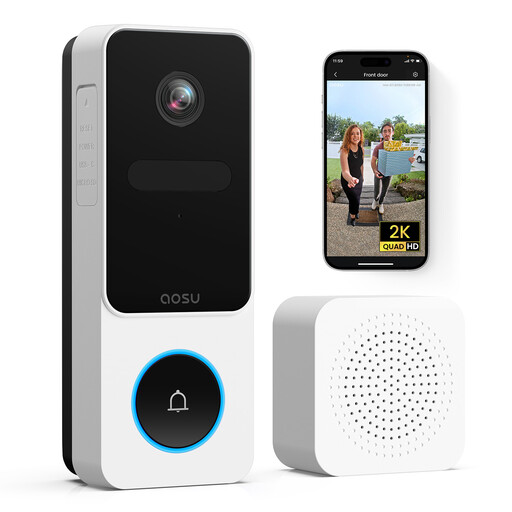
aosu 2K HD Doorbell with Camera
Consider it only after confirming that the exact kit gives the resident a suitable indoor way to answer and speak.
The product name lists 2K HD, a 170° wide angle, PIR motion detection, two-way audio, 2.4GHz Wi-Fi and Alexa compatibility.
View on Joybuy
 No image available
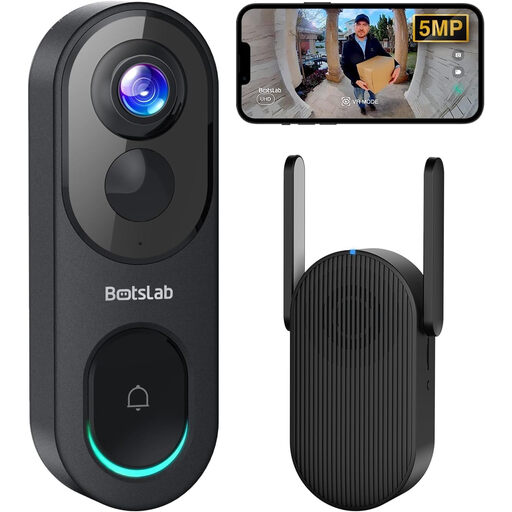
BOTSLAB R810 5MP Video Doorbell Camera
Check whether the exact kit includes an indoor answering device the resident can use without a smartphone.
The product name lists 5MP video, a 32GB SD card, Wi-Fi, package and human detection, and two-way audio.
View on Joybuy
 No image available
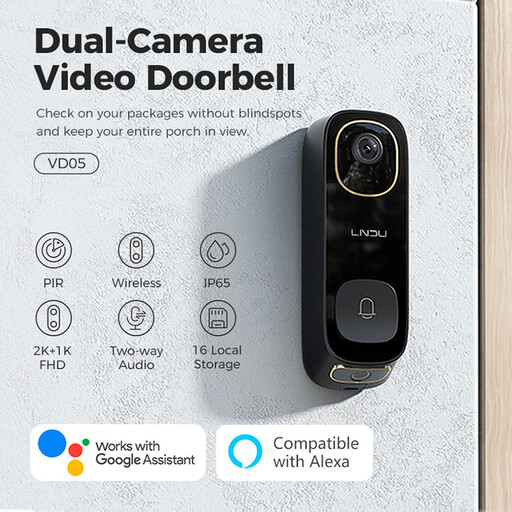
LNDU VD05 2K HD Video Doorbell with Monitor
The product name includes a monitor, but check that its controls support the resident’s full viewing-and-speaking routine.
The product name lists 2K HD, dual PIR motion detection, IP65, Wi-Fi, two-way audio and a monitor.
View on Joybuy
Frequently asked questions
Does smartphone-free answering also mean smartphone-free setup?
No; a helper may still need an app to set up or maintain a connected doorbell. Nest battery-doorbell installation and SwitchBot’s connected setup use an app, so agree who will manage those tasks while the resident answers indoors.
Can a wireless indoor monitor go anywhere in the house?
No single range figure establishes that it will work in every position. SwitchBot recommends keeping its monitor within 5 metres of the doorbell for basic use without home Wi-Fi, while Avidsen’s 350-metre figure for Extel Wave 720313 is an open-field manufacturer specification; test the intended position in the home.
Why might a Nest display stop announcing visitors?
Google says visitor announcements require the doorbell and display to be in the same app home, and announcements are unavailable when Do Not Disturb is enabled. Check both the home configuration and the display setting.
Does UK data-protection law apply if a doorbell camera captures a pavement or shared entrance?
Yes, when domestic CCTV captures people beyond the private domestic property boundary. GOV.UK’s domestic CCTV guidance, updated 21 May 2026, says GDPR and the Data Protection Act apply in that situation, including when public or shared spaces are captured; this is not a blanket prohibition on using a doorbell.


