What to check before choosing
For a household choosing entrance video communication for an older relative who does not use a smartphone, start with the resident’s answering routine, then check the connection, installation, upkeep and camera view.
| Concern |
What to check when buying |
Who this matters to |
| Simple answering controls |
Practise recognising the caller, starting speech and ending the call from the resident’s usual seat. |
I want my relative to see who is there and answer without confusing steps. Consumers who put straightforward answering first account for around 31%. |
| Connection independence |
Trace the link from entrance unit to receiver; test radio reception in the rooms where it will be used, or confirm who manages connected accounts. |
If the resident should not have to rely on Wi-Fi or account management, I would check the whole connection path before choosing. Consumers who prioritise connection independence account for around 25%. |
| Property and installation fit |
Check the exact kit’s power and wiring needs, any door-release requirements and the installation instructions. |
I need to know whether the system suits the entrance and the property’s wiring before work begins. Consumers who put property fit first account for around 19%. |
| Charging and upkeep |
Check where a receiver or additional screen will charge, who will maintain it and whether live answering meets the household’s needs. |
If someone needs to take responsibility for charging and ongoing upkeep, I would make that part of the choice. Consumers who prioritise manageable upkeep account for around 13%. |
| Camera privacy |
Check the mounted view and any image or audio recording settings, especially near neighbouring or shared areas. |
I want to see visitors without unnecessarily recording nearby homes or shared spaces. Consumers who put privacy first account for around 12%. |
Joybuy product options
These Joybuy options are wireless video doorbells, including products described with a monitor or indoor chime. Check whether the resident can answer on the included device or would need another compatible screen, app or setup.
 No image available
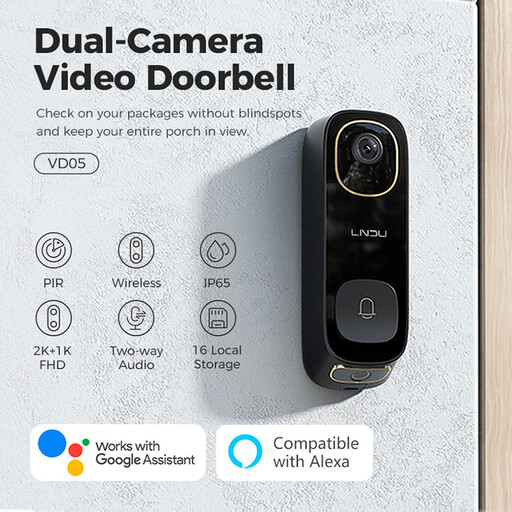
LNDU VD05 2K HD Video Doorbell with Monitor
The product name identifies a monitor, which may be worth comparing when an indoor answering point is needed; check the resident-facing controls before choosing.
2K HD; dual PIR motion detection; IP65; wireless Wi-Fi; two-way audio; monitor.
Joybuy
 No image available
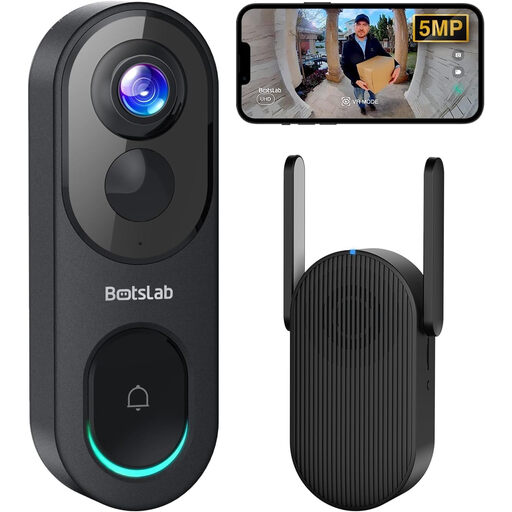
BOTSLAB R810 5MP Video Doorbell Camera with 32GB SD Card
This wireless camera option is described as supporting an indoor chime; confirm the exact answering device and controls the resident would use.
5MP; wireless; 32GB SD card included in the product name.
Joybuy
 No image available
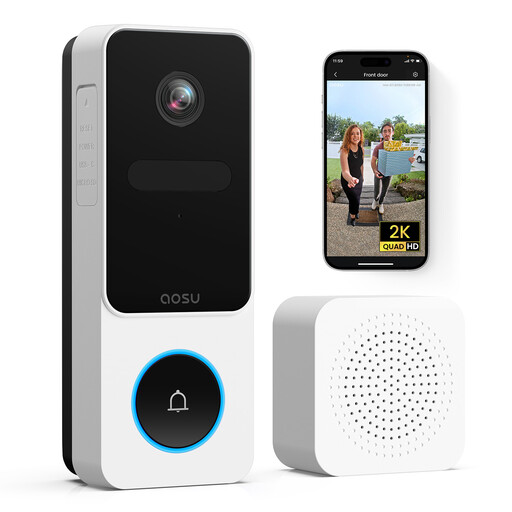
aosu 2K HD Wireless Video Doorbell with Gong, 170° Wide Angle
The product name includes a gong, but check whether its controls and visitor-answering arrangement suit the intended resident.
2K HD; 170° wide angle; PIR and package detection; night vision; two-way audio; 2.4 GHz Wi-Fi.
Joybuy
 No image available
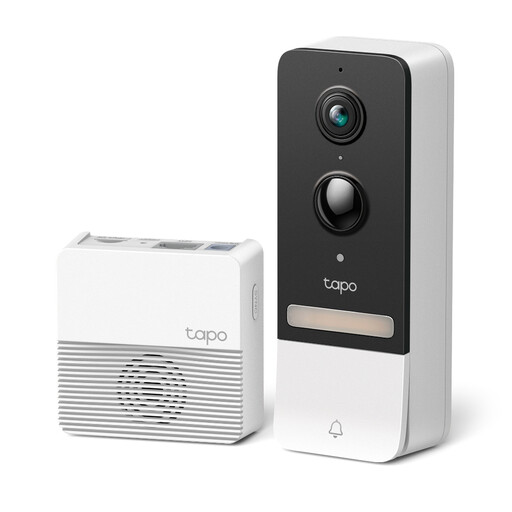
TP-Link Tapo D230S1 Smart Battery Video Doorbell
This battery doorbell is a connected option to compare; check which device and controls the resident would need to use to answer.
Smart battery video doorbell.
Joybuy
 No image available
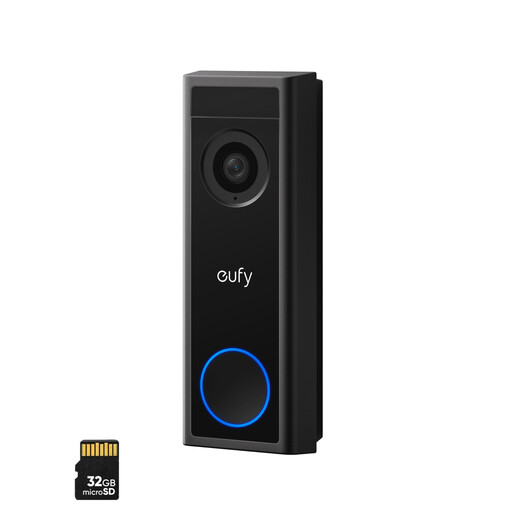
eufy Security Video Doorbell C31, 2K FHD, Battery or Hardwire Powered
The product information describes live video calls on a phone; check whether that answering route suits the resident before considering it for a phone-free setup.
2K FHD; battery or hardwire powered.
Joybuy
Frequently asked questions
Does a resident who does not use a smartphone have to rule out every smart doorbell?
No; a compatible smart display may provide another way to answer. Ring documents two-way communication through Echo smart displays, but a family member still needs to manage the linked accounts, and the resident should practise the actual answering controls.
Can I add a wireless screen to an installed video doorphone?
For a supported EZVIZ arrangement, the SD7 can be an additional screen for the HP7. EZVIZ specifies that SD7 uses 2.4 GHz Wi-Fi and a rechargeable battery, so confirm compatibility with the exact doorphone and plan where it will charge.
Can I fit a wired video doorphone kit myself?
For the ESVK/6286 kits covered by its handbook, Videx recommends installation by a competent electrician, security or communications engineer. This is the manufacturer’s recommendation for that kit family, not a blanket legal rule for every video intercom; check the exact instructions and any power, cabling or door-release requirements.
What should I check if the camera can see a pavement, neighbour’s property or shared entrance?
The Information Commissioner’s Office says data protection law applies when home CCTV captures someone else’s property, a public area or a communal space. Where possible, position the camera to capture only your property and minimise intrusion; the ICO currently marks its home CCTV guidance as under review following the Data (Use and Access) Act.
What should the resident try before I choose a system?
Ask the intended resident to try the actual answering controls before choosing. Check whether they can see who is calling, start two-way speech and end the conversation from their usual seat, then confirm who will handle charging, account setup or installation as applicable.


