Who is this for?

Boundary-conscious entrance monitor

If your door faces a shared landing, pavement or neighbouring property, the camera position and what it captures may matter more than a wider view. The Information Commissioner's Office advises positioning home cameras to capture only your own property where possible.

Visitor-and-delivery responder

If callers and parcels at the door are your main concern, compare doorbells by their doorway view and the visitor-interaction features you would use. eufy describes app alerts and two-way audio among the features of its UK doorbell range; check the particular model.

Multi-angle local-recording planner

If you need to watch a driveway or more than one approach, plan the camera positions before choosing a recording setup. Reolink's UK product information describes wired PoE cameras and compatible local-storage equipment, but the required wiring and equipment depend on the system.

What matters when choosing?

Video doorbell

Choose it when: Seeing callers or parcels and speaking at the threshold is the main job.

Trade-off: A doorway-focused view may not cover a gate, long driveway or side approach; recorded audio also needs separate consideration.

Fixed domestic CCTV

Choose it when: You need more than one entrance angle or a setup designed for wider or continuous coverage.

Trade-off: Camera placement, cabling and recording equipment take more planning, while a broader view can include areas beyond your property.

Concern What to check Who this matters to
View and audio boundaries Check the view from the proposed mounting point; distinguish a privacy mask from a motion-detection zone and check audio-recording controls. If my entrance faces a neighbour's property or a shared path, I want to see the door without unnecessarily capturing other people or their conversations. Around 42% of consumers put that boundary concern first.
Callers and parcels Check doorway framing, visitor alerts and whether the model has the two-way talk and power arrangement you need. When a delivery arrives, I mainly want to identify the caller and respond at the door rather than monitor a broad approach. That is the primary need for roughly 25% of consumers.
Wider coverage and recording Map the required camera angles; check the recording medium, equipment compatibility and any cable route before choosing a system. If a doorstep view misses my driveway or another approach, I need to plan several angles and how to keep the recordings. Approximately 33% of consumers prioritise that wider-coverage and recording need.

Buying pitfalls

  • Assuming a detection zone hides part of the picture

    TP-Link distinguishes detection zones, which select areas for detection, from privacy zones, which it says prevent selected areas from being viewed or monitored on supported devices. Fewer alerts do not establish that an excluded area is out of view.

    Check the exact model's privacy-zone controls and inspect its live view after positioning it. Aim the camera at your property before relying on a software setting.

  • Choosing a wide view before checking the boundary

    A camera aimed across a pavement, shared space or neighbouring property can capture people beyond your private boundary. GOV.UK guidance says UK GDPR and the Data Protection Act 2018 then apply to domestic CCTV.

    Check what the camera could see from the intended position and choose a view that covers the door, parcel area or approach you actually need.

  • Assuming mounting permission is automatic

    Installation conditions vary with the property and the work involved. Stevenage Borough Council, for example, requires its council tenants and leaseholders to seek permission for fittings to the building fabric or fixed wiring; Falkirk Council advises private and housing-association tenants to speak to their landlord.

    Read your tenancy or lease and ask the relevant landlord, housing provider or managing agent before drilling, fixed wiring or mounting equipment in a shared area.

    A fitting that has to be removed can also leave reinstatement work.

  • Reading “local storage” as a complete recording setup

    Recording arrangements differ between cameras: TP-Link describes microSD recording for supported Tapo models, while Reolink describes local storage through compatible hub equipment. A storage feature alone does not tell you which components come with a particular product.

    Check the chosen model's recording medium, supported capacity, compatible card or hub, included components and the recording mode you intend to use.

Relevant brands to compare

TP-Link Tapo

Relevant if you are comparing doorbells and standalone cameras with model-specific view controls and storage choices.

  • TP-Link describes privacy zones that block selected areas from viewing or monitoring on supported devices.
  • Detection zones serve a different purpose. Check the exact hardware version for privacy controls, storage support and compatible firmware.

Reolink

Relevant when planning fixed cameras, wired PoE connections and compatible local recording equipment.

  • Reolink describes PoE models that carry power and data on one Ethernet cable and Home Hub equipment for compatible cameras.
  • Check camera–hub compatibility, the cable route and any installation permissions before choosing a system.

eufy Security

Relevant to a front-door-first search as well as comparisons of outdoor camera kits.

  • eufy describes doorbells with options across its UK range for app alerts, two-way audio, local storage and wired or battery installation.
  • Those range-wide features are not a specification for every model. Check the particular doorbell's view, audio settings and storage arrangement.

Fixed-camera choices on Joybuy

These camera kits relate to monitoring an entrance or a wider approach. They are not substitutes for a doorbell's caller-focused controls; compare their mounting positions and actual views before deciding which type fits your property.
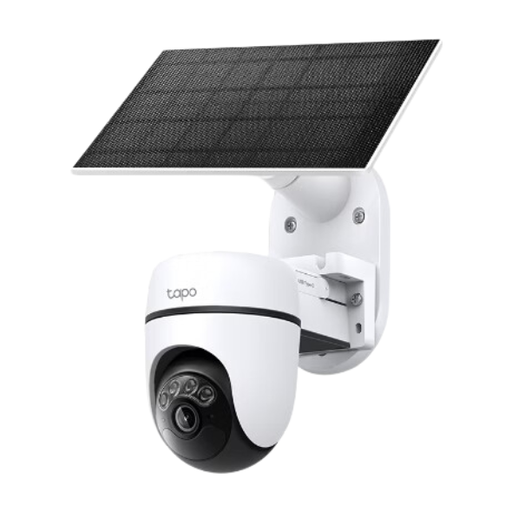
Tapo C610 KIT solar-powered pan-and-tilt camera kit

Tapo C610 KIT Solar-Powered Pan/Tilt Camera Kit

Consider this kit if the entrance area you need to monitor calls for a movable camera view rather than a doorway-only view.

The product name identifies a solar-powered pan-and-tilt camera kit. Check the view at each position you intend to use, along with this model's privacy masking, recorded-audio controls and required storage components.

View on Joybuy
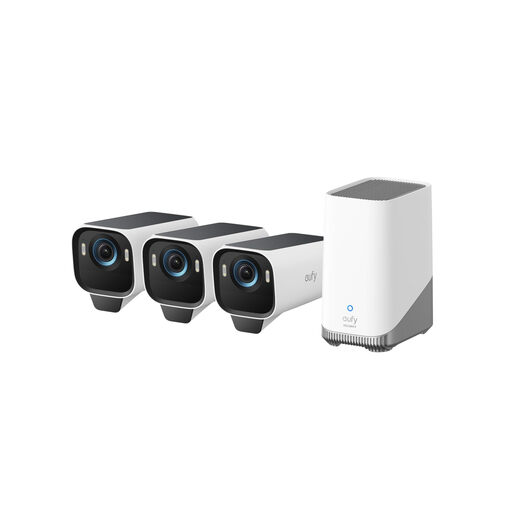
eufy Security eufyCam S3 Pro three-camera kit

eufy Security eufyCam S3 Pro 3-Cam Kit

Consider this kit if several planned outdoor positions are needed to cover the entrance and its approaches.

The product name specifies three solar-powered outdoor cameras, 4K video and built-in local storage. Check the storage arrangement for this kit, mounting requirements and each camera's view, privacy masking and recorded-audio controls.

View on Joybuy
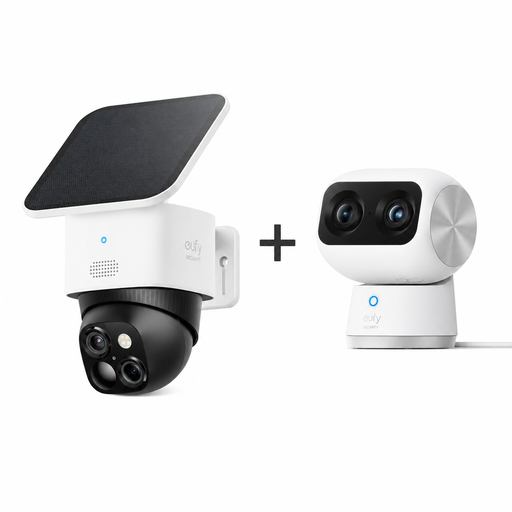
eufy kit with Indoor Cam S350 and outdoor SoloCam S340

eufy Indoor & Outdoor Kit: Indoor Cam S350 and SoloCam S340

Consider this mixed kit only if you have a use for the indoor camera as well as its outdoor entrance camera.

The product name identifies a 4K Indoor Cam S350 and a solar-powered 3K outdoor SoloCam S340. Plan the outdoor camera's actual view and check its privacy, audio-recording and storage controls before choosing the kit for an entrance.

View on Joybuy

Frequently asked questions

When does UK data-protection law apply to a home doorbell camera or CCTV?

GOV.UK guidance says UK GDPR and the Data Protection Act 2018 apply when domestic CCTV captures people outside the boundary of your private property, including in neighbouring or public areas. Check the intended view before installation; the Information Commissioner's Office advises capturing only your own property where possible.

Will a motion-detection zone stop the camera viewing next door?

Do not rely on a detection zone for that purpose: TP-Link describes it as selecting an area for detection, while its privacy zones prevent selected areas from being viewed or monitored on supported devices. Position the camera carefully and check how the exact model's privacy control works.

Should I turn off audio recording at the entrance?

Consider avoiding recorded audio if video meets your purpose, particularly beside shared or neighbouring areas. Swindon Borough Council's residential CCTV guidance describes audio recording as very privacy-intrusive and advises disabling it; check whether the model lets you control recording separately from two-way talk.

Do I need permission to fit a doorbell camera in a rented home or flat?

Check your tenancy or lease and the rules for the proposed fitting before drilling, fixed wiring or mounting in a shared area. Requirements differ: Stevenage Borough Council sets permission conditions for its council tenants and leaseholders when fittings affect the building fabric or need fixed wiring, while Falkirk Council advises private and housing-association tenants to speak to their landlord.

Is fixed CCTV always the right choice for a driveway?

No: fixed cameras can suit a wider approach or several viewing angles, but choose the coverage your entrance actually needs. A broader view can also capture beyond the private boundary, so check each proposed camera position before deciding on the layout.