What should you check before buying?
Work through the call itself before choosing a product: identify whether the remaining problem is sound, picture, connection or compatibility.
| Priority | What to check | Your needs |
|---|
| Sound |
Play a speaker or headphone test and record or test your microphone on the interview platform. Check which input and output it has selected before considering a wired headset or separate microphone. |
I need to hear questions and be heard clearly. If my current audio passes the test, another device may add little to this interview setup. |
| Camera and lighting |
Check the preview, camera permission, privacy shutter and whether another app is using the camera. Try front lighting and a suitable camera position before considering a webcam. |
A clear, well-framed preview matters more to me than a resolution label. I would consider an external camera if the built-in one still fails or cannot be positioned suitably. |
| Connection |
Run a practice call on the intended device and connection. Check the invited platform's current requirements; Zoom Support, for example, lists 600 kbps upload and download for high-quality one-to-one video in its web app. If Wi-Fi is unstable, check whether a cable can reach the router. |
I want the call to stay connected. An Ethernet accessory is relevant to me only if a wired route is practical and compatible with my device. |
| Household noise |
Reduce interruptions where possible, then listen to a test recording or ask someone to check what your microphone picks up. Distinguish noise cancellation for what you hear from the microphone's outgoing sound. |
In a shared home, I may need a headset that makes listening and speaking workable, but I cannot assume it will remove every background sound. |
| Compatibility |
Confirm the invited app or browser, device permissions, operating system and available ports. For a headset or hub, check the exact connection and any model-specific requirements before ordering. |
I want equipment I can connect and select in the interview platform, not just an accessory with a plug that appears to fit. |
Which brands offer relevant equipment?
These brand ranges illustrate different equipment routes; choose according to the problem your practice call reveals, not the brand name alone.
Logitech
Logitech's UK webcam range includes models advertised at 720p, 1080p and 4K for video meetings. A separate webcam is relevant when the existing camera fails a test or cannot be positioned suitably.
- The range offers different stated resolutions and model-specific camera features.
- A webcam still needs a compatible connection, camera permission and suitable lighting; it will not fix the home network.
Jabra
Jabra offers wired and wireless business headsets. It describes Evolve2 models as having noise-cancelling microphones and active noise cancellation; those are Jabra's product claims, not a guarantee about sound in a particular room.
- A headset combines listening and speaking in one device when an audio test shows that the current setup is unsuitable.
- Wireless use adds charging and pairing checks. Neither headset type resolves blocked permissions or an unstable connection.
Anker
Anker offers USB-C Ethernet accessories for devices that need an appropriate adapter to connect to a reachable router.
- A compatible Ethernet accessory provides a way to test a wired route when Wi-Fi is unstable.
- Check the exact hub's device and charging requirements. Anker states that the charger and cable are not included with its 543 USB-C Hub.
Joybuy equipment options
These options cover wired interview audio, external webcams and a standalone microphone. Start with the type of problem confirmed by your test call, then check the connection and platform setup for the particular product.
 No image available
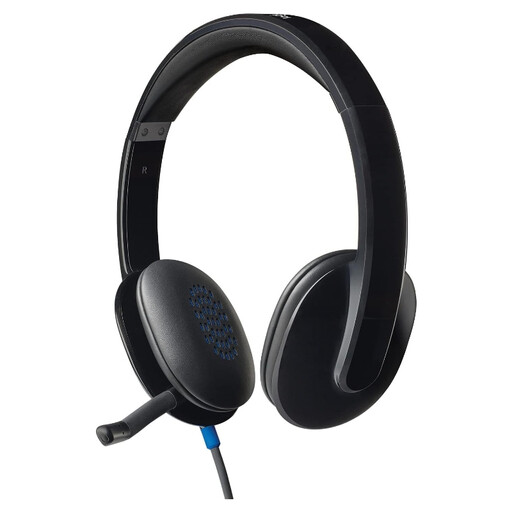
Logitech H540 Wired Headset
A wired headset is worth considering if your practice call shows a listening or speaking problem. Check the connection on your interview device and test both the selected microphone and sound output on the platform.
View on Joybuy
 No image available
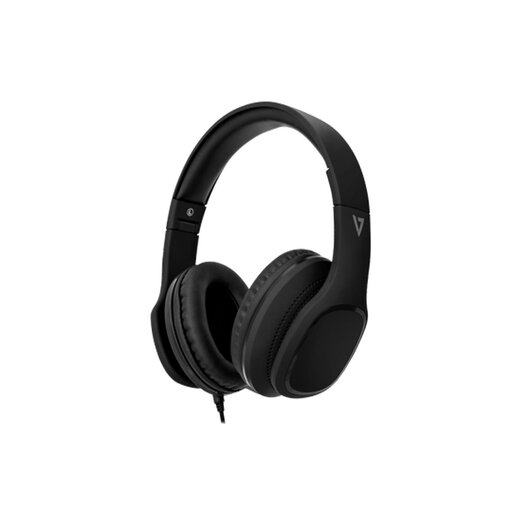
V7 HA701-3EP Wired Over-Ear Headphones
For an audio problem confirmed in a test call, this model is described with 40 mm drivers and an inline MEMS microphone. Check that your interview device's connection supports both headphone output and microphone input before relying on it for the call.
View on Joybuy
 No image available
Targus 2K Webcam with Autofocus
Consider an external webcam if the existing camera still fails or cannot be positioned suitably after troubleshooting. The product name says 2K, while another listing specification says Full HD 1080p; confirm the resolution if it affects your choice. Test the connection, permissions and preview on your interview device.
View on Joybuy
 No image available
j5create JVU250 HD Webcam, Black
This external webcam has an auto and manual focus switch. If your built-in camera is the confirmed issue, check the computer connection and test framing, permissions and the preview before the interview.
View on Joybuy
 No image available
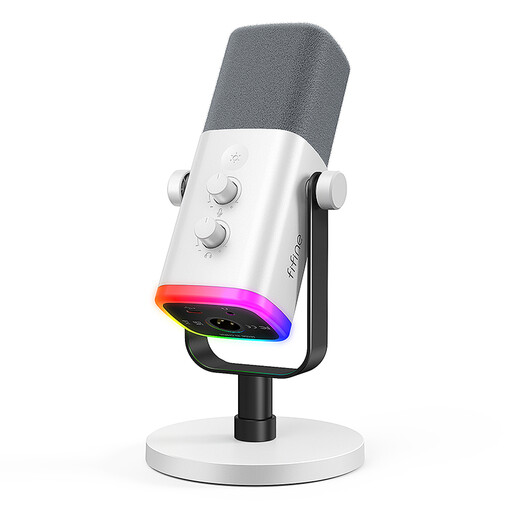
FIFINE AM8W XLR/USB Dynamic Microphone, White
A standalone microphone is relevant when voice capture remains the problem and you already have a way to hear the interviewer. The AM8W name specifies XLR/USB connections, a gain knob, mute button and monitoring jack. Check the connection you plan to use; the XLR cable and boom arm are not included.
View on Joybuy
Video interview tech questions
How do I know whether I need to buy anything?
Make a test call with the intended device, platform, room and connection. If the camera preview, microphone, listening audio and call are working well, check lighting and framing rather than buying equipment for its own sake. UK JobHelp and the National Careers Service recommend testing your technology ahead of an online interview.
Is a headset necessary instead of a laptop microphone?
No—not if your built-in microphone and listening audio work well in the platform test. Consider a headset if the test reveals a sound problem, and confirm that the platform selects its microphone and speakers before the interview.
Will a new webcam fix a poor interview picture?
A webcam is worth considering when the built-in camera remains the problem after you check lighting, positioning, permissions and any privacy shutter. Microsoft Support also advises closing other apps that may be using a camera in Teams; buying another camera will not resolve a blocked permission by itself.
Should I use Wi-Fi or Ethernet?
Use the connection that stays reliable in a practice call on your interview device. If Wi-Fi is unstable and the router is reachable by cable, you can test Ethernet—but check that the computer and any required adapter are compatible, and that you have the cable needed to make the connection.
What if the standard remote-interview setup is inaccessible to me?
Contact the recruiter or interview contact early, explain the barrier and ask what arrangements are available for that interview. Government Digital and Data recruitment guidance gives examples such as changing the interview time, location or format; the arrangements for your interview need to be confirmed with its organiser.


