If desk space and coursework matter alongside the virtual aquarium, start by considering a compact Full HD monitor with an adjustable stand. A compatible USB-C laptop setup or a measured desk with room for an ultrawide may point you towards a different screen. Before choosing by refresh rate, check the aquarium software, your computer’s video output, the required cable and the monitor’s full dimensions.
Who these monitors may suit
Students sharing one desk between work and leisure
A compact screen with an adjustable stand is worth considering when coursework and the aquarium have to fit around the same keyboard and other desk items. Check the complete stand footprint, not just the screen size; Dell and Samsung list adjustable options in their compact ranges.
Laptop-first aquarium viewers
If you want a USB-C display connection for both the aquarium and coursework, check your laptop’s video-output support. LG lists USB-C display connectivity and up to 15W power delivery for the 24U421A-B, but says its required USB-C cable is not included.
Viewers keeping other windows open
A wider screen may appeal if you want the aquarium beside study or chat windows. LG’s 29U511A-B has a 21:9, 2,560 × 1,080 display; measure the desk and check how your aquarium software handles that aspect ratio before choosing it.
What matters when choosing
Start with the usable desk area and your computer’s connection, then decide whether screen positioning, viewing features or space for other windows should drive the choice. A monitor’s advertised refresh rate alone cannot tell you what an unnamed aquarium application will display.
| Concern |
What to check |
Who this matters to |
| Desk fit and positioning |
Compare the full monitor and stand dimensions with your usable desk space. Check which height, tilt, swivel or pivot adjustments the exact model includes. |
If my study desk also holds a keyboard and coursework, I need the screen to fit and sit at a workable position. Roughly 42% of consumers put desk fit and adjustment first. |
| Image and motion |
Compare the exact model’s panel, resolution and refresh-rate settings. Check any viewing features without assuming they guarantee an individual comfort outcome. |
For an aquarium that stays on screen while I work, I want an image and motion setting I am happy to view for long stretches. Around 33% of consumers prioritise those viewing characteristics. |
| Connection and workspace |
Check the computer’s video outputs and the monitor’s inputs. For USB-C, check video and charging compatibility; for an ultrawide, check desk width and the software’s aspect-ratio behaviour. |
I want either a straightforward laptop connection or room to keep the aquarium beside other windows, and need the setup to work with my computer. Approximately 25% of consumers make connection or wider workspace their primary concern. |
Buying pitfalls
-
Assuming the maximum refresh rate is already active
Samsung says its 24-inch S40GD defaults to 60Hz even though it supports a 100Hz setting. The rate you can select also depends on the computer connection and display mode.
After connecting the monitor, check its menu and your computer’s display settings, then confirm that the cable and output support the rate you intend to use.
-
Assuming USB-C will replace the laptop charger
LG lists up to 15W power delivery for the 24U421A-B. That figure alone does not establish whether it meets your laptop’s charging needs or whether your laptop can send video over USB-C.
Check the laptop’s USB-C video support and charging requirements before relying on one connection.
LG says the required USB-C cable is not included, so you may need a separate compatible cable.
-
Choosing an ultrawide before measuring the desk
LG’s 29U511A-B has a 29-inch, 21:9 display. The wider format may serve an aquarium alongside other windows, but screen size alone will not tell you whether its stand and your other desk items fit.
Measure usable desk width and depth, then compare them with the exact monitor’s dimensions, including its stand.
-
Treating a search result as confirmation of stock
A search result for a specific monitor does not establish whether that model can be ordered when you are ready to buy.
Check the current product page, delivery details and complete model number before placing an order.
Brands to consider
These brands have documented models relevant to compact desks, laptop connections or wider workspaces; features differ between models within each range.
Samsung
Samsung’s UK S40GD information is relevant if you are considering an adjustable, 24-inch Full HD IPS screen for mixed study and aquarium use.
- Samsung lists a 100Hz setting, Eye Saver Mode, height adjustment and pivot capability for the 24-inch S40GD.
- Samsung says this model defaults to 60Hz, so check and change the refresh-rate setting if you intend to use 100Hz.
LG
LG documents distinct options for a compact USB-C laptop connection and a wider screen for keeping other windows beside the aquarium.
- LG lists a 24-inch curved Full HD VA display with USB-C on the 24U421A-B, and a 29-inch 21:9 IPS display on the 29U511A-B.
- The 24U421A-B offers up to 15W power delivery and needs a USB-C cable that LG says is not included. Measure desk space before choosing the wider 29U511A-B.
Dell
Dell’s compact Full HD range is relevant if stand adjustment matters and the aquarium will share screen time with other uses.
- Dell UK lists the 23.8-inch IPS S2425HSM with 144Hz, integrated speakers and an adjustable stand.
- A 144Hz monitor does not establish that your aquarium software or computer will produce that refresh rate. Check those requirements before treating it as a reason to choose this model.
Joybuy monitor options
These options span compact adjustable monitors, a larger conventional screen and an ultrawide for keeping other windows beside the aquarium. Choose by your desk measurements, computer connection and intended display mode rather than assuming every option serves the same setup.
 No image available
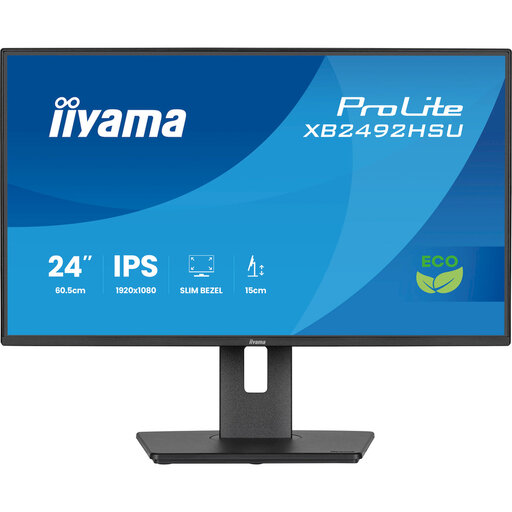
iiyama ProLite XB2492HSU 24-inch Full HD monitor
Consider this 24-inch option if a shared study-and-leisure desk calls for a compact screen. Check its full stand dimensions against your usable desk area and confirm that your computer can provide the aquarium software’s required display mode.
View on Joybuy
 No image available
Samsung S40GD LS22D400GAUXXU 22-inch Full HD monitor
The 22-inch screen is worth considering when desk space is tight. Check the complete stand footprint and the computer connection before choosing it; do not assume specifications for Samsung’s separate 24-inch S40GD variant apply to this model.
View on Joybuy
 No image available
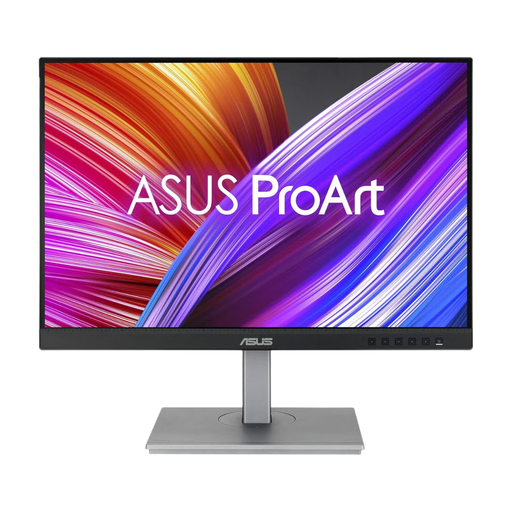
ASUS ProArt PA248CNV IPS WUXGA monitor
Consider this IPS WUXGA model if the monitor will also serve coursework. Confirm the aquarium software’s supported resolution and your computer’s output, and check the monitor’s full dimensions against your desk.
View on Joybuy
 No image available
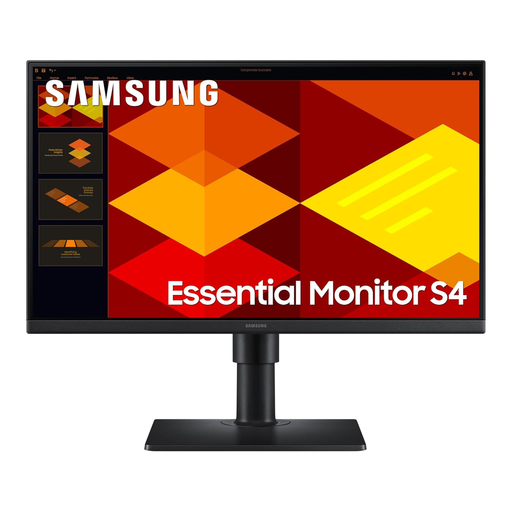
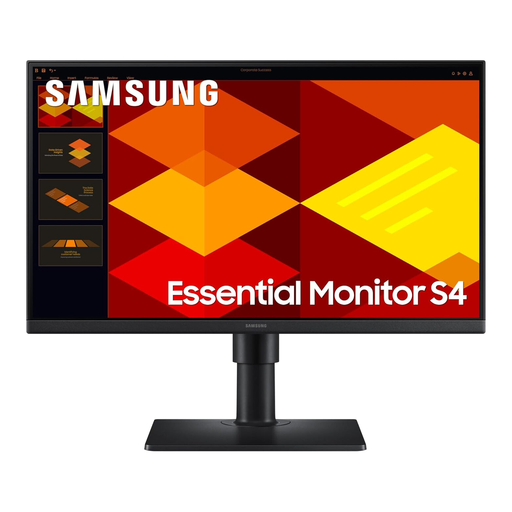
Samsung LS27D400GAUXXU 27-inch Full HD IPS monitor
A 27-inch Full HD IPS screen may suit you if the desk has room for a larger conventional display. Compare its complete dimensions with the available space and check that Full HD is an appropriate output mode for your computer and aquarium software.
View on Joybuy
 No image available
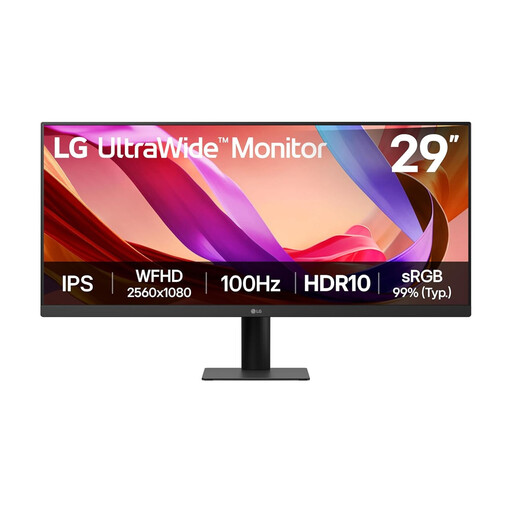
LG UltraWide 29U511A 29-inch IPS 100Hz monitor
The ultrawide format is worth considering if you want the aquarium beside study windows. Its title specifies a 29-inch IPS screen and 100Hz; measure desk space and confirm your computer and aquarium software support the intended widescreen display mode.
View on Joybuy
Frequently asked questions
Do I need a 144Hz monitor for a virtual aquarium?
Not necessarily: the appropriate refresh rate depends on the aquarium software and the display modes your computer can output. Dell UK lists 144Hz for the S2425HSM, but that monitor specification alone does not establish what your application will display.
Can one USB-C cable connect and charge my laptop?
It can do both only if the laptop supports video output over USB-C and the monitor’s power delivery meets its charging needs. LG lists USB-C display connectivity and up to 15W power delivery for the 24U421A-B, and says the required cable is not included.
Why does a 100Hz monitor show 60Hz?
The selected setting may be lower than the monitor’s maximum. Samsung says its 24-inch S40GD defaults to 60Hz and can be adjusted to 100Hz; check the monitor menu, computer settings and connection for the display mode you want.
How should I dispose of an old monitor in the UK?
Check an appropriate electrical-equipment recycling or take-back route rather than putting the monitor in ordinary household waste. GOV.UK describes the Waste Electrical and Electronic Equipment Regulations 2013, as amended; for your practical disposal options, check the retailer’s current take-back arrangements or your local authority’s household-electrical recycling guidance.


