What matters when choosing
Start with the exact game and device, then decide how much space and cable clutter you can accommodate. Consider button layout and platform-specific extras only after those checks.
| Concern |
What to check |
Who this matters to |
| Game and device compatibility |
Check the visual novel’s controller options and the controller’s support for your device. For a Steam game that needs mapping, test the required actions in that game. |
If my visual novel mixes button presses with cursor actions, I need to know whether I can control the parts I actually use. Around 42% of consumers would put game and device compatibility first. |
| Desk space and connection |
Compare dimensions for storage and check whether your chosen connection needs a cable, an available USB port or a receiver. |
With little room beside my keyboard, I want a controller I can store conveniently and connect without unwanted clutter. For around 33% of consumers, that is the primary concern. |
| Layout and platform fit |
Compare the D-pad and button layout with your preferred controls. Check whether any advanced feedback requires a supported game or a particular connection. |
If I mostly play on one console, I want familiar controls on that platform rather than features my visual novel may never use. Layout and platform fit come first for around 25% of consumers. |
Joybuy controller choices
These controllers offer choices for PC-led setups, including Xbox-oriented and PC-or-PS4 use. Check each visual novel’s controls and the controller’s connection requirements; a product in this group is not necessarily a compact option.
 No image available
Microsoft Xbox One S Elite Wireless Controller Series 2 (Xbox One/Xbox Series X/S/PC)
Consider this wireless model for an Xbox or PC setup if its layout suits you. Check the exact visual novel’s controls and the controller’s dimensions if storage space is tight.
Joybuy
 No image available
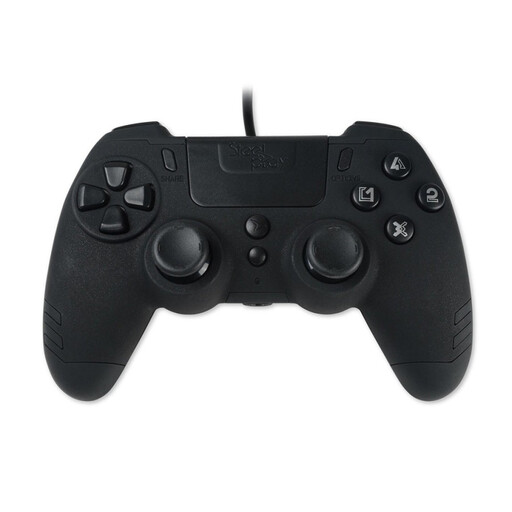
LEXIP SteelPlay Slim Pack Wired Controller, Ebony Black
Consider this wired controller for a PC or PS4 setup if you have room to manage its cable. Check the connection you need and whether your visual novel accepts controller input.
Joybuy
 No image available
Machenike G3 V2 Tri-mode Controller, White
Consider this tri-mode model if you use a PC and want to compare connection options. Confirm which mode suits your device, the space needed to store it and your game’s controller support.
Joybuy
 No image available
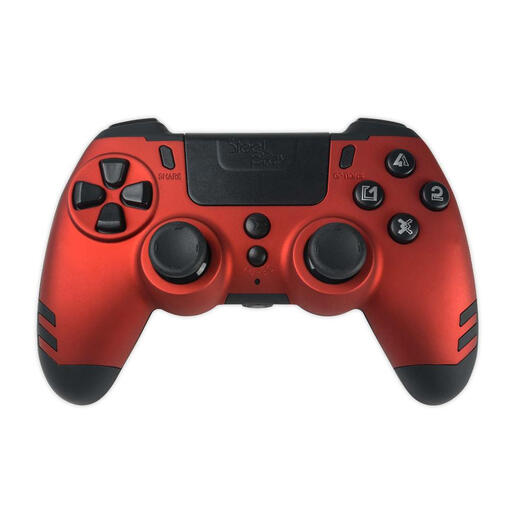
Lexip SteelPlay Slim Pack Wireless Controller, Ruby Red (PS4, PC)
Consider this wireless option for a PS4 or PC setup if avoiding a controller cable matters to you. Confirm its connection method, charging needs, storage dimensions and support in the game you play.
Joybuy
Frequently asked questions
Do all visual novels work with a controller?
No. Check the individual game’s controller options before buying. Valve explains that Steam Input can translate controller actions into gamepad or mouse-and-keyboard input, but the game may still limit which actions work.
Is the 8BitDo SN30 Pro a practical size for a small desk?
It is a compact option to consider for storage: 8BitDo lists it at 144 × 63.5 × 33 mm and 114 g. Check its device compatibility and how it feels in your hands; its dimensions alone cannot establish comfort or game support.
How can I connect an SN30 Pro to a Windows PC?
8BitDo’s manual describes Bluetooth pairing through Windows settings and wired use in its documented Windows mode. It specifies Windows 10 version 1903 or later, so check your Windows version and follow the instructions for the connection you choose.
Will DualSense haptics work in every PC visual novel?
No. Sony says haptic feedback and adaptive triggers may require USB and support from the game. Check the particular title rather than assuming those features will be available.
What should I do with an old rechargeable controller in the UK?
Take unwanted electrical products and batteries to an appropriate collection point rather than putting them in household rubbish, as GOV.UK advises. Check your local collection instructions for how to hand in the controller and any removable batteries.


