What matters when choosing?
Decide whether you need an independent handheld or want to use an existing PS5, then check the exact visual novels you plan to play. A personal screen alone does not establish game availability or a suitable private-audio setup.
Nintendo Switch 2
Consider it when: You want a self-contained Nintendo console for handheld reading and compatible Switch games.
Keep in mind: Nintendo says some original Switch games are unsupported or not fully compatible on Switch 2.
Nintendo Switch OLED Model
Consider it when: Your chosen games have Switch editions and you value its 7-inch OLED screen and adjustable tabletop stand.
Keep in mind: Check whether upcoming titles you want are released for the original Switch rather than only newer platforms.
Steam Deck OLED
Consider it when: Steam titles or an existing Steam library drive your choice.
Keep in mind: Deck compatibility varies by game, so a place in Steam’s catalogue is not enough to settle the choice.
PlayStation Portal
Consider it when: You already own a PS5 and want to play compatible games away from the shared TV.
Keep in mind: Portal is not a standalone console or a PS4 accessory; Remote Play depends on your PS5 and network.
| Concern |
What to check |
Who this matters to |
| Private, TV-free play |
Try the screen size for reading text and confirm that your preferred headphones work with the device’s audio connection. |
I want to read and hear dialogue without taking over the TV or playing sound into the room; around 42% of consumers put private, TV-free play first. |
| Access to chosen games |
Shortlist exact titles, then check platform, language, edition and compatibility; use Steam Deck ratings or Nintendo’s Switch 2 compatibility information where relevant. |
My choice hinges on being able to play particular stories or use my Steam library; for around 33% of consumers, access to their chosen games comes first. |
| Using an existing PS5 |
Confirm PS5 ownership, the intended games and Remote Play setup, then assess bedroom Wi-Fi. Sony recommends at least 15 Mbps for Portal Remote Play. |
I would rather move games from my PS5 to a personal screen than start another game library; roughly 25% of consumers prioritise using their existing PS5 setup. |
Joybuy products for these routes
These two products serve different shared-bedroom setups: Switch 2 is a self-contained handheld console, while PlayStation Portal is for Remote Play from a PS5 you already own. Check your intended visual novels before choosing either route.
 No image available
Nintendo Switch 2 Console (UK Version)
A self-contained handheld option for reading away from the shared TV. Nintendo lists a 7.9-inch 1080p screen and a 3.5 mm audio jack for Switch 2.
If your shortlist includes original Switch games, check each title’s Switch 2 compatibility: Nintendo says some are unsupported or not fully compatible.
View on Joybuy
 No image available
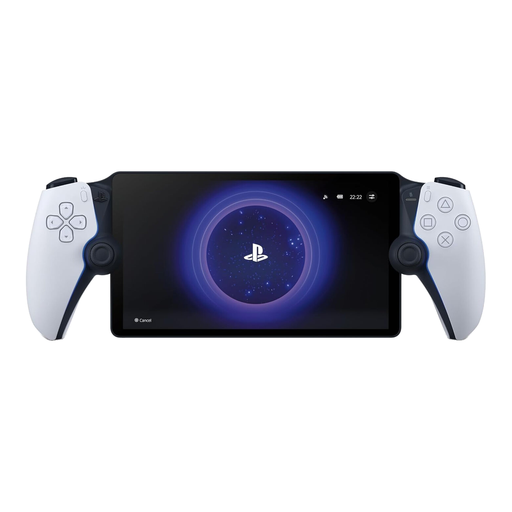
Sony PlayStation Portal Remote Player
A personal-screen option if you already have a PS5 with games you want to play through Remote Play. PlayStation confirms support for compatible wired 3.5 mm headphones or earbuds.
Portal is not a standalone console and does not connect to PS4 consoles. Check your intended games and bedroom connection; Sony recommends a stable connection of at least 15 Mbps for Remote Play.
View on Joybuy
Frequently asked questions
Can I use wired earbuds for quiet visual-novel sessions?
Yes, if the earbuds have a compatible connection: Nintendo lists a 4-pole 3.5 mm jack for Switch 2, and PlayStation says Portal accepts wired headphones or earbuds compatible with its 3.5 mm input. Check the plug and fit; that does not establish that every headset’s microphone or controls will work.
Do I need a PS5 for PlayStation Portal?
Yes, PlayStation Portal connects to a PS5 for Remote Play and is not compatible with PS4 consoles, according to PlayStation. Before choosing it for the bedroom, confirm your PS5 Remote Play setup, intended games and Wi-Fi connection.
Will my Nintendo Switch visual novels work on Switch 2?
Check each title rather than assuming it will: Nintendo says Switch 2 plays compatible physical and digital Switch games, but some are unsupported or not fully compatible. Look up the exact game’s Switch 2 compatibility before choosing the console for it.
How can I assess a visual novel for Steam Deck OLED?
Look up the exact game’s Steam Deck compatibility rating in Steam. Valve uses these ratings to describe the expected Deck experience and notes that some Steam games need extra configuration or are not compatible with SteamOS.
Does a PEGI rating tell me how difficult a visual novel is?
No. PEGI says its age ratings concern content suitability, not game difficulty. If a younger person will play, check the individual title’s age rating and content descriptors even if its controls look simple.


