Solo phone-based narrator
If you walk and speak alone, a small clip-on setup can keep the kit simple. Check the phone connection, windscreen and recording app together: a connector that fits is only part of a working setup.


For a solo walking tour recorded on a phone, start by looking for a compact clip-on microphone with the right phone connection, wind protection and enough battery for the route. If you also use a camera, record a second speaker or cannot repeat a take, consider a receiver-equipped system or one with onboard recording; check its recording-app compatibility and backup workflow before buying. Outdoor wireless reception needs a route check: Ofcom notes that shared licence-exempt bands can experience interference.
If you walk and speak alone, a small clip-on setup can keep the kit simple. Check the phone connection, windscreen and recording app together: a connector that fits is only part of a working setup.
Breeze, traffic and shifts in speaking volume make microphone placement, wind protection and a short outdoor test important. Plan battery life around the full route rather than an advertised wireless range.
If you record a guest, switch between phone and camera, or cannot easily repeat a section, check the number of transmitters, receiver connections and whether the exact system can record a backup internally.
Choose around the part of the walk that would be hardest to fix afterwards, then confirm that the microphone works with your recording device and app. Each audience below is described by its main purchasing concern.
| Concern | What to check | Who this matters to |
|---|---|---|
| Outdoor speech and wind | Check for a windscreen and a secure place to clip the transmitter. Make a short recording outdoors to judge the result. | When I narrate beside traffic or in a breeze, I need my voice to remain usable without assuming a windscreen will remove every gust. Around 36% of consumers put outdoor speech and wind first. |
| Phone recording | Match the receiver or adapter to the phone port, then confirm that the intended recording app accepts its audio. | I want to start recording on my phone without discovering that the connection or app interrupts the workflow. For around 29% of consumers, straightforward phone recording is the main concern. |
| Backup and device flexibility | For camera use, check the receiver output and cable. For a difficult-to-repeat take, check whether the exact transmitter records internally. | If a section cannot easily be recorded again, I need a way to protect the take or move between devices. Keeping that recording workflow flexible comes first for around 21% of consumers. |
| Long routes or two speakers | Check how many transmitters the kit includes and distinguish single-charge runtime from case-supported runtime. | A lengthy walk or a guest speaker changes how I plan charging and microphone capacity. Around 14% of consumers make session length or two-speaker recording their primary concern. |
DJI measures the Mic Mini’s stated 400 m maximum in an open, unobstructed environment free of interference. Ofcom also notes that shared licence-exempt bands can experience interference, so that figure is not a prediction for a busy walk.
Record a short section on the intended route with the transmitter and receiver positioned as they will be during the tour.
RØDE offers USB-C and Lightning versions of Wireless Micro; DJI says a Lightning-port phone needs an adapter for Mic Mini. Shure MoveMic One’s direct-to-phone workflow uses compatible MOTIV apps, with a separate receiver for broader device and app use.
Write down the phone port, recording app and any camera input before choosing the exact kit or accessories.
If crowds, weather or access make a section difficult to repeat, a recording made only on the phone may leave you without a separate copy. RØDE specifies onboard recording for Wireless PRO, but that feature should not be assumed across simpler systems.
Check whether the exact transmitter records internally and practise retrieving its files before setting out.
Shure states an IPX4 rating for MoveMic One, but resistance to splashes does not establish how speech will sound in wind. Clothing rubbing against a clip-on microphone is a separate recording concern.
Fit a windscreen where supplied, position the microphone clear of rubbing fabric and listen to a brief outdoor test.
RØDE offers a direct-to-phone Wireless Micro system and a more involved Wireless PRO system for productions that need additional recording options.
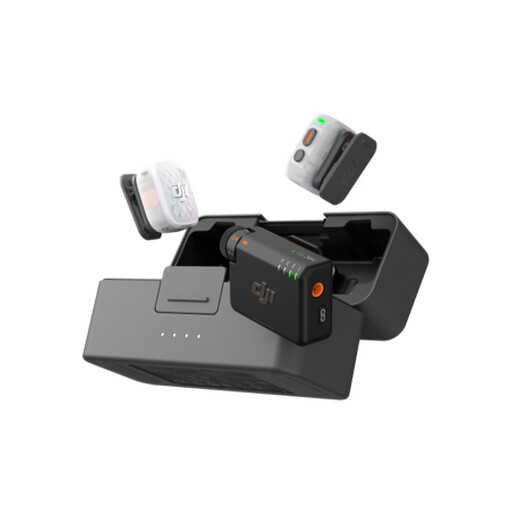
DJI Mic Mini is a compact receiver-based option to assess when the recording may involve a phone, camera or second speaker.
Shure MoveMic One is a single-channel, direct-to-phone lavalier built around compatible MOTIV mobile apps.
These clip-on wireless microphone kits cover phone-connection choices and two-transmitter setups for walking-tour narration. Compare the exact receiver variant with your phone and recording app, and check wind protection and session length for the route you plan to record.
 No image available
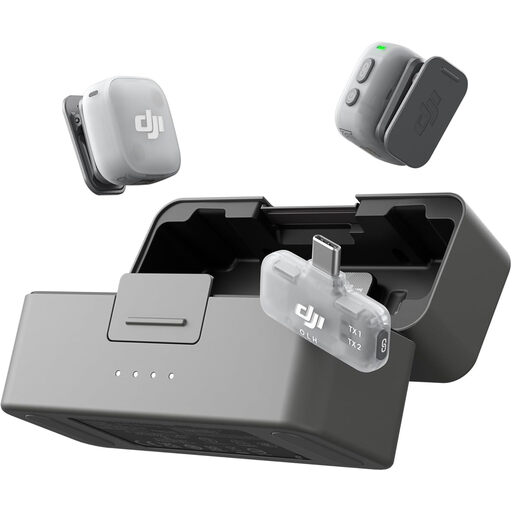
A two-transmitter kit to consider when the narration may include a second speaker and a mobile-receiver workflow.
Confirm that your phone and recording app accept the intended connection, and check windscreen provision before an outdoor recording.
 No image available
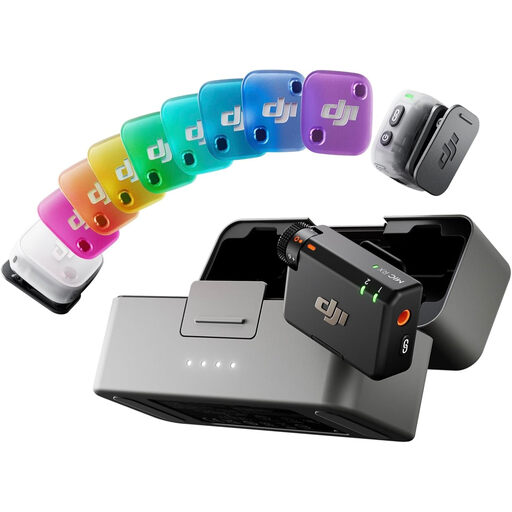
The two transmitters make this kit relevant when a guide and guest both need microphones.
Check the receiver connection against your device and recording app, and confirm what wind protection the kit supplies.
 No image available
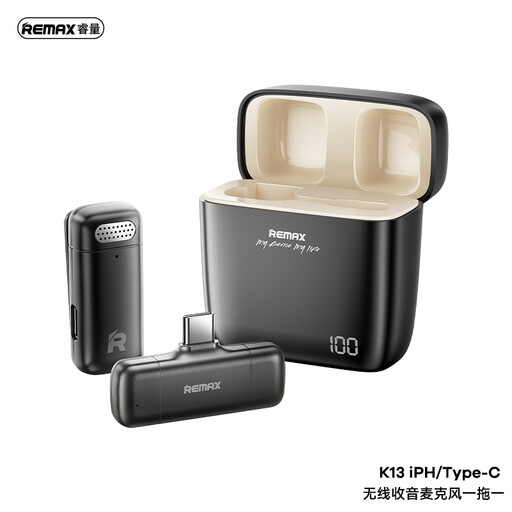
A USB-C variant to consider for solo phone narration when that connection fits the intended device.
Confirm recording-app compatibility, wind protection and battery duration against the full planned walk.
 No image available
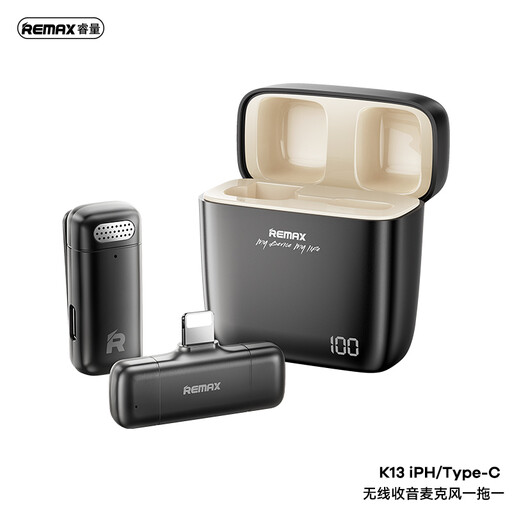
A Lightning variant to consider for solo narration with a compatible phone.
Check that the intended app accepts the microphone, and confirm wind protection and battery duration before recording a long route.
 No image available
The two-transmitter configuration is relevant if a walking tour includes a second voice.
Confirm the receiver’s connection to your phone or camera, recording-app compatibility and wind protection for the exact kit.
No claimed maximum range guarantees reception on the route you will walk. DJI measures the Mic Mini’s stated 400 m maximum in open, unobstructed, interference-free conditions, while Ofcom notes that shared licence-exempt bands can experience interference. Test a short recording with your devices in their intended positions.
Match the exact phone port and recording app to the microphone system, not just the word “phone” in its description. RØDE offers USB-C and Lightning Wireless Micro versions; DJI says a Lightning phone needs an adapter for Mic Mini. Shure MoveMic One pairs directly through compatible MOTIV apps and needs its separate receiver for broader app and device use.
Consider where you record, what identifiable footage you retain and how you intend to publish it. The Information Commissioner’s Office advises organisations using portable recording technology to inform people through signage or announcements where possible. That organisational guidance does not settle every personal recording situation, so assess the circumstances of your own recording and publication.