What should you prioritise before buying?
Mesh Wi-Fi
Choose when: Several rooms or floors need coverage and you can place extra nodes where they have a workable connection to the network.
Trade-off: It uses more equipment and setup than a single extender, and each wireless node still needs a viable route back to the network.
Wi-Fi extender
Choose when: One localised weak spot needs attention and an intermediate position can receive the router's signal.
Trade-off: Repeating a wireless connection can affect speed or responsiveness; mesh-style roaming requires compatible equipment.
Powerline networking
Choose when: Wireless backhaul is obstructed and the selected kit can use the available electrical route.
Trade-off: Results depend on the wiring, and some kits provide Ethernet rather than Wi-Fi at the remote unit.
Wired access point
Choose when: An Ethernet socket or an acceptable removable cable route reaches the room.
Trade-off: It needs a cable path, which may be impractical if installation would alter a rental property.
Replacement router
Consider when: Checks suggest the current router is the weak point and your broadband service and ISP settings allow another router.
Trade-off: A different router cannot guarantee coverage through distance or obstructive walls, and some existing features may change.
The table organises the main needs consumers weigh when extending Wi-Fi to a weak room while keeping the router in place.
| Concern |
What to check when buying |
Who this matters to |
| Coverage in several rooms |
Where nodes can be placed; whether wireless or Ethernet backhaul is practical; which features remain in bridge or access-point mode. |
When several rooms or floors have weak Wi-Fi, I need nodes with a workable path back to the network. Consumers whose main priority is covering several weak rooms account for around 33%. |
| One reachable dead zone |
Whether an intermediate socket can receive the existing Wi-Fi; whether the device's mesh mode is compatible with the router. |
If most of the home works, I want a targeted fix for one bedroom or study without adding a whole-home setup. Consumers putting one reachable dead zone first account for around 25%. |
| An obstructed wireless route |
For powerline, check the kit's circuit requirements and whether its remote unit provides Wi-Fi; for an access point, check the Ethernet route. |
When walls, floors or distance make a wireless link difficult, I need another way to connect the room. Consumers whose main concern is bypassing an obstructed wireless path account for around 25%. |
| A removable rental setup |
Check access to the shared router, suitable sockets and whether a removable cable route is acceptable. |
If I may need to take the equipment with me, I need a setup that does not rely on unapproved property alterations. Consumers prioritising a removable shared-rental setup account for around 17%. |
Joybuy products for extending home Wi-Fi
These Joybuy product choices cover mesh systems, Wi-Fi extenders and a powerline Wi-Fi kit for reaching rooms with weak coverage.
 No image available
NETGEAR Orbi 370 RBE373 WiFi 7 Mesh System, 3-Pack
A three-unit mesh system for households considering coverage across several rooms.
The listing describes dual-band Wi-Fi 7 BE3600, one router and two satellites, with a 2.5Gbps LAN port on each satellite. It requires a high-speed internet connection and an existing modem or gateway; additional units still need workable positions and a connection back to the network.
View on Joybuy
 No image available
TP-Link RE220BE BE3600 Wi-Fi 7 Range Extender
For a single weak-signal area where an intermediate position can still receive the existing Wi-Fi.
The listing identifies range-extender and access-point modes, dual-band Wi-Fi and a 1Gbps Ethernet port. Place it within range of the router; it cannot repeat a signal it does not receive.
View on Joybuy
 No image available
TP-Link Deco BE22 BE3600 Whole Home Mesh Wi-Fi 7 System, 3-Pack
A three-unit mesh option for consumers considering coverage across multiple rooms.
The listing describes dual-band Wi-Fi 7 BE3600, wired and wireless backhaul, and two Ethernet ports per unit. The additional units need suitable positions and a workable route back to the network.
View on Joybuy
 No image available
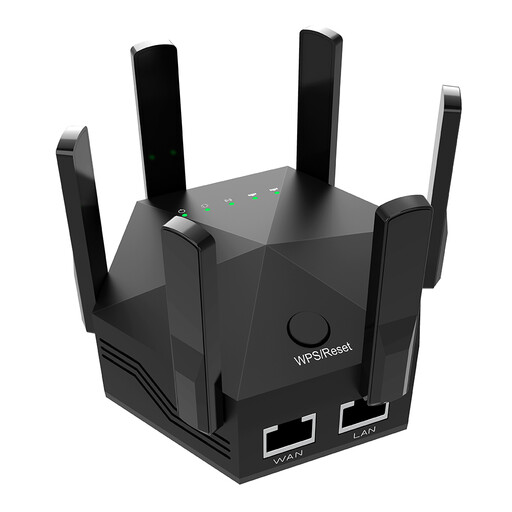
Dual-Band Wi-Fi Signal Extender, 1200Mbps
For a targeted weak area where a plug-in extender can be placed between the router and the room.
The product name lists six adjustable antennas, two Ethernet ports and a UK plug. The stated 1200Mbps is a product rate, not a guarantee of broadband speed in the distant room; placement still needs to receive the router's signal.
View on Joybuy
 No image available
TP-Link TL-WPA8631P KIT AV1300 Gigabit Powerline Wi-Fi Extender Kit
For a distant room where wireless backhaul is difficult and the powerline route may be suitable.
The listing describes dual-band Wi-Fi at the remote unit and three Gigabit Ethernet ports. TP-Link's setup guidance requires the adapters to be on the same electrical circuit; results depend on the wiring in the property.
View on Joybuy
Frequently asked questions
What should I check before deciding the router cannot reach the room?
Compare the connection near the router with the one in the weak room, and check whether the router can be placed unobstructed. Ofcom notes that building materials and obstacles can weaken indoor Wi-Fi; a Wi-Fi extender will not resolve a broadband-service problem.
Can I set up Wi-Fi equipment that I can take out of a shared rental?
Plug-in extenders and powerline kits can be unplugged, and mesh nodes can be freestanding. Check that you can access the shared router and suitable sockets, and that any Ethernet cable route is acceptable; do not assume permanent cabling is permitted.
Does a powerline kit automatically give a distant room Wi-Fi?
No; check whether the remote unit provides Wi-Fi or Ethernet only. The TP-Link TL-PA7017P KIT provides Ethernet at the remote end, and TP-Link says its powerline setup needs at least two adapters on the same electrical circuit.
Will mesh work if I keep my ISP router?
It can, if the chosen system supports a suitable configuration and connection to the existing network. eero documents bridge mode, which requires one eero to remain connected by Ethernet, and says some advanced features are unavailable in that mode; check the instructions for the exact system.
What security and UK equipment checks should I make?
Check the exact model's security-update information and how updates are provided; the National Cyber Security Centre says manufacturers must state the minimum period for important security updates. UK Government guidance says the consumer connectable-product security regime took effect on 29 April 2024. For powered equipment, check the requirements for its destination: official guidance distinguishes Great Britain from Northern Ireland for radio-equipment rules, including Northern Ireland amendments effective on 16 December 2025.


