Campers planning an offline route
If mobile data may drop out on the approach, save the route area before leaving reliable Wi-Fi. Google Maps Help says its offline guidance requires the entire route to lie within the downloaded map.


Choose a phone that works with the offline maps you intend to use, and save an area covering the campsite approach before travelling. Then weigh battery and charging needs against outdoor screen readability, handling and the exact model’s stated dust and water resistance. A 5G handset alone cannot establish coverage at a particular campsite; Google Maps and Apple Maps also have different offline limits.
If mobile data may drop out on the approach, save the route area before leaving reliable Wi-Fi. Google Maps Help says its offline guidance requires the entire route to lie within the downloaded map.
If the same phone handles directions, bookings and communication over a long weekend, consider how you will recharge it. A stated battery-life figure is not a promise of navigation runtime.
Reading directions in bright light, rain or dust makes the exact model’s display and stated ingress-protection rating relevant. Check the manufacturer’s conditions rather than treating a rating as unlimited protection.
For campsite directions, settle the map and coverage plan before comparing charging arrangements, outdoor handling and your preferred phone platform.
| Concern | What to check | Who this matters to |
|---|---|---|
| Offline routes and signal | Save an area containing the whole driving route. Use Ofcom’s postcode checker to assess coverage by provider at the campsite. | If I may lose data on the approach, I need directions already saved on my phone; around 33% of consumers put offline-route reliability first. |
| Battery and charging | Check the exact model’s battery claims and charging connection, then plan a compatible power bank and cable if mains power is limited. | For a weekend away from a socket, I need to keep enough charge for directions and communication; around 27% of consumers prioritise power and charging. |
| Outdoor screen and protection | Compare the exact model’s display size, stated brightness conditions, weight and dust or water-resistance rating. | When I read a map outside, I need a manageable screen and protection suited to the conditions; around 20% of consumers put outdoor handling first. |
| Map-app and driving setup | Check your preferred app’s offline features and storage needs. If driving, set the route before moving and use a mount that does not obstruct your view. | I want directions to fit the phone and map app I already use without handling the device on the road; around 20% of consumers make platform fit and safe use their primary concern. |
Coverage varies by location and provider, so a handset’s network capability cannot tell you whether live map data will be available on the approach.
Check the campsite postcode with Ofcom’s mobile coverage checker and download the route area before leaving reliable Wi-Fi.
Google Maps Help says offline guidance requires the whole route inside the downloaded area; its offline mode does not provide walking, cycling or public-transport directions, traffic information or alternative routes. Apple Maps offline areas are available only in selected locations.
Save the approach as well as the campsite area, and check the route in the transport mode you intend to use.
Downloaded maps use phone storage, so check the displayed download size before saving a large area.
GOV.UK guidance says holding and using a phone while driving is illegal, including when stopped in traffic. Hands-free access does not remove the need to stay in control.
Set directions before moving. Keep any mount clear of your road view, and stop safely if you need to change the route.
A Pixel may suit someone who wants a Google-led Android and Google Maps workflow. Google Maps Help says an offline driving route must remain inside the downloaded area.
An iPhone may suit someone who already uses Apple Maps. Apple Support says offline maps require iOS 17 or later and are available only in selected areas.
Galaxy phones provide another Android route for using Google Maps offline areas. Compare individual models rather than assuming a feature carries across the range.
These Android phone choices are relevant if you plan to prepare a Google Maps offline area for a campsite trip. Check the exact route, location features and charging arrangements for the model you choose; the phones are not a substitute for checking local network coverage.
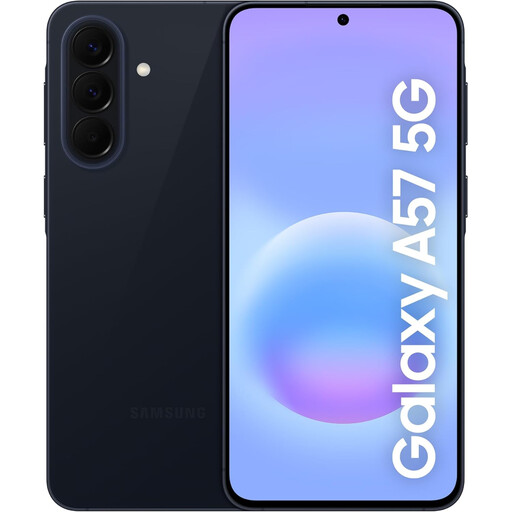 No image available
Consider this model if you want a Galaxy phone for a Google Maps route prepared before travel.
For campsite use, check the model’s charging arrangements and the conditions of its stated resistance rating. Keep the full driving route within the offline map.
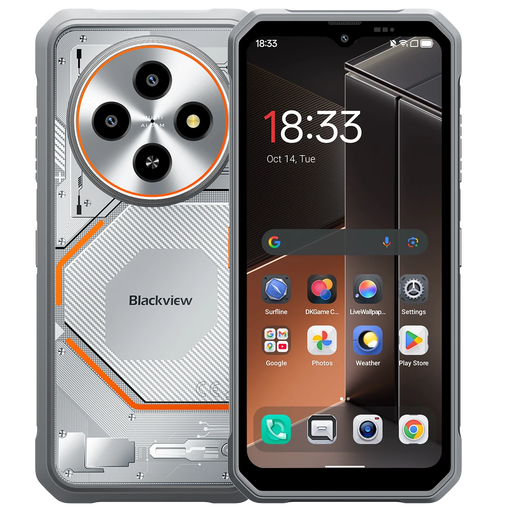 No image available
Consider this model if GPS and a stated resistance rating are priorities when checking campsite directions.
Its name specifies a 6.56-inch HD+ display, 5,000 mAh battery, GPS and IP68. Check the manufacturer’s exposure conditions, and download an area containing the whole route before travelling.
 No image available
This is a Pixel option for a Google Maps-led campsite route; prepare the offline area before leaving reliable data coverage.
Check whether its handling and charging arrangements suit your trip. A general battery-life claim should not be treated as navigation runtime.
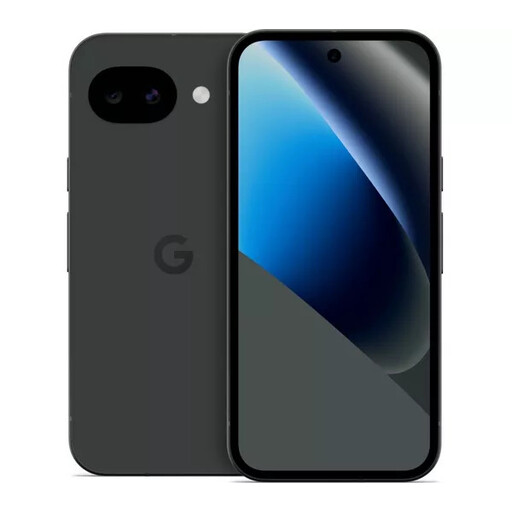 No image available
Consider this Pixel if your campsite decision centres on checking maps outdoors as well as storing an offline route.
Confirm its location features if you need the phone to show your position on a map. Download the whole approach route, and plan charging rather than treating a typical-use battery claim as navigation runtime.
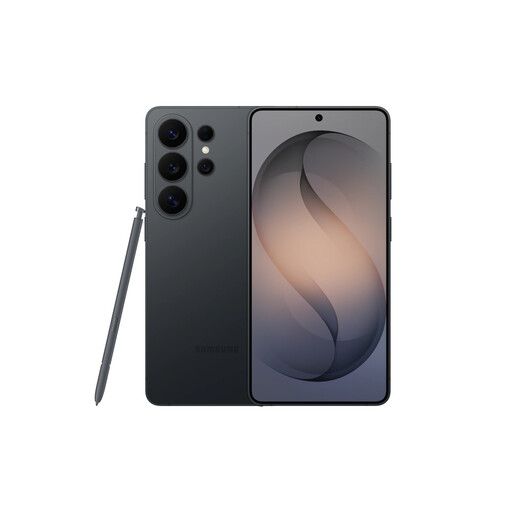 No image available
Consider this Galaxy model if you want room to store maps and other trip files while using an Android navigation workflow.
Confirm its location features if showing your position on the map is essential. Check the charging equipment you will need, and do not treat a video-playback battery claim as navigation runtime.
Yes, if mobile data may be unreliable. Google Maps Help says offline guidance requires the whole route inside the downloaded area; Apple Support says Apple Maps offline downloads require iOS 17 or later and are available only in selected areas.
5G support does not establish coverage at a particular campsite. Use Ofcom’s mobile checker to look up the postcode and compare providers before relying on live directions.
GOV.UK guidance says it is illegal to hold and use a phone while driving, including when stopped in traffic, apart from limited exceptions. Set the route before moving; hands-free access still requires an unobstructed road view and control of the vehicle.
No: IP68 is a model-specific rating with stated test conditions, not unlimited protection. For example, Apple specifies the iPhone 16 rating under IEC 60529 at up to 6 metres for up to 30 minutes; check the conditions for the exact phone you intend to take.
GOV.UK identifies 999 and 112 as UK emergency numbers. Knowing them does not replace checking coverage and preparing directions before travelling to a remote campsite.