Remote workers with a weak home-office connection
If calls or desk devices struggle mainly in a room far from the router, compare the connection there with one close to the router before choosing coverage equipment.


Check whether the connection is weak only in the distant workspace or throughout the home before buying equipment. If it works acceptably near the router, consider mesh for several weak rooms, a booster for one weak spot, or powerline for a fixed desk where the sockets share an electrical circuit. If problems also occur near the router, investigate the broadband service first; change the router only after checking its capabilities and your provider’s requirements.
If calls or desk devices struggle mainly in a room far from the router, compare the connection there with one close to the router before choosing coverage equipment.
When Wi-Fi works near the router but weakens across several rooms or floors, compare a multi-node mesh layout with a booster intended for one weak spot.
A powerline kit is worth considering for a fixed desk if the router-side and workspace-side sockets are on the same electrical circuit.
Start with the location of the problem, then choose equipment for the rooms and devices that need a connection.
| Priority | What to check | Your needs |
|---|---|---|
| Broadband or Wi-Fi? | Compare the connection near the router and at the desk. Check provider service status; Ofcom advises testing speeds at different times over several days. | If every room struggles, I want to investigate the service before buying devices to extend Wi-Fi. |
| Several weak rooms | Plan where mesh units could sit between the router and weak rooms. Ofcom describes mesh as boxes placed around the home that connect to the existing router and create their own Wi-Fi network. | I need coverage in the workspace and other distant rooms, rather than a fix aimed at one corner. |
| One weak spot | Check router placement and whether a booster can be positioned where it still receives a usable connection. Confirm its compatibility and placement guidance. | Wi-Fi is otherwise usable, but one workspace needs help. |
| Fixed desk | Check whether powerline adapters can use sockets on the same circuit and whether the desk needs Ethernet or a Wi-Fi-capable adapter. TP-Link says its adapters must share a circuit to communicate. | For a desk that stays put, I would rather check a nearby wired connection than rely entirely on the distant Wi-Fi signal. |
| Router compatibility | Check the current router’s capabilities and the provider’s setup requirements. For a direct Openreach full-fibre ONT connection, Openreach specifies a powered ONT and Cat5e/Cat6 Ethernet into the router’s WAN port. | If I change the router, I need it to work with my broadband connection and any provider voice service. |
Extra Wi-Fi nodes cannot resolve a provider outage or a connection problem that also occurs near the router.
Check the provider’s service status and repeat speed tests at different times, as Ofcom advises, before treating the workspace as a coverage problem.
Walls, interference and unit placement affect whether a mesh signal reaches the intended desk.
Plan positions between the main router and workspace, and check whether compatible units can be added if needed.
TP-Link states that its powerline adapters will not communicate when connected to different electrical circuits.
Check the intended sockets before purchase and try another wall socket if the installed link indicates a poor connection.
A third-party router may need provider-specific settings, while a provider voice service may depend on the supplied hub.
Confirm the connection type, WAN requirements, setup instructions and voice-service arrangements before disconnecting the existing router.
These ranges illustrate different routes; a brand reference does not establish that every model suits a particular home.
The Deco range covers multi-unit mesh systems, while TP-Link also offers powerline equipment for a fixed-room connection.
eero is relevant when building or extending an eero mesh network.
The Orbi range offers multi-unit mesh systems for covering rooms beyond the main router.
These options cover mesh systems for several weak rooms and powerline kits for a fixed workspace. Match the layout or desk connection to the relevant option after checking whether the broadband service is working near the router.
 No image available
Consider this three-unit mesh system when the workspace is one of several rooms with weak Wi-Fi. Plan unit positions for your layout and check the provider’s setup requirements before changing the existing router arrangement.
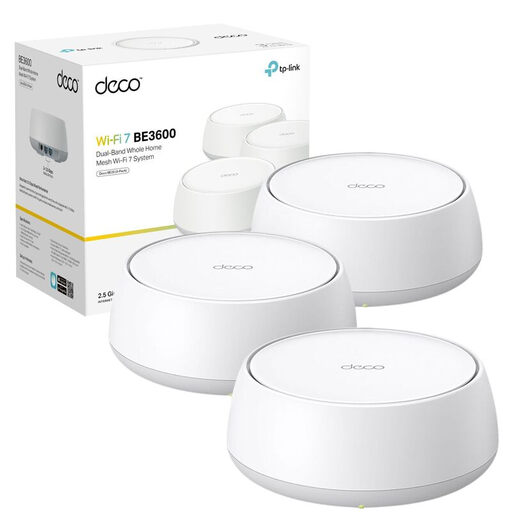 No image available
This three-pack is another mesh option for a workspace and other distant rooms. Check where the units can sit and how the system would connect to your provider’s equipment.
 No image available
A router and two satellites make this a mesh option for a distant workspace and other weak rooms. Check the positions between units and how the router would connect to your modem or gateway before changing the existing setup.
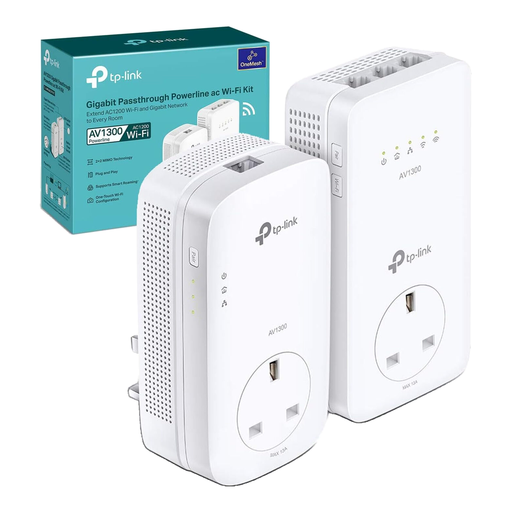 No image available
This powerline Wi-Fi kit is an option for a fixed workspace where a wireless signal from the router is weak. TP-Link says the adapters must use sockets on the same electrical circuit; check the proposed wall outlets before relying on that route.
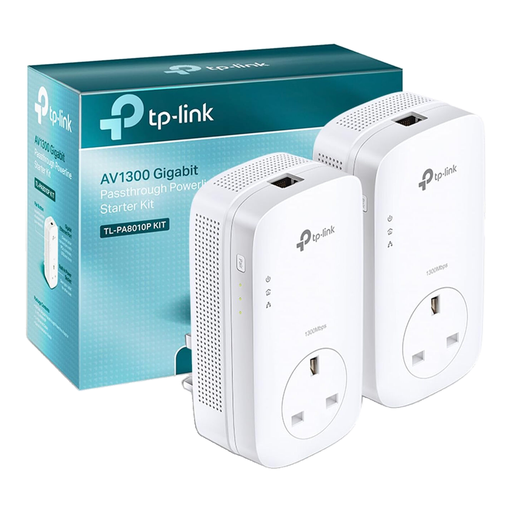 No image available
Consider this powerline kit for an Ethernet-capable device at a fixed desk, rather than for Wi-Fi from the remote adapter. Check that the intended sockets share an electrical circuit and that a wired connection meets the workspace’s needs.
If the connection is poor near the router as well as in the workspace, investigate the broadband service first. Check provider status and test at different times, as Ofcom advises. If the problem is mainly in distant rooms, equipment that extends in-home coverage is more relevant.
An Openreach full-fibre ONT should remain powered and connect by Cat5e/Cat6 Ethernet to the router’s WAN port, according to Openreach. Before replacing the supplied hub, confirm that the particular router supports your provider’s connection settings and any voice-service requirements.
Not necessarily. TP-Link says its adapters must be on the same electrical circuit to communicate, so check the sockets you intend to use for the router and workspace.
No. The eero 6 extender requires an existing eero network. If you do not have one, consider a complete compatible system or another way to reach the weak room.