Several weak rooms
If calls, study or streaming take place in multiple distant rooms, assess coverage across the home rather than only beside the router. Ofcom and Which? provide guidance relevant to these connection and coverage concerns.


Before buying coverage equipment, check for an outage and compare a wired connection at the router with Wi-Fi in the affected rooms: Ofcom notes that Wi-Fi cannot outperform the broadband service feeding it. If the incoming service is adequate, choose according to how many rooms need coverage, whether an extender can receive a usable signal, the condition of your router and whether a fixed device can be connected by Ethernet.
If calls, study or streaming take place in multiple distant rooms, assess coverage across the home rather than only beside the router. Ofcom and Which? provide guidance relevant to these connection and coverage concerns.
If Wi-Fi works acceptably elsewhere, consider whether an extender can be placed between the router and the problem area while still receiving a usable signal. Which? and TP-Link describe this targeted use and placement consideration.
If a work or study device stays in one place, a direct Ethernet connection may be worth considering when there is a practical cable route. Ofcom advises that a computer connected directly to the router can avoid relying on Wi-Fi for that connection.
Start by checking for an outage and comparing the router-side connection with the affected rooms. If the broadband service is adequate, consider a cable for one fixed device, an extender for one weak area with a usable signal, mesh for several rooms, or a replacement router when checks point to the current router.
These figures describe consumers considering equipment for weak Wi-Fi away from the router after basic fault checks.
| Concern | What to check when buying | Who this matters to |
|---|---|---|
| Coverage across several rooms | Mark the affected rooms and possible node positions. Check the system’s upstream connection and whether it supports wired backhaul if you plan to cable nodes. | When calls, study or streaming involve several distant rooms, I need coverage beyond the area around the router; around 33% of consumers prioritise coverage across multiple rooms. |
| One weak area | Check for a position between the router and weak area that still receives a usable signal. Confirm router compatibility if you expect a mesh-style setup. | If the rest of the home works well, I want to address one problem area without changing the whole network; around 25% of consumers put a targeted weak-area fix first. |
| One fixed device | Check that the device and router can connect by Ethernet and that the cable can be routed. For mesh nodes, check the exact system’s backhaul instructions. | For a computer that stays at a desk, I want a practical way to avoid relying on its Wi-Fi connection; around 25% of consumers prioritise a wired connection for a fixed device. |
| Whether the router is the issue | Check for an outage and compare a wired router-side connection with Wi-Fi in weak rooms. Ask the provider about its router options and connection requirements before choosing a replacement. | If the existing router may be the limiting equipment, I want to establish that before adding coverage devices; around 17% of consumers put the router’s condition first. |
Wi-Fi equipment cannot improve a broadband service that is already limiting the connection.
Check for an outage and compare a wired connection at the router with performance in the affected rooms before choosing mesh, an extender or a new router. Ofcom recommends checking the provider’s service information.
TP-Link says the main Deco unit needs a physical Ethernet connection upstream and cannot wirelessly repeat an existing router. Deco access-point mode also removes some gateway features.
Check the exact system’s connection requirements, operating mode and available features before deciding how it will fit your network.
A fixed computer may be connected directly by Ethernet, while an extender still depends on its wireless link back to the router.
Identify the device that needs a better connection and check whether a cable route or a suitable intermediate position is practical.
BT says its Whole Home, Mini, Premium and Whole Home Wi-Fi 6 product families cannot be mixed.
When adding a disc, match the complete product-family name rather than relying on the brand or the word “disc”.
Deco mesh systems and compatible-router extender approaches offer different ways to address several rooms or a targeted weak spot.
BT Whole Home Wi-Fi discs are an option to consider when adding mesh coverage to a router with an Ethernet port.
ZenWiFi AX (XT8) is a two-unit Wi-Fi 6 mesh example for considering a multi-node arrangement.
eero Pro 7 is a tri-band mesh-router example for comparing multi-node coverage needs with wired-port requirements.
The Orbi 870 Series is a multi-unit Wi-Fi 7 option to investigate when port capabilities and a multi-room arrangement matter.
These Joybuy options cover several approaches to weak Wi-Fi: mesh systems for multiple rooms, an extender for a targeted area, a replacement router and an Ethernet cable for a fixed device.
 No image available
A three-unit mesh arrangement to consider when several rooms need coverage; the listing says an existing modem or gateway is required.
Dual-band BE3600 Wi-Fi 7; 2.5 Gbps Ethernet ports on the router and satellites.
 No image available
Consider it for one weak area when it can be placed within range of the existing router’s signal.
The listing specifies range-extender mode, access-point mode, EasyMesh compatibility and a 1 Gbps Ethernet port. Check compatibility with the exact router or system.
 No image available
A three-unit mesh system to consider when coverage is needed across several rooms.
Dual-band Wi-Fi 7 with wired or wireless backhaul. TP-Link says the main Deco needs a physical Ethernet connection upstream and cannot wirelessly repeat an existing router.
 No image available
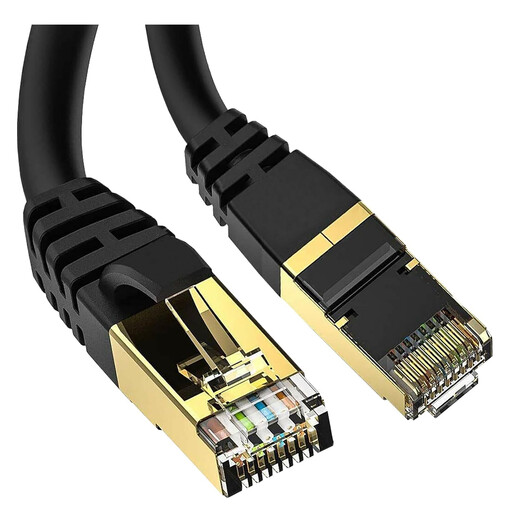
Consider a direct wired connection for a fixed computer or other network device when the cable can be routed to the router.
The title specifies a 5-metre cable with RJ45 connections, 40 Gbps and 2000 MHz. A cable connects a wired device; it does not extend Wi-Fi to other devices.
 No image available
A replacement-router option to consider if checks point to the current router; confirm the requirements for connecting a replacement to your broadband service.
The listing specifies five 2.5G ports and EasyMesh compatibility with supported routers and extenders.
Check the provider’s outage information first. Where possible, compare a device connected by Ethernet at the router with Wi-Fi in the affected rooms; Ofcom notes that Wi-Fi can slow a speed test and cannot outperform the broadband service feeding it. This comparison helps identify where to investigate, rather than confirming the cause of a fault.
Not as a wireless repeater of that router: TP-Link says the main Deco needs a physical Ethernet connection to the modem, router or internet cable. Check the intended router or access-point mode and the features available in that mode; this guidance is specific to Deco.
BT says its Whole Home, Mini, Premium and Whole Home Wi-Fi 6 families are not mutually compatible. Check the complete product-family name when adding a disc.
Not necessarily; the available features depend on the system and mode. TP-Link lists some Deco features that are unavailable in access-point mode, while eero says bridge mode disables its network services and some advanced app management. Check which device will manage the network and which functions remain available.