Which setup should you check?
Compare the connection at the router with the weak room first. Then choose equipment for the remaining coverage or wired-port problem.
Mesh with the provider router
Consider it: Wi-Fi drops in separated rooms, but the existing router and broadband connection otherwise work.
Allow for: Nodes still need a usable connection to one another; BT says range varies with obstructions and interference.
Wired access point
Consider it: Ethernet can reach the weak area, placing a Wi-Fi radio beyond the obstructing walls.
Allow for: Cable routing, a suitable mounting position and a compatible power arrangement.
Ethernet switch
Consider it: You need more wired connections for fixed devices or a remote Wi-Fi unit.
Remember: A switch adds Ethernet ports but does not transmit Wi-Fi.
Replacement router
Consider it: The supplied router itself needs replacing and the new model can meet your provider’s requirements.
Allow for: Provider-specific connection settings; changing routers cannot remove the obstruction caused by thick walls.
| Priority | What to check | Your needs |
|---|
| Find the weak link |
Compare a test near the router with one upstairs. Where practical, test a computer connected directly to the router by Ethernet; Ofcom recommends Ethernet as a more reliable way to assess the broadband connection. |
I want to know whether new Wi-Fi equipment would address the weak room, rather than overlooking a connection problem at the router. |
| Reach separated rooms |
Check where a mesh node can retain a connection to the first node, or whether Ethernet can reach an access point beyond the walls. Ofcom identifies brick internal walls as an obstacle to whole-home Wi-Fi. |
Upstairs coverage matters more to me than a coverage figure that cannot account for my walls and floors. |
| Add wired connections |
Count the devices and uplinks that need ports. On a five-port switch, a connection back to the router typically occupies one port; TP-Link lists five Gigabit ports for its TL-SG105. |
I need sockets for fixed devices, and perhaps a wired connection to remote Wi-Fi equipment; extra ports alone will not fix upstairs Wi-Fi. |
| Keep the provider connection |
Before replacing the main router, check the provider’s hand-off, WAN protocol and speed requirements, plus any voice-service or troubleshooting arrangements. Community Fibre specifies DHCP for its own service; do not assume the same setting elsewhere. |
I would rather keep the supplied router if an added Wi-Fi unit can solve the coverage problem without changing the provider-facing connection. |
| Plan the wired route |
Check whether cable can run to the remote node or access point, and how that device will be powered. TP-Link lists Ethernet backhaul for the Deco X50 and several power options for the EAP610; check the exact model and hardware version you intend to use. |
If a cable can reach upstairs, I can consider a wired connection instead of relying on a wireless link through several thick walls. |
Joybuy options for mesh and wired ports
These mesh systems relate to coverage in separated rooms; the switches relate to additional Ethernet connections. Check placement and provider compatibility for mesh, and do not expect a switch alone to improve Wi-Fi.
 No image available
TP-Link Deco BE22 (3-Pack) BE3600 Wi-Fi 7 mesh system
A three-pack to consider when Wi-Fi needs to reach rooms away from the router. Check where the units can be placed and whether your intended setup can use a wired connection between them; stated coverage is not a guarantee through thick walls. Confirm the provider setup before changing its equipment.
View on Joybuy
 No image available
NETGEAR Orbi 370 RBE373 WiFi 7, 3-Pack, BE3600
A three-pack to consider for Wi-Fi in separated rooms, with 2.5Gbps Ethernet stated in the product name. Check the unit positions, the connections needed for your wired devices and compatibility with your existing modem or gateway; thick-wall coverage depends on the layout.
View on Joybuy
 No image available
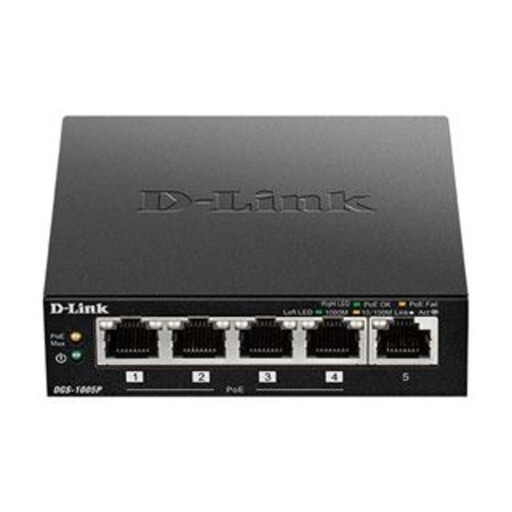
D-Link DGS-1005P 5-Port Gigabit PoE+ switch
For adding wired connections where the router has too few sockets. If you intend to power an access point from the switch, check that device’s PoE requirements against the switch before buying. The switch itself does not extend Wi-Fi.
View on Joybuy
 No image available
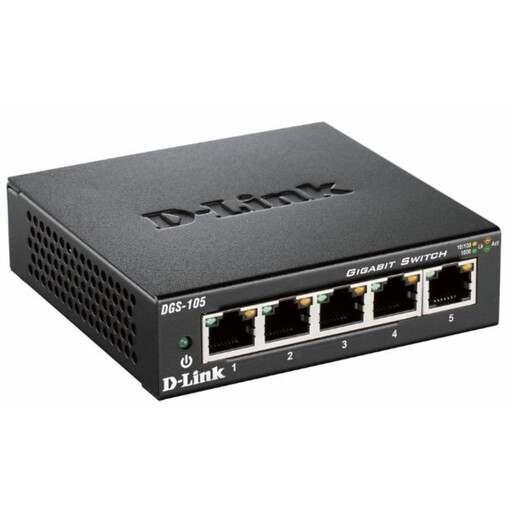
D-Link DGS-105 5-Port Gigabit unmanaged switch
For connecting more fixed devices by Ethernet without replacing the router. It does not extend Wi-Fi; if the switch must also power an access point, confirm its power capabilities and the access point’s requirements before choosing it.
View on Joybuy
Common questions
Is the weak upstairs connection a broadband or Wi-Fi problem?
Compare performance upstairs with a test near the router and, where possible, a computer connected directly by Ethernet. Ofcom advises using Ethernet to assess the broadband connection and notes that the home’s wireless link can be a bottleneck. If the connection is good at the router but weak upstairs, focus on Wi-Fi placement or an added Wi-Fi unit; if it is poor at the router too, speak to the provider before buying coverage equipment.
Will mesh Wi-Fi get through thick brick walls?
A mesh node may help when it can be positioned nearer the weak room, but it still needs a viable connection to the rest of the network. Ofcom says brick internal walls make whole-home Wi-Fi more difficult, and BT says disc range varies with obstructions and interference. Consider Ethernet between units if cabling is practical.
Can I keep the provider router and add my own Wi-Fi equipment?
Yes, if the added equipment supports a suitable connection and operating mode for your existing router. Check its access-point or mesh setup instructions before purchase. Keeping the provider router in charge of the broadband connection avoids changing its provider-facing settings; functions available on an added device may differ by mode.
What should I check before replacing a full-fibre router?
Check your provider’s connection hand-off, required WAN settings and speed requirements, as well as any voice-service or troubleshooting arrangements. Zen Internet describes an Ethernet connection from an ONT to a router, while Community Fibre specifies an RJ45 connection and DHCP for its own service. Use your current provider’s instructions rather than applying another provider’s settings.
Will an Ethernet switch improve upstairs Wi-Fi?
No. A switch adds wired network ports, not Wi-Fi coverage. It can connect fixed devices or provide a wired connection to a remote mesh node or access point; a five-port switch typically uses one port for its connection back to the router.


