What should you check before choosing?
Compare the connection near the main router with the connection in the problem room. If the issue is mainly distance or walls, consider coverage hardware; if the connection is unreliable even near the router, ask your provider about the router and broadband service before adding another Wi-Fi point.
| Concern |
What to check when buying |
Who this matters to |
| Reaching one weak room |
Check that the extender’s planned position still receives a usable signal; confirm router compatibility for any mesh feature you want. |
If the rest of my home works and one room does not, I want to address that gap without planning several Wi-Fi points. Around 40% of consumers put single-room coverage first. |
| Covering several rooms or floors |
Map possible node positions and check whether the system supports wireless or Ethernet backhaul. |
If more than one room or floor needs coverage, I want to plan a connected set of Wi-Fi points. Around 30% of consumers put multi-room coverage first. |
| A difficult wireless path |
Check whether Ethernet is available; for powerline, check the exact kit, sockets and wiring requirements. |
If walls or distance make a wireless link difficult, I want to know whether a wired or powerline route is practical. Around 20% of consumers put an alternative to a difficult wireless path first. |
| Main-router reliability |
Compare the connection near the router with the distant room; check provider, phone-service and update-support requirements before replacing a hub. |
If the main router is ageing or disconnects frequently, I want a replacement that can work with my service and retain the features I need. Around 10% of consumers put router reliability and provider compatibility first. |
Joybuy products for home Wi-Fi coverage
The products below include Wi-Fi extenders and multi-unit mesh systems, including a mesh-router option, for extending or reorganising in-home coverage.
 No image available
NETGEAR Orbi 370 RBE373 WiFi 7 Mesh System, 3-Pack, Dual-Band BE3600, White
A three-unit mesh system is suited to planning coverage across multiple rooms; the listing requires an existing modem or gateway.
One router and two satellites; dual-band BE3600 WiFi 7; 2.5Gbps Ethernet LAN ports are listed for the router and satellites.
View on Joybuy
 No image available
TP-Link RE220BE BE3600 Wi-Fi 7 Range Extender
This extender is a possible fit for a weak-signal room if it can be placed within range of the existing router.
The listing specifies EasyMesh compatibility, a 1Gbps Ethernet port and access-point mode. Check compatibility with your exact router before relying on mesh features.
View on Joybuy
 No image available
TP-Link Deco BE22 (3-Pack) BE3600 Whole Home Mesh Wi-Fi 7 System
A three-unit mesh system may suit a home where several rooms need coverage and multiple node positions can be planned.
The listing describes wired and wireless backhaul and two 1Gbps ports per unit.
View on Joybuy
 No image available
D-Link BE9500 Wi-Fi 7 Smart Mesh Router M95
This router may suit someone considering a replacement central router or a compatible expandable mesh setup.
The listing specifies tri-band Wi-Fi 7 and 2.5-Gigabit WAN and LAN connectivity. Expansion is described for compatible AQUILA PRO AI routers or extenders.
View on Joybuy
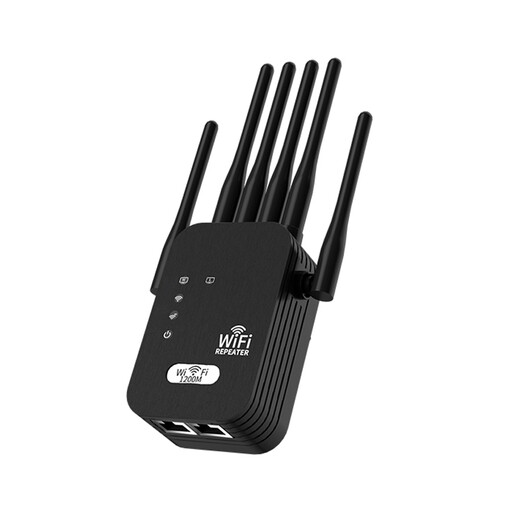 No image available
Wi-Fi Signal Booster, 1200M, UK Standard
This booster is described for extending existing Wi-Fi where a position within range of the current signal is available; it does not increase the broadband service’s original speed.
The description lists 2.4GHz and 5GHz support and a UK-standard plug. It also says performance depends on the incoming signal, wall thickness and interference.
View on Joybuy
Frequently asked questions
How can I tell a distant-room Wi-Fi problem from a broadband-service problem?
Compare the connection near the main router with the connection in the problem room. Ofcom explains that improving home Wi-Fi cannot make it outperform the underlying broadband service, while router position and walls can also affect room coverage.
Where should I put an extender or mesh node?
Choose a position that can still connect to the existing network, rather than assuming a device placed in a dead zone will receive a good wireless link. If cabling is feasible, check whether the equipment supports a wired access point or Ethernet backhaul; TP-Link documents these options for the RE705X and Deco X50 V2 respectively.
Can I combine a third-party system with my ISP router?
Compatibility depends on the exact hub, service and Wi-Fi system. BT says its Complete Wi-Fi discs and Whole Home Wi-Fi do not work together, and its hub comparison shows that service features vary by hub. Check the intended connection and any phone-service requirements with your provider before replacing its equipment.
Could powerline help when a wireless link is difficult?
Powerline is worth considering when the intended kit and home wiring are suitable, but its rated speed does not guarantee room-to-room throughput. TP-Link’s documented setup requires at least two units on the same electrical circuit; check the requirements for the exact kit and sockets.
What UK security and update information should I check?
The UK consumer connectable-product security regime took effect on 29 April 2024, according to UK Government guidance; whether particular requirements apply depends on the product’s scope and exclusions, and the guidance includes a Northern Ireland qualification. This does not establish that an individual router or adaptor complies. Separately, the National Cyber Security Centre advises checking whether a connected device is still supported and keeping it updated.


